
















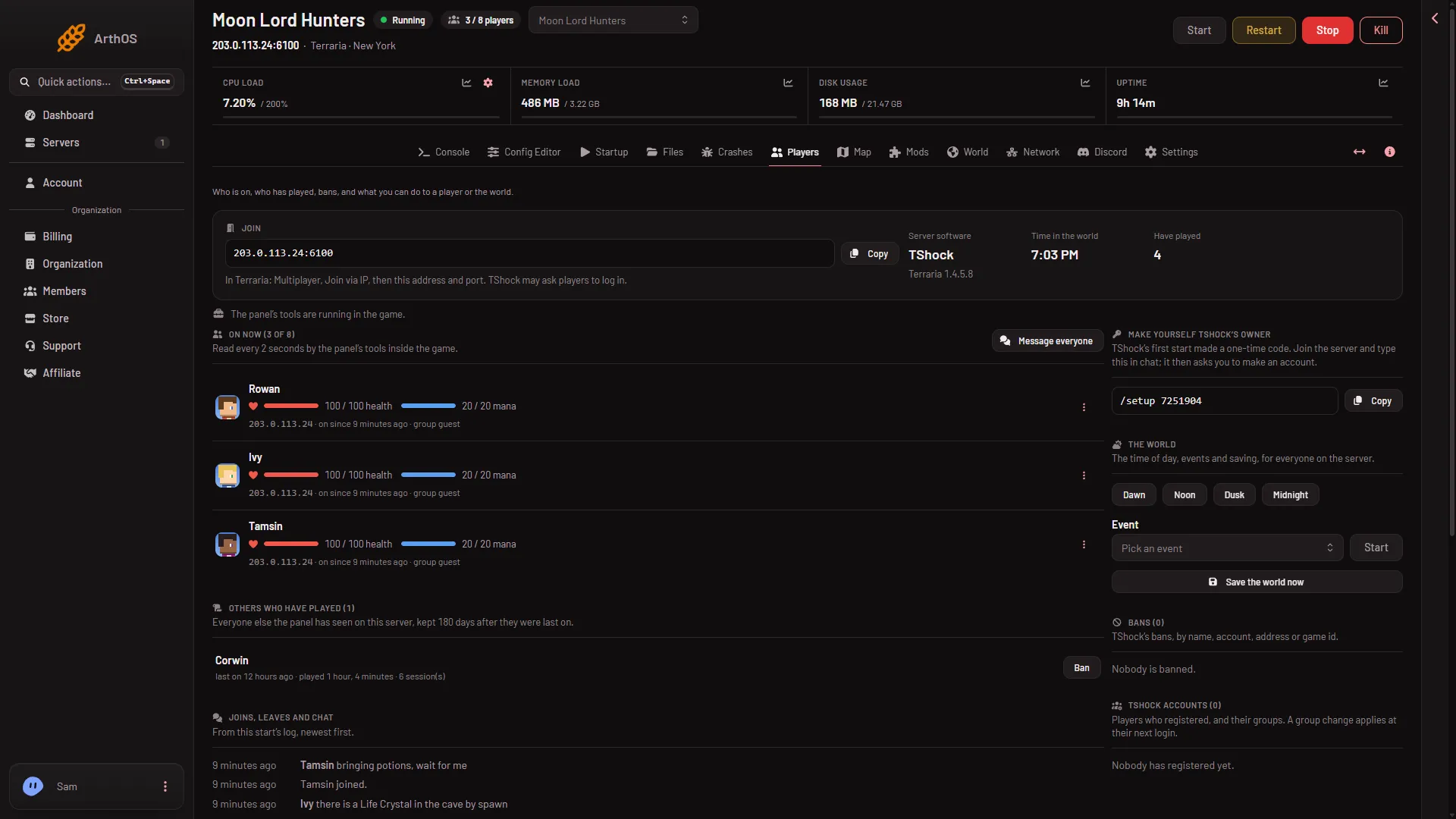
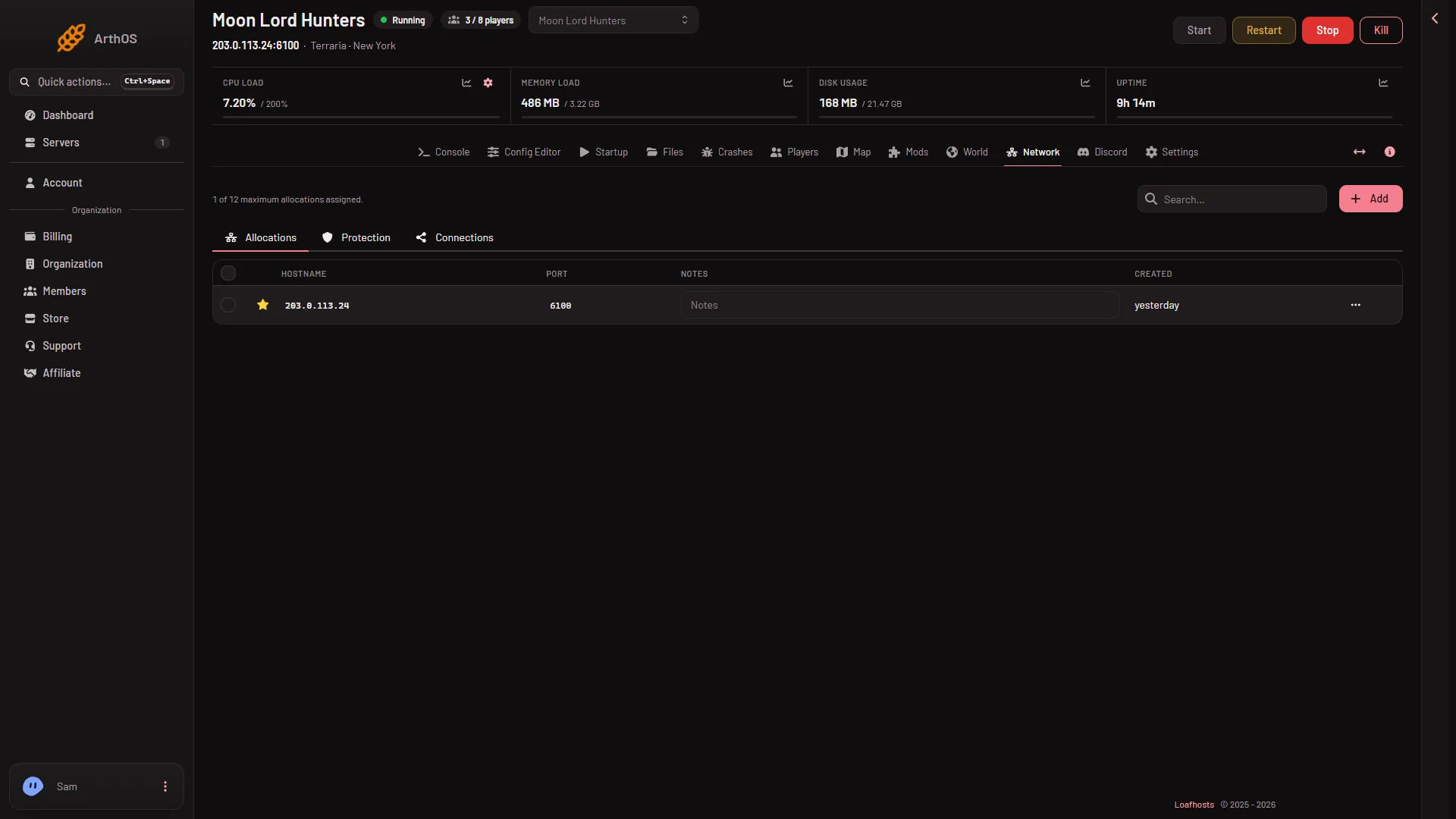
Your server’s address and port are in the Join box on the Players page. The same port is on the Network page. It is not 7777, the game’s usual port, because every Loafhosts server gets its own.
On the Players page
- Open the server and go to the Players page.
- Look at the Join box at the top.
- Choose Copy (1) to copy the address and the port.
- Copy the address
- How players join
Paste them wherever you share them. Players type them into Join via IP in the game. The line under the box (2) tells each player what to do in the game. The steps for players are in how to join a Terraria server.
On the Network page
- Open the Network page.
- Look at the list under Allocations. The Hostname column is the address and the Port column is the port.
An allocation is an address with a port that belongs to your server. A Terraria server has one, marked with a star. It is the same address and port as in the Join box. The Notes column is an empty box anyone can type in. No row says what the port is for.
Why it is not 7777
Terraria’s own default is 7777. That is the number a server uses when it runs on a home computer with no other settings. A Loafhosts server shares a machine with other servers, so the panel gives each one a port of its own and starts the server on it. Always use the port you see in the panel, not 7777.
TCP only
Terraria plays over TCP (the connection type Terraria uses) and nothing else. There is one port and one protocol. You do not set anything up on your own computer or router. Players only need the address and the port.
If it does not work
- A friend typed 7777. Send them the exact port from the Join box.
- The Join box says “The server has no address yet.” The server has not been given its address. Check the Network page, and ask support if the allocation is missing.
- The game cannot reach the server. The server may be offline. The Players page says “The server is offline. Who is on shows while it runs.” when it is. Start the server from the buttons at the top of the page and try again.
- The server is in standby. Standby is on by default: a server that nobody plays on for the time in After nobody plays for is stopped. Check the switch on the Standby card in Settings. The card shows when the server went there.
More about the game: Terraria servers.
Sources: terraria.wiki.gg: Server