
















The Schedules tab runs steps for you on a timetable. For Terraria the two useful ones are a daily restart and a regular save. A restart stops the server first, and the stop saves the world, so a restart is also a save.
Check the time zone first
Schedules run in the server’s own time zone. Open Settings and read the Timezone card. Set it to yours before you pick times. A time you enter later is the server’s time.
Build a daily restart
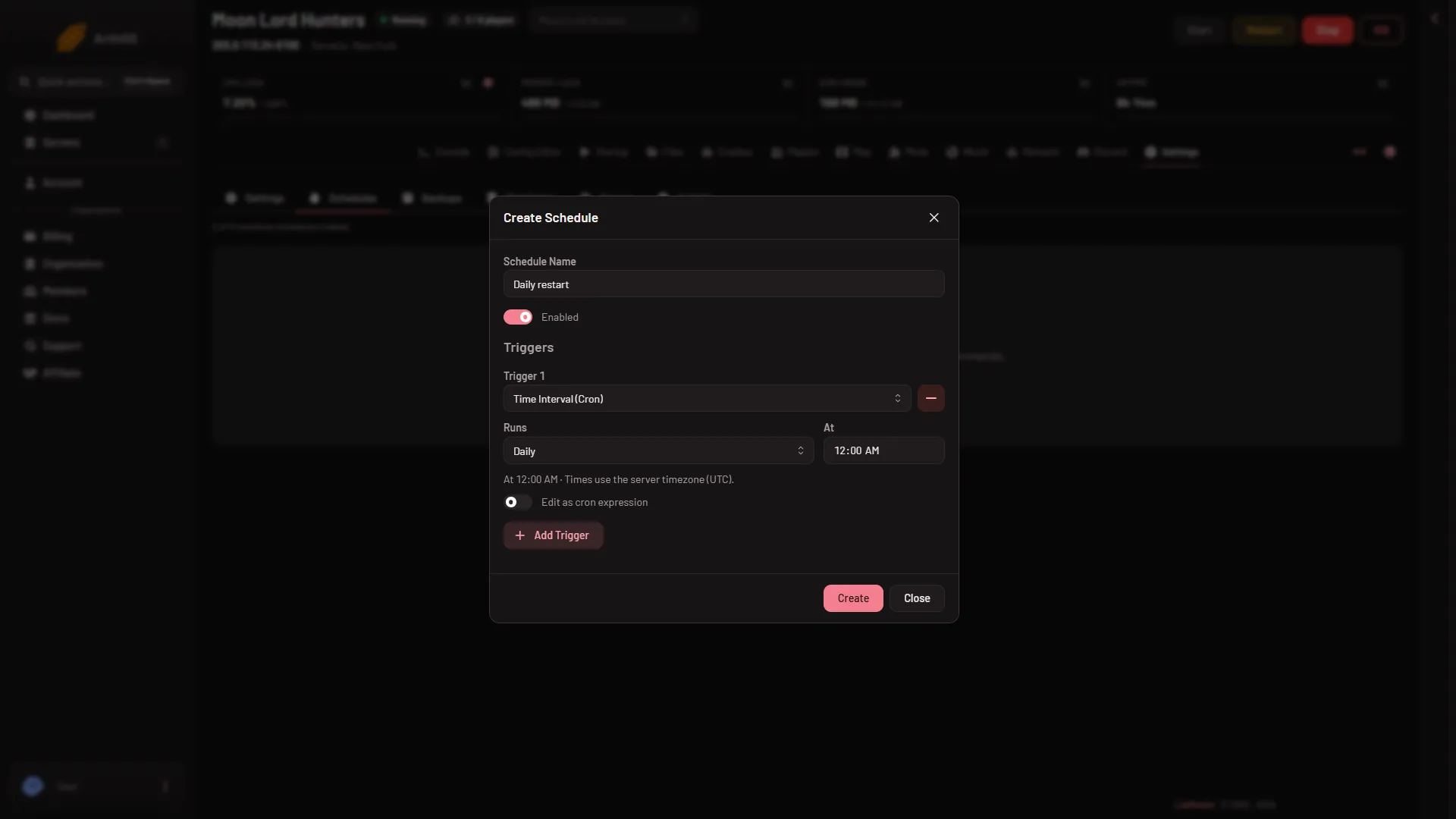
- Open Settings, then Schedules, and choose Create Schedule.
- Type a Schedule Name, such as Nightly restart, and leave Enabled on.
- Under Triggers, choose Add Trigger and pick Time Interval (Cron). In Runs, pick Daily and set At. The other choices are Every few minutes, Every few hours, Weekly and Monthly. The dialog says “Times use the server timezone (UTC).” unless you changed Timezone, and Edit as cron expression is there if you want to type the cron yourself.
- Choose Create.
- The steps come after the schedule exists. Open it, choose Add Step, then Send Power Signal, and pick Restart. “Stops the game and starts it again, and goes on to the next step at once.”
Put nothing after the restart step that needs the server to be back.
Save the world on a timer
The game saves now and then on its own, and it saves when the last player leaves. A timed save adds a safety point.
- Create a schedule that runs Every few hours.
- Add the step Send Command with the command
save.
save writes the world to disk and keeps the server running. You can add a Sleep step and a Create Backup step after it to keep a panel backup of that save. Sleep is set in milliseconds, so 10 seconds is 10000. How long a save takes depends on the world, so leave it room. See panel backups for the limit on backups.
Warn players with a message
Add a Send Command step before the restart. On Vanilla and tModLoader, say plus your words sends a message to everyone, such as say Restart in 5 minutes. On TShock use bc plus your words. Add a Sleep step to wait before the restart step. To warn people by hand, choose Message everyone on the Players page. Not checked from a schedule as of 13 November 2026: whether the message reaches players that way.
If it does not work
- It runs at the wrong hour. The server’s Timezone is not yours. Change it, then check the schedule’s trigger.
- Nothing happened. Check that Enabled is on and that the schedule has a step. A schedule with a trigger and no step does nothing.
- The schedule is not there. Look under Settings, then Schedules. It is a tab inside Settings.
- The server is stuck. A stop that does not finish is killed after the seconds shown in Seconds until auto-kill on the Auto-Kill card. A kill does not save the world.
See Terraria servers for the rest of the game.
Sources: terraria.wiki.gg: Server