
















Stop the server, put the world’s .wld file in its worlds folder with Files, and it shows on the World page. Choose Play this world, then start the server. Your other worlds stay where they are.
Before you start
- Find the
.wldfile of the world on your computer. If the world was made for tModLoader, it also has a.twldfile with the same name. Upload both. - Look at the file name. Take off
.wldand what is left must use only letters, digits, spaces and the signs_,-and'. It can be at most 27 characters. It cannot start with a space or a dot. Rename the file first if it breaks this. If the name breaks this, the panel refuses to play the world (“that is not a world name the server takes”). - Pick a name that is not on the World page yet. That way nothing on the server is replaced.
- Check which program the server runs. A world saved by Terraria 1.4.5 does not open on tModLoader, which runs Terraria 1.4.4. Vanilla and TShock can open it. For tModLoader, upload a world saved by 1.4.4.
Upload the world
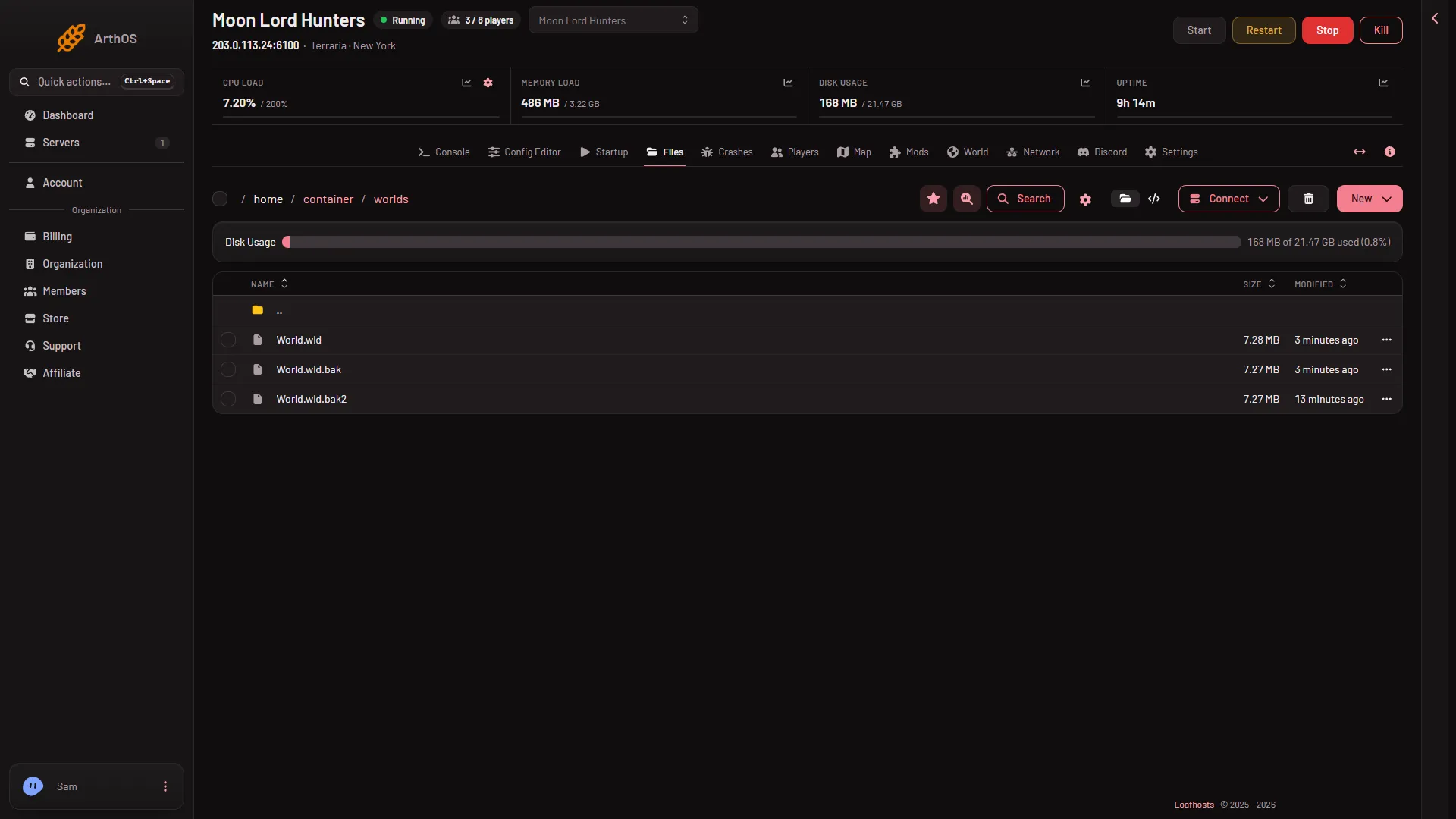
- Stop the server. Open Files and go into the
worldsfolder. - Open the New menu and choose File from Upload.
- Pick the
.wldfile. Pick the.twldfile too if you have one.
Play it
- Open the World page.
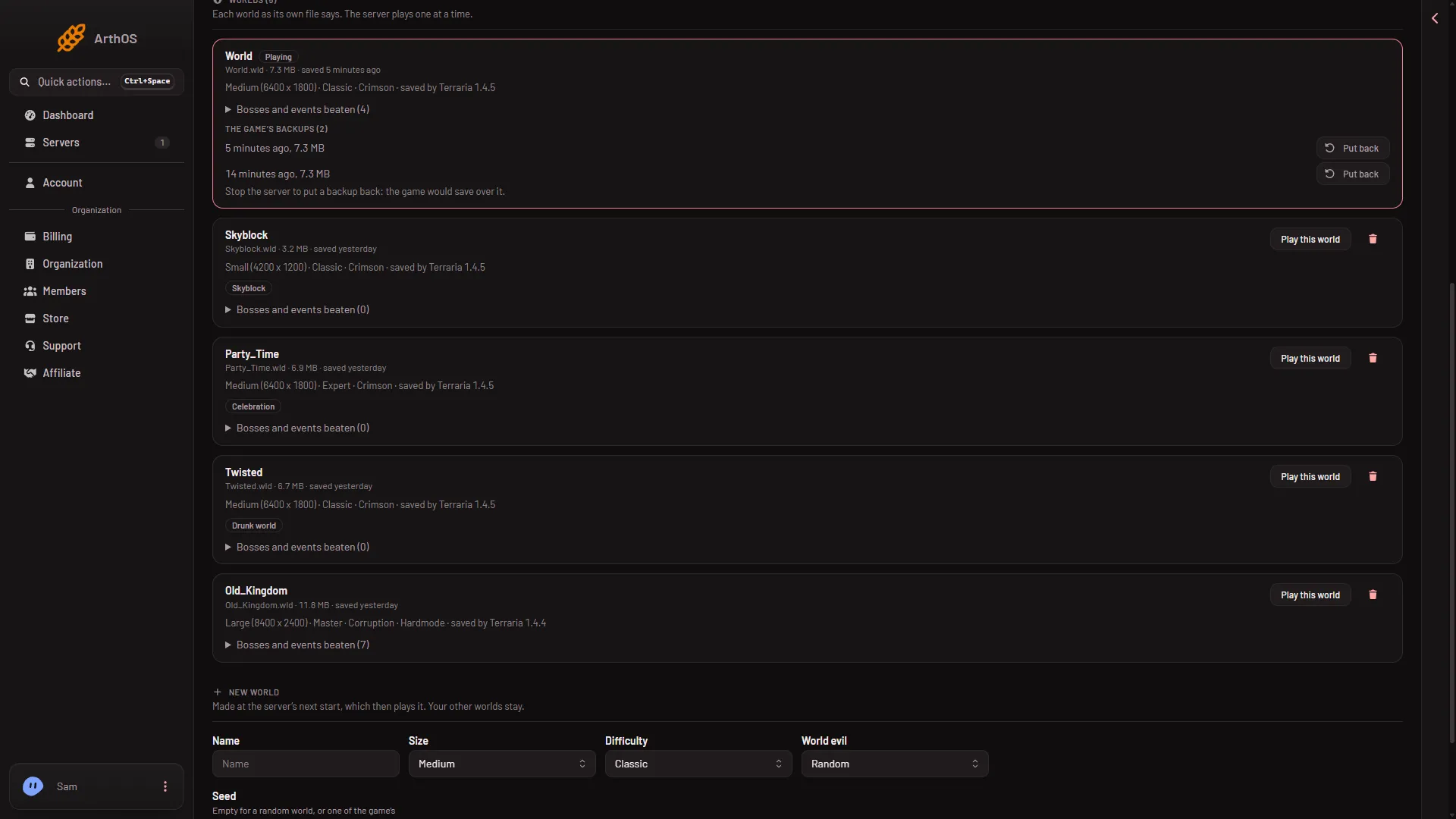
- Find the new row under Worlds. It names the world, its size, its mode and the Terraria version that saved it (“saved by Terraria 1.4.5”, for example).
- Choose Play this world (1).
- Start the server. If it is running, restart it instead: that drops everyone who is on, so use Message everyone on the Players page first. The page tells a running server: “Restart the server for it to take effect.” The server loads the world at its next start.
- Play this world (1)
The row you chose now shows Playing.
A world that is too new
On a tModLoader server, a world saved by 1.4.5 carries the tag Too new for tModLoader, and it has no Play this world button. You have two choices:
- Switch the server to Vanilla or TShock on the World page, then play the world there. The worlds are shared, so nothing is lost by switching back.
- Make a new world for tModLoader. Choose tModLoader first (the box “Run tModLoader?”), then use New world on the World page, or upload a 1.4.4 world and choose Play this world. Restart after that. If you switch and restart while the old 1.4.5 world is still the one playing, the start fails: Crashes names a world from a newer Terraria.
If it does not work
- The world is not on the list. The file must end in
.wldand sit directly inworlds, not in a folder inside it. - There is no Play this world button. The world is already Playing, or it is too new for tModLoader. If the button is there but the panel refuses, the file name uses a letter or sign the server does not accept (see above).
- The row says its header could not be read. The file is damaged or was cut short. Upload it again.
- The server stops at the start and says the world could not be loaded. Open the Crashes page for the cause. Put one of the world’s backups back on the World page, or upload a good copy.
More about the game: Terraria servers.
Sources: terraria.wiki.gg: Server