
















If your Terraria server is offline and you did not stop it, standby probably did. Standby is on by default on every new server, and it stops a server when nobody has played on it for the set time (10 days unless someone changed it). Nothing was deleted. Your world and files are still there. Start the server again and it carries on.
Check that it was standby
- Open Settings for the server and find the Standby card.
- Read the status line. If standby stopped it, it says the server went into standby, when, and that nothing was deleted.
- The server page may also show This server is in standby, with the same message.
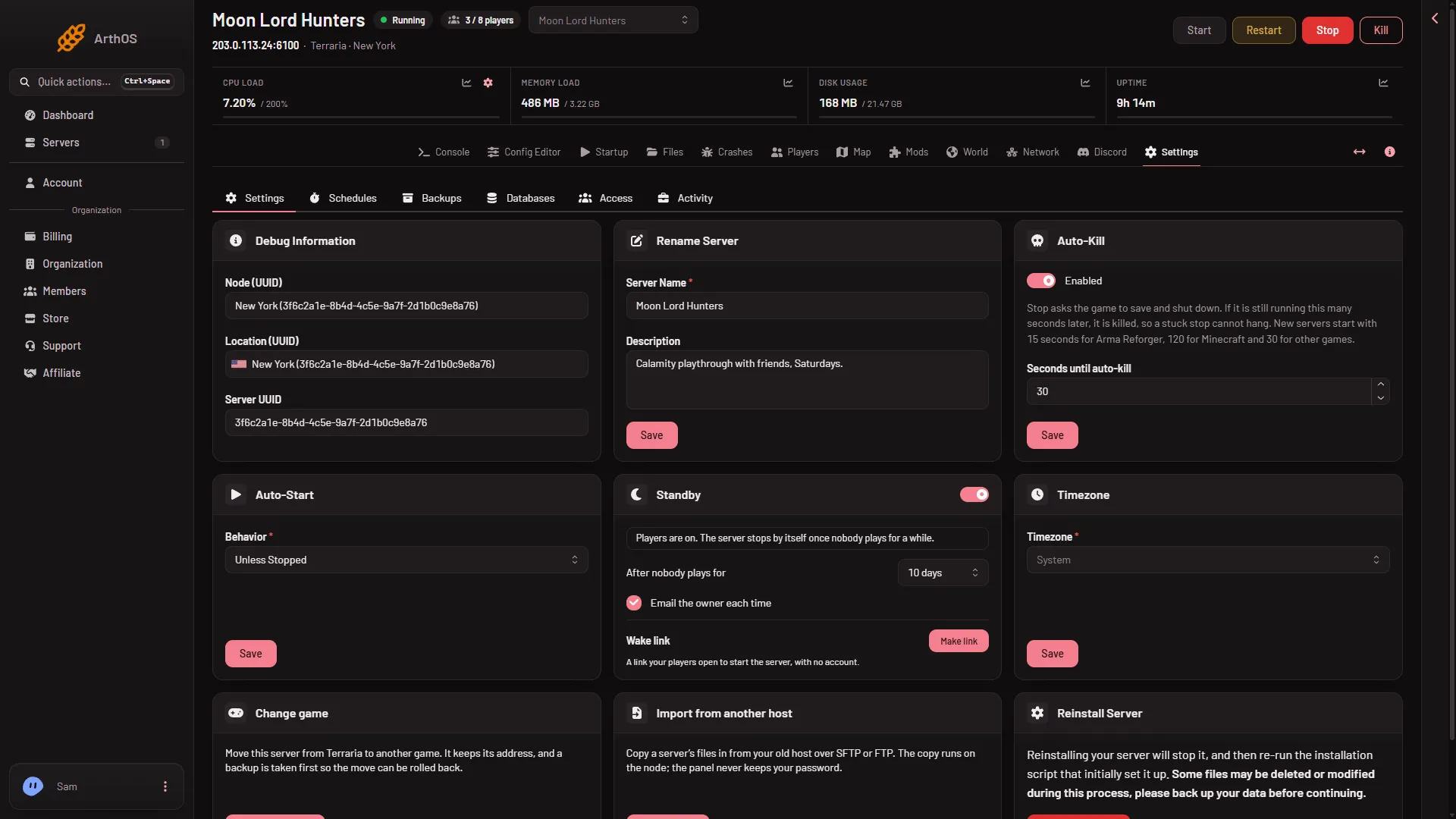
- Standby card
- Standby switch
- Wake link
The picture shows a server that has players on, so its status line says players are on. A server that standby stopped shows the went-into-standby line in the same place.
If the card says something else, standby did not stop it. Look at the Crashes page and the Activity tab in Settings instead.
Start it again
- Choose the Start button on the server page. The server loads its world and is ready when the console says
Type 'help' for a list of commands. - Or open its wake link. Anyone with the link can start the server, and nothing else: no stop, no settings, no files.
Share a wake link with your players
On the Standby card, find Wake link and choose Make link. Then choose Copy link and send it to your players. They can wake the server themselves.
To replace the link, choose New link. The old one stops working at once. To remove it, choose Turn off. The card also shows how many times the link may start the server in a day.
Keep the server running longer
Standby is on by default, so check the switch rather than turning it on. It is set per server on the Standby card.
- Stop the server when nobody plays on it turns standby on or off. When it is off, the status says Off. The server keeps running when nobody plays.
- After nobody plays for sets how long the server waits with nobody on before it stops. Pick a longer wait to keep it up longer.
- Email the owner each time sends an email whenever standby stops the server.
The card has no Save button: it saves as you change it and confirms with Standby settings saved. If the wait you pick has already passed, a box asks Go into standby now?, with Save. When the server is already in standby, the notice on the server page offers Turn standby off and a longer wait.
How standby counts players
Standby counts who is on from the panel’s tools inside the game (TShock or tModLoader). On Vanilla it counts the joins in the start log. Before it stops the server, it checks the count a second way. A count the panel cannot read never counts as empty. The card shows a waiting note in that case.
An empty server does nothing anyway
Terraria’s own server pauses the world when nobody is connected. Time only passes with players on. So standby does not skip anything in the world. The server saves when it stops, because the panel stops it with the exit command.
If it does not work
- It keeps going into standby. Pick a longer After nobody plays for, or switch standby off.
- Start does nothing. Look at the Console and the Crashes page for the start’s error.
- The wake link does not start it. It may be turned off, replaced, or past its daily limit. Make a new link.
- You want to be sure the world is safe. Restore options are on the World page and under Backups in Settings.
More about the game: Terraria servers.
Sources: terraria.wiki.gg: Server