
















You can send a player to the world’s spawn, to another player, or to any spot you click on the Map. Each one happens at once, with no box to confirm. It needs TShock or tModLoader, and the player must be on the server.
Send to spawn, or to another player
- Open the Players page of your Terraria server.
- In the On now list, open the menu on the player’s row.
- Choose Send to the world’s spawn (1) to move them to spawn.
- Or choose Send to (name) to move them to another player. The menu has one line for every other player who is on. With nobody else on, there is no such line.
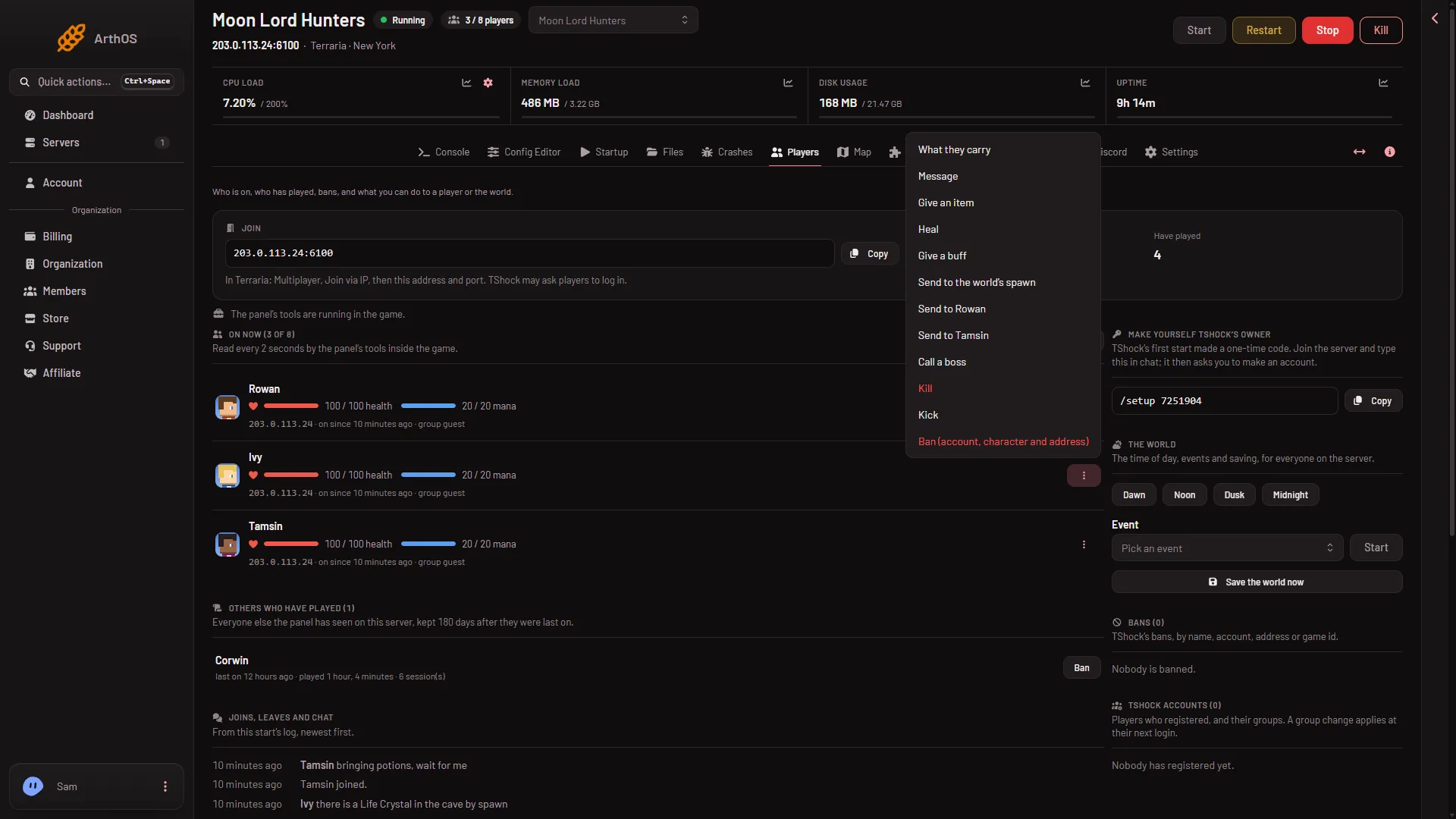
- Send to spawn
The panel sends the move straight away.
Send to a spot on the Map
- Open the Map page.
- Click the player on the map. Their card shows where they are, as “At (x), (y).” and their health.
- Choose Pick a spot. The map says “Click where to send (name).”
- Click the place on the map where they should go.
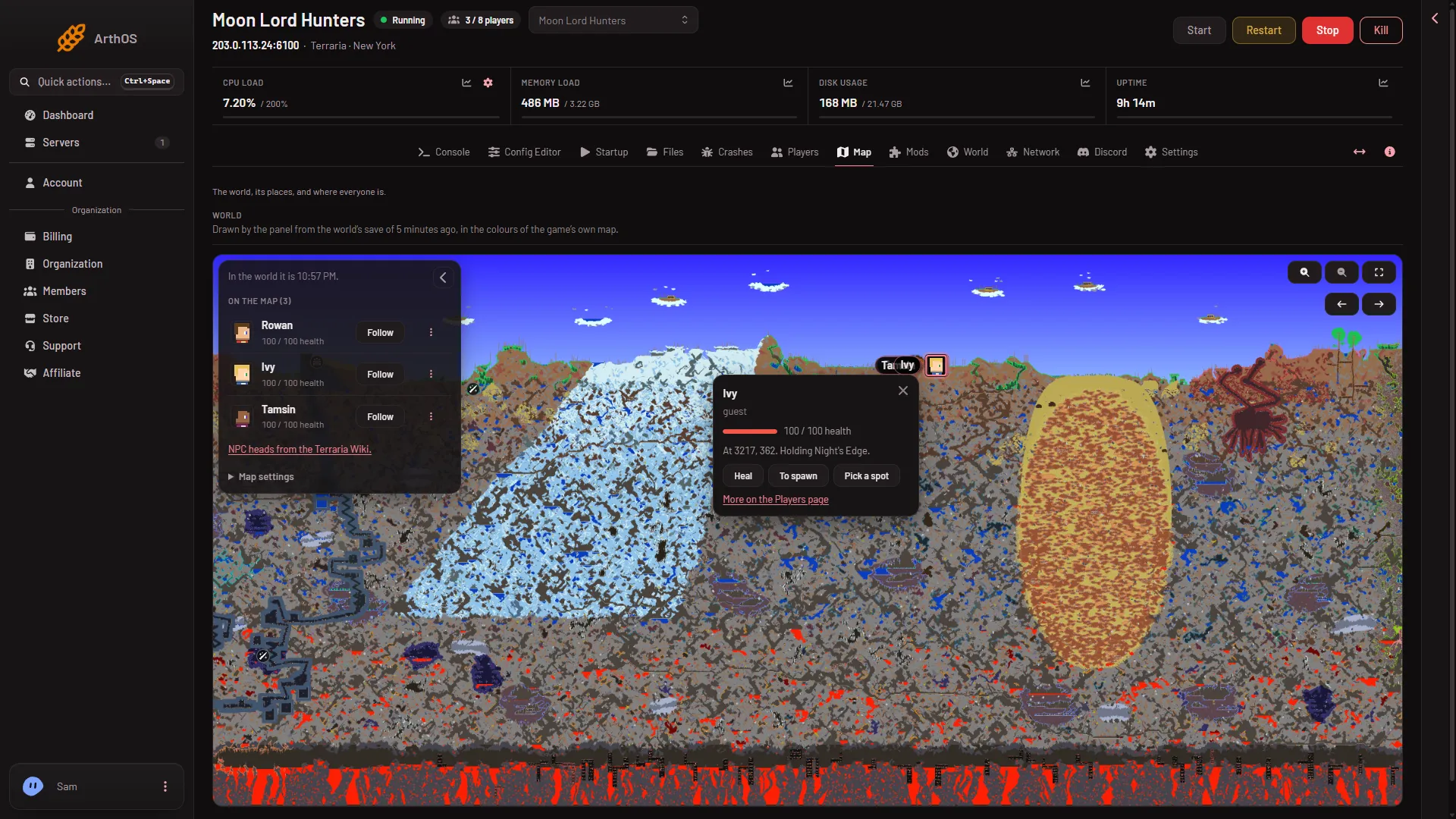
The card also has To spawn, which does the same as the row menu.
The panel refuses a spot outside the world. It also refuses sending a player to themselves.
What you need
- TShock or tModLoader. A Vanilla server runs none of the panel’s tools. The page says “Vanilla runs nothing of the panel’s” and links to the World page to change the software.
- A player on the server. A Terraria server with nobody on is paused: “Time only passes when players are connected,” the Terraria wiki says. The panel does not run the move until someone joins.
- A role that allows game actions. The Map page also needs a role that can see the map. Without them the lines and buttons are missing.
If it does not work
- No Send to line for a player. Nobody else is on. The page reads the server every 2 seconds, so a new arrival may take a moment to show.
- The Map card has no buttons. The server is Vanilla, the tools have not loaded, or nobody is on.
- “Choose a spot inside the world”. Click inside the drawn world.
- “The panel’s tools get their key at the server’s next start”. Restart the server once.
See also: live players on the map.
Sources: terraria.wiki.gg: Server