
















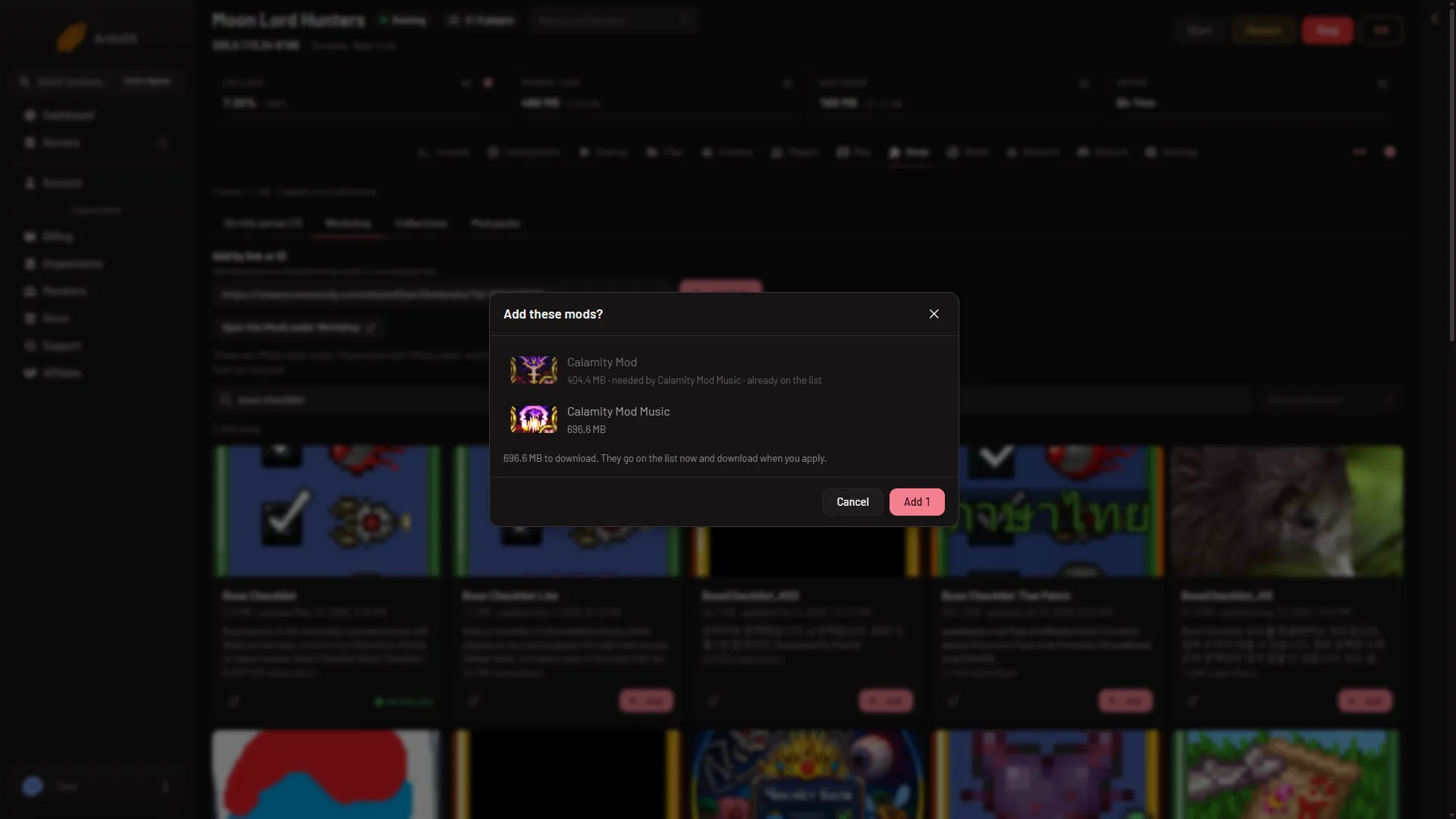
Paste the mod’s Workshop link, or its ID, into Add by link or ID on the Mods page and choose Look up. A box Add these mods? shows what will be added, including any mod that the first one needs. Confirm it to put them on the list.
The ID is the number of the mod’s page on the tModLoader Workshop. It is the number in the link. The server must run tModLoader, and the mod must be from the tModLoader Workshop, not from Terraria’s own.
Steps
- Open the mod’s page on the Steam Workshop and copy the link from the address bar.
- Open the Mods page on your server.
- Paste the link or ID into Add by link or ID (1). The field takes Workshop links or IDs, several at once, or a collection link.
- Choose Look up (2).
- Read the box Add these mods?.
- Choose Add (count).
- Apply the change. See install mods.
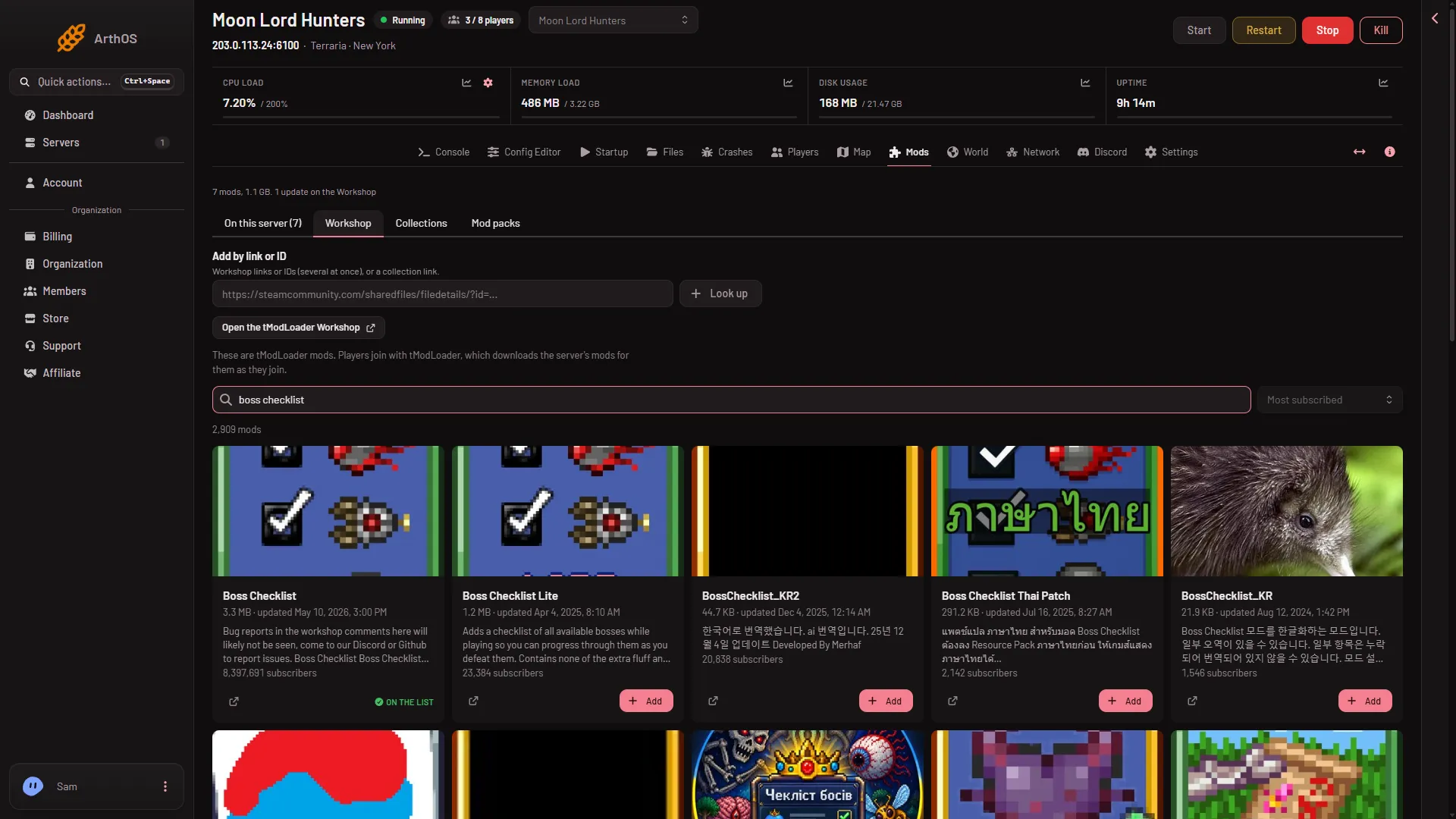
- Paste the link or ID
- Choose Look up
If you do not have a link, Open the (game) Workshop takes you to the Workshop, and the Workshop tab searches it. See search the Workshop.
What the box shows
Each line is a mod. Next to a mod you may see:
- needed by (name): another mod you are adding needs this one, so it is added too.
- already on the list: it is there already, so nothing is added for it.
- “what it needs is not known yet”: the panel cannot read its requirements until it is downloaded.
At the bottom, the box says how much will download, and: “They go on the list now and download when you apply.”
If a link or ID cannot be used, the box lists it with the reason instead of adding it.
Why the box adds extra mods
Many mods need other mods to work. A mod that is missing one of them is left off when you apply, and it waits on the list. Letting the box add what is needed avoids that. See mod dependencies.
If it does not work
- Look up adds nothing. The box lists the link or ID with the reason. Check that it is the right one.
- A mod row says it is for another game. The page says: This is a mod for (game), so this server cannot use it. Take it off the list and use a tModLoader mod.
- Add (count) cannot be chosen. Adding needs a role that allows changing the startup.
- The list is full. A server list holds at most 200 mods.
More about the game: Terraria servers.
Sources: store.steampowered.com: TModLoader