
















Some tModLoader mods only change the player’s own game: a new look, a map tool, a menu. A server has nothing to load for them. The Mods page marks such a mod with the chip Players only and names it in a note. The server does not load it.
This is for a Terraria server that runs tModLoader.
What the page shows
Every mod file says for itself who it is for. The panel reads that when the mod is downloaded. On the On this server tab you may see:
- Players only on a row. The mod is for the players’ own game.
- Server only on a row. The mod carries this chip.
- A note under the list: “For players’ own game only, so the server does not load them: (names).”
The note is plain information. It is not an error, and nothing needs fixing.
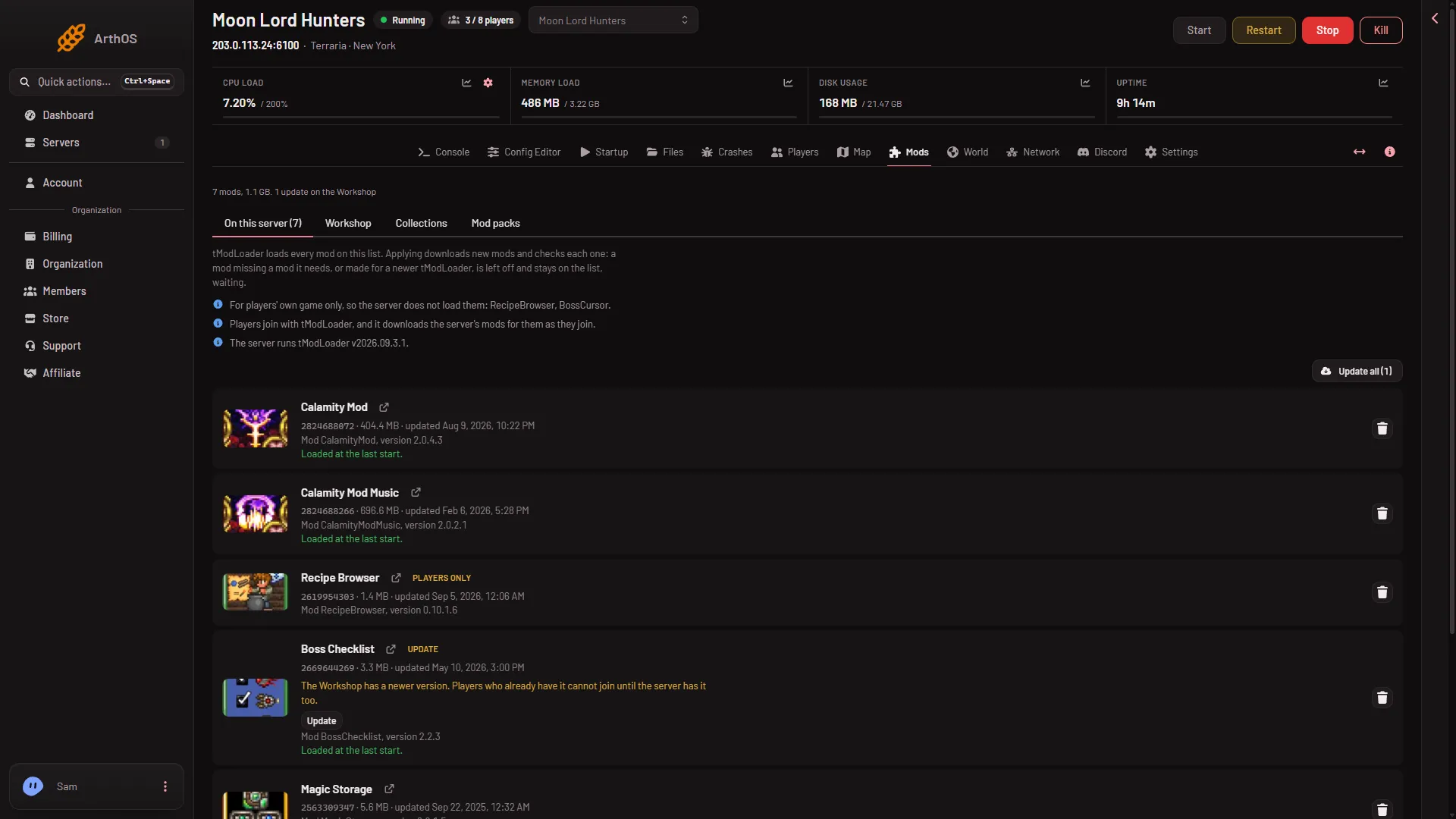
- The Players only chip
The chip (1) sits next to the mod’s name, and the note about these mods is above the list.
A mod with neither chip is not marked for one side only. When the list holds such a mod, the page adds: “Players join with tModLoader, and it downloads the server’s mods for them as they join.”
Do I need a players-only mod on the list?
No. It does nothing on the server. Players who want it add it in their own tModLoader.
If it is on the list, it does no harm to the server, and the note names it so you know why it is not loaded. If you do not want it listed, take it off. See the Mods page row button Take (name) off the list.
Whether tModLoader sends a players-only mod to players when they join is not checked on tModLoader v2026.09.3.1 as of 13 November 2026. Do not rely on it. Tell your players which of these mods to get themselves.
If it does not work
- A mod you expected to load shows Players only. Its author built it for the player’s side. The server has no use for it.
- A mod runs on the server but players do not see it. It carries the chip Server only.
- The chip is missing. The mod is not downloaded yet. The page reads each mod’s file once it is downloaded: apply the list first. See install mods.