
















Players do not install the server’s mods by hand. They start tModLoader, join the server, and tModLoader downloads the server’s mods as they join. They only need tModLoader itself, which is free on Steam. Xbox and PlayStation players cannot install mods, so they cannot join.
This only works on a server that runs tModLoader. On Vanilla and TShock the server loads no mods.
What to tell your players
- Install tModLoader from Steam (it is a separate free app next to Terraria).
- Start tModLoader, not the normal game.
- Choose Multiplayer, pick a character, then Join via IP.
- Type the server’s address and port, then join.
- tModLoader downloads the server’s mods as they join.
The address and port are on the Players page, in the Join box. Press Copy to copy them. On a tModLoader server the box says: “Players need tModLoader (free on Steam): Multiplayer, Join via IP. It downloads the server’s mods as they join.”
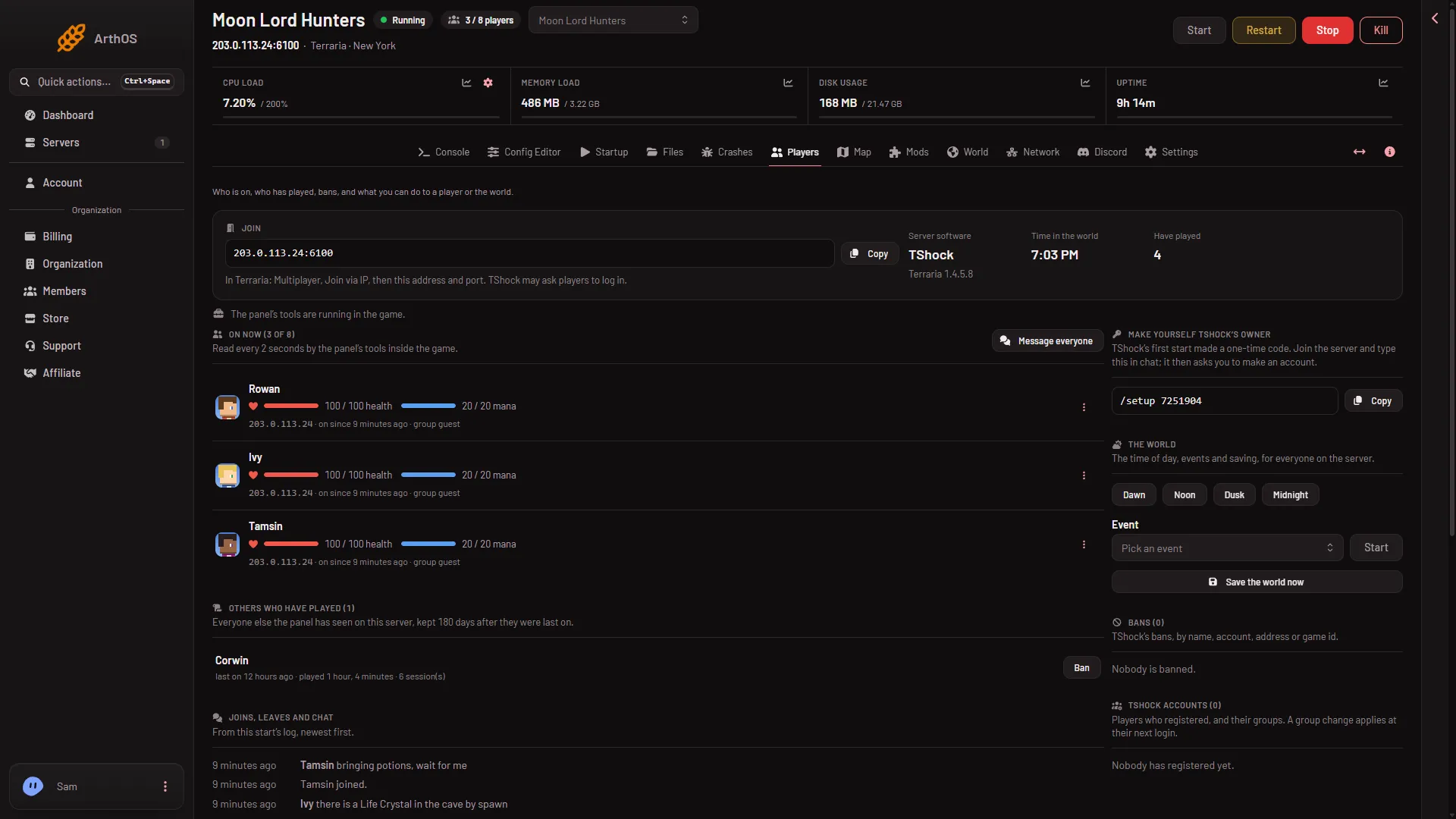
- Copy the address
- How players join
Press Copy (1) and read the line under the address (2). This picture is a TShock server, so its line mentions TShock; on a tModLoader server it carries the tModLoader line quoted above.
The Mods page repeats the same note: “Players join with tModLoader, and it downloads the server’s mods for them as they join.”
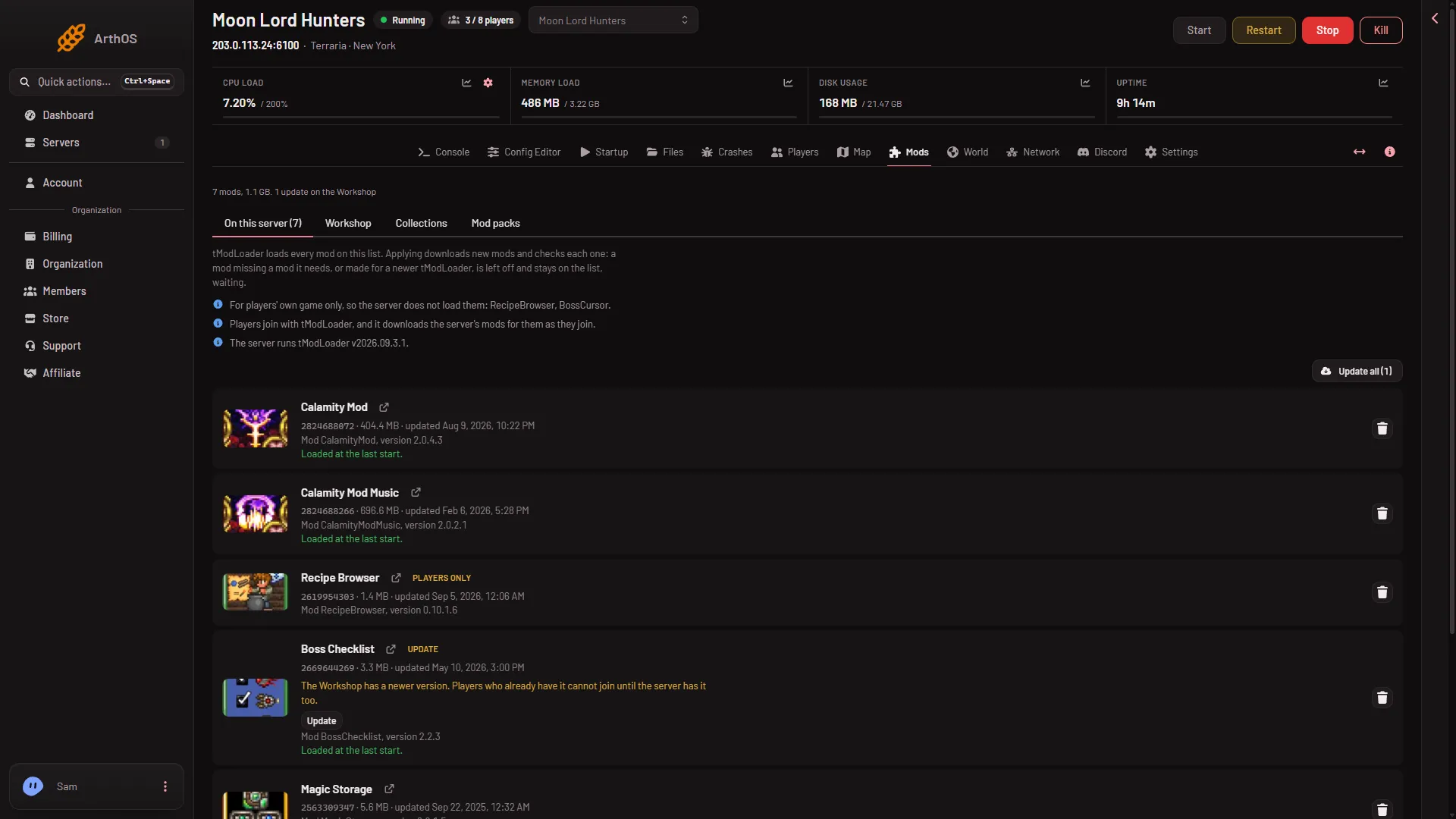
Before players join
- Apply the list first. A mod on the list is only on the server after you press Apply. Players cannot get a mod the server does not have yet. See the Mods page.
- Keep the server’s mods up to date. If the Workshop has a newer version of a mod, the page warns: “Players who already have it cannot join until the server has it too.” Update it, then apply.
- Players need the same tModLoader. The server runs the tModLoader version shown on the Mods page (“The server runs tModLoader (version)”).
Mods with a part for players
Some mods have a part for the player’s own game. Their row carries the chip For players too. Whether players need that part to join depends on the mod, so check its Workshop page.
To hand players the whole list in one file instead, see export the server’s mods as a pack.
If it does not work
- They use the normal game. The normal game cannot join a tModLoader server. They must start tModLoader.
- A mod is missing for them. The mod may be left off on the server. Open the Mods page and look for a row that says the game turned it off, or a mod waiting for one it needs.
- They cannot join after a mod update. The server has an older copy than the Workshop. Update the mod on the server and apply.
- The server is not running tModLoader. Open the World page and check Server software.
The game page is Terraria servers.
Sources: store.steampowered.com: TModLoader