
















tModLoader needs a program called .NET to run. The server sets it up for you at the first start. If that fails, start the server again. If it keeps failing, reinstall the server from Settings. Your worlds stay.
This step is only for a server that runs tModLoader. See Terraria on Loafhosts for the three programs.
What happens at the start
The server downloads tModLoader first. Then it checks for the .NET that this tModLoader asks for. If the server has none, it downloads a small installer and installs .NET into a folder of its own, a folder whose name starts with .dotnet. This takes a short while at the first start. The next starts find it and skip the step.
The step can fail in two places. The Console shows which:
the .NET installer could not be downloaded: the installer’s site did not answer..NET (number) could not be installed: the installer ran and did not finish.
In both cases the server stops before the game starts. The Crashes page shows the finding tModLoader’s .NET could not be set up.
Fix it
- Wait a few minutes. The installer’s site is often only busy.
- Press Start. The server checks again at every start and installs .NET if it is still missing.
- Watch the Console. You should see
Installing .NET (number) for tModLoader, then the game starting.
If it fails the same way a second or third time, reinstall.
Reinstall the server
Reinstalling stops the server, then runs its install step again from the beginning. Your worlds stay.
- Open Settings, then the tab Backups, and create a backup. See back up the server in the panel.
- On the Settings page, find the card Reinstall Server and choose Reinstall Server.
- In the box, you can tick Start the server after the reinstall has finished.
- Choose Reinstall.
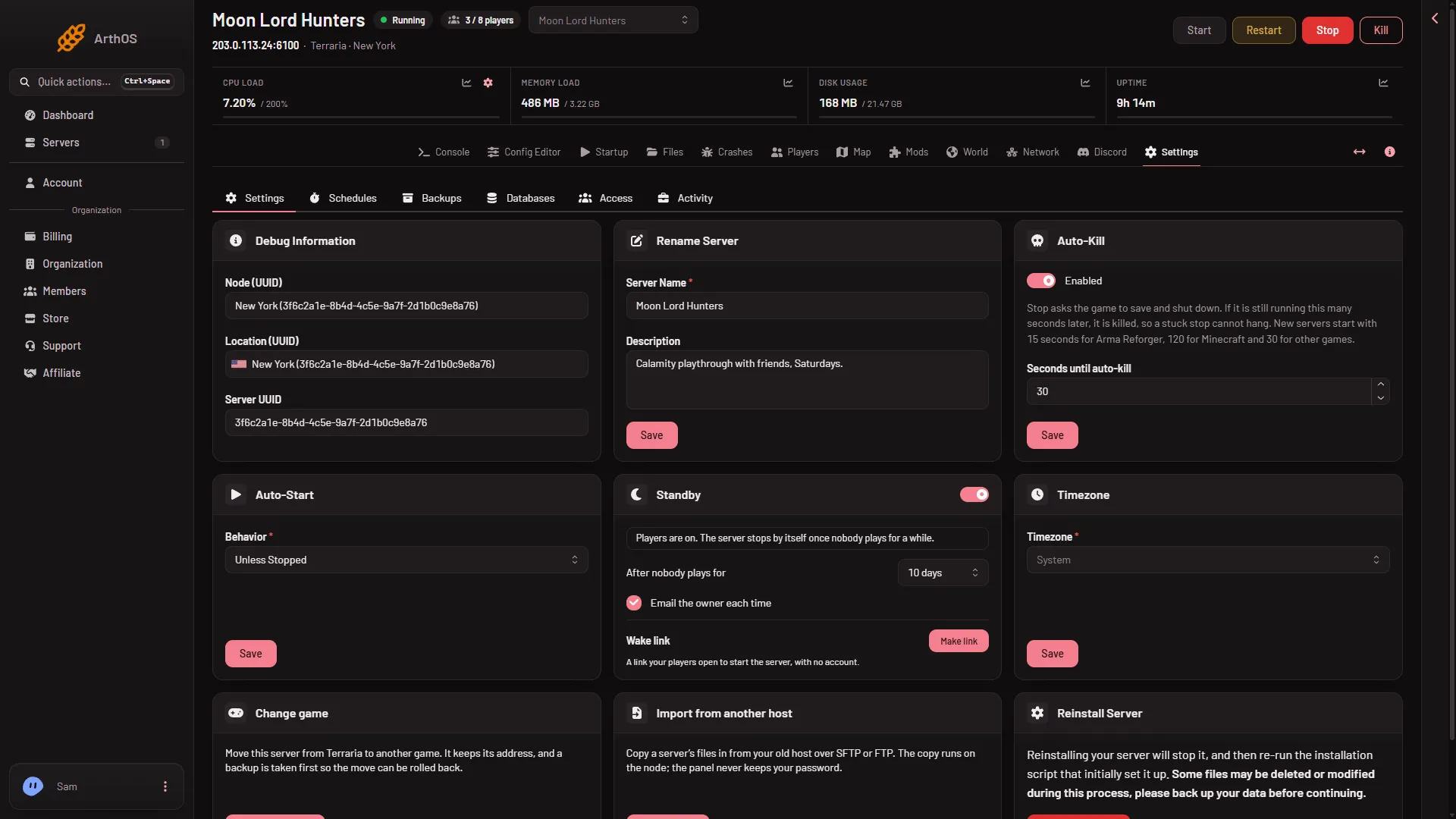
Wait until the reinstall is done. Then start the server if you did not tick the box. The first start downloads tModLoader and sets up .NET again.
If it does not work
- The same message returns after a reinstall. The installer’s site may be down. Wait a while and start again. Nothing on the server is broken.
- The message changes to a download problem. The tModLoader download failed instead. See software could not be downloaded.
- The server starts but stops at once with a world error. That is a different problem. Stable tModLoader runs Terraria 1.4.4, so it cannot open a world that Terraria 1.4.5 saved. The World page marks such a world Too new for tModLoader.
- Nothing in the Console at all. Open the Crashes page and read the last start. See the server will not start.