
















TShock plugins are .dll files. On a Loafhosts server they live in the folder bin/tshock/ServerPlugins. Upload a plugin there and restart the server. Plugins you added stay when TShock updates.
This applies to a Terraria server that runs TShock. Vanilla and tModLoader do not read this folder. To change the program, see change the server software.
Add a plugin
- Open the Files page.
- Go to
bin/tshock/ServerPlugins. - Choose New, then File from Upload, and pick the plugin’s
.dllfile. - Restart the server so TShock starts with the plugin. A restart drops everyone who is on, so warn them first with Message everyone on the Players page.
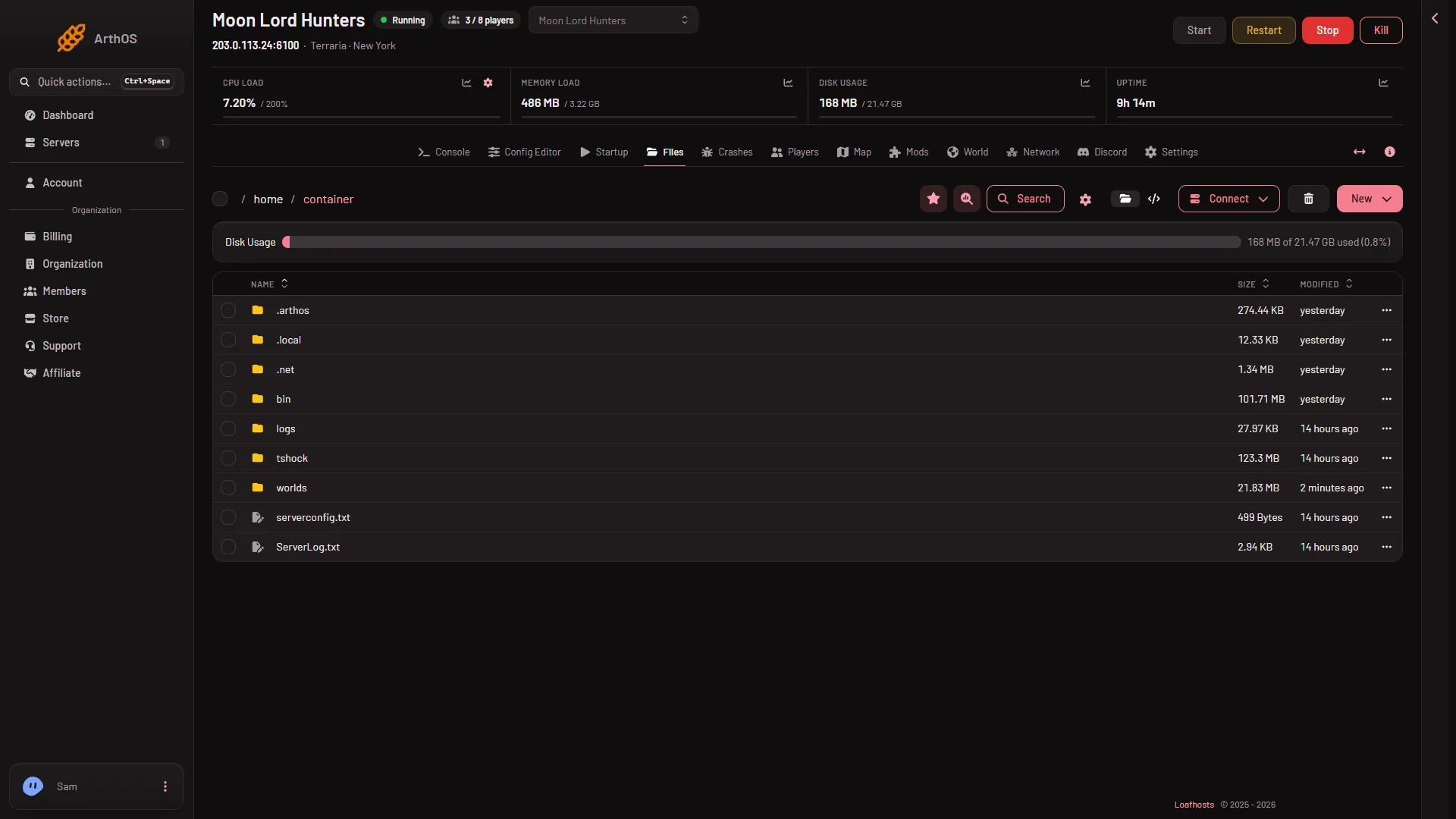
- New
- Connect
The picture shows the top folder. Open bin to find tshock/ServerPlugins. The folder named tshock beside bin holds TShock’s settings and data, not its plugins. Use New (1) to upload. You can also upload with SFTP: choose Connect (2), then via SFTP, which shows SFTP Details.
A plugin made for a different TShock version may fail to load. Check the version a plugin was made for before you add it. The version the server runs is on the World page, under Installed.
Take a plugin off
- Open
bin/tshock/ServerPluginsin Files. - Open the menu on the plugin’s row and delete it. It moves to the Trash and can be restored.
- Restart the server.
What happens when TShock updates
TShock updates when the server starts with Update at start on and a newer version is set (see the World page). The panel downloads the new release and replaces TShock’s own files. The plugins you added are copied across, so they stay.
One exception: if your file has the same name as a file in TShock’s own release, the release’s copy wins. Keep a plugin under its own name.
A plugin built for an older TShock may stop working after an update. If the server crashes at the same moment after an update, the last plugin you added is the first to take off. The Crashes tab has a Plugin category for this.
The panel’s own plugin
The file ArthOSBridge.dll is already in the folder. It is the panel’s own tools: the live map’s players, health and items, and the actions on the Players page. It writes what it sees every 2 seconds and acts on signed requests from the panel.
A file ArthOSBridge.cs beside it is the plugin’s source.
If it does not work
- The plugin does nothing. It loads at the next start. Restart the server.
- The server will not start after adding a plugin. Take the plugin off and start again. Then read the newest start in Crashes.
- A plugin vanished after an update. It had the same name as a file in TShock’s own release, so the release’s copy replaced it.
- The panel’s tools say they are not running. They load at the server’s next start, and they wait for a player: an empty Terraria server does not run its world.
Not checked on TShock 6.2.1 as of 13 November 2026: whether any given plugin from outside runs on this version.
Sources: github.com: TShock