
















Two TShock settings control how busy the night gets. Most enemies near a player is the most enemies that spawn in one wave. Enemy spawn rate is the delay between waves. The game’s own values are 5 and 600. Raise the first or lower the second to get more enemies.
They exist only on TShock, the server program that adds accounts, groups and bans. A Terraria server on Vanilla or tModLoader does not show them.
What each number does
- Most enemies near a player. A whole number from 0 to 200. A higher number means more enemies in a wave. The game’s own number is 5.
- Enemy spawn rate. A whole number from 1 to 10,000. It is a delay, so a lower number means waves come more often. The game’s own number is 600.
Change one at a time, and play a while before you change the other. A big step on both can bury a new player.
Change them in the panel
- Open the World page and check that the Server software card says TShock.
- Open the Config Editor.
- Open the file TShock.
- In the group World, find Most enemies near a player and Enemy spawn rate.
- Type the new numbers in Most enemies near a player (1) and Enemy spawn rate (2), and choose Save.
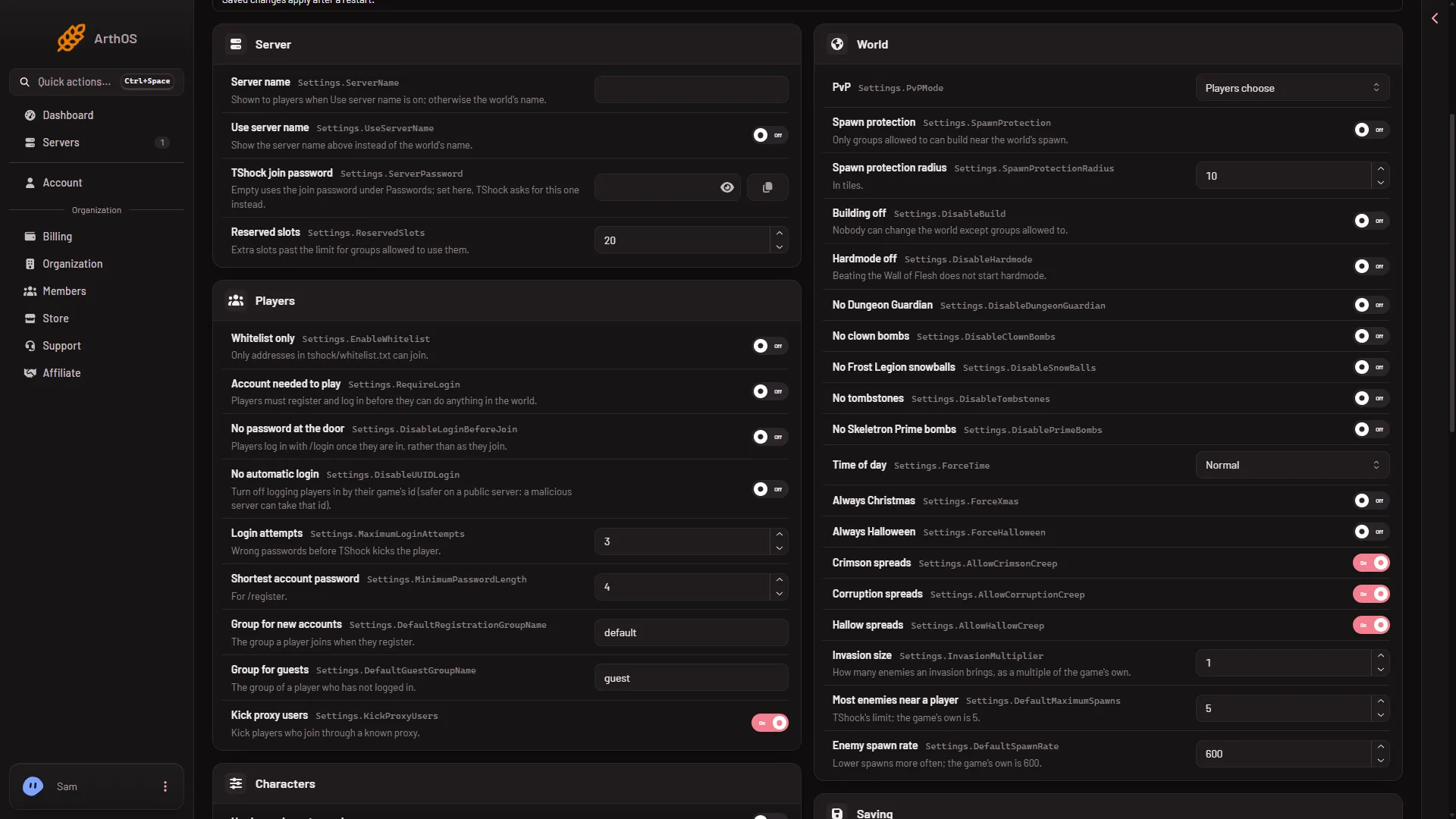
- Most enemies near a player
- Enemy spawn rate
- Restart the server. After you save, the panel says “Saved. Restart the server to apply the changes.” A restart disconnects everyone who is on, so warn them first with Message everyone on the Players page.
Do not mix it up with the Journey setting
When the world’s file has Journey lines, the file Server settings can show a group Journey powers with another setting called Enemy spawn rate. That one is a permission for Journey worlds: it says who may change the spawn rate in the game’s Journey menu. It does not set the rate. The real rate is in the file TShock, group World. See Journey powers.
By hand
Both are in tshock/config.json, inside the "Settings": { ... } object. These are the game’s own numbers:
"Settings": {
  "DefaultMaximumSpawns": 5,
  "DefaultSpawnRate": 600
}
If the file already has a Settings object, change the two lines inside it instead of adding a second one.
Stop the server, open Files, change the numbers, save, and start the server. TShock writes this file only when it is missing, so your edit stays.
If it does not work
- The TShock file is not in the Config Editor. The server is not running TShock. Switch the software on the World page.
- Nothing changed. Restart the server.
- The panel refuses a number. Most enemies near a player takes 0 to 200. Enemy spawn rate takes 1 to 10,000.
- I changed the Journey one and nothing happened. That setting is a permission. Use the one in TShock.
Sources: github.com: TShockConfig.cs