
















TShock can limit who joins by address. Turn on Whitelist only in the Config Editor and put the allowed addresses in the file tshock/whitelist.txt. Only those addresses can join. This works on a Terraria server that runs TShock, and only by address, not by player name.
An address is the internet address a player connects from. It is not your server’s address. If a player’s address changes, they are refused until you add the new one.
Turn it on
- Open Config Editor.
- Above the settings, choose TShock.
- In the group Players, switch on Whitelist only (1). The help line says: only addresses in
tshock/whitelist.txtcan join. - Choose Save in the bar that appears.
- Restart the server. The panel says: “Saved. Restart the server to apply the changes.” A restart disconnects everyone who is on. Warn them first with Message everyone on the Players page.
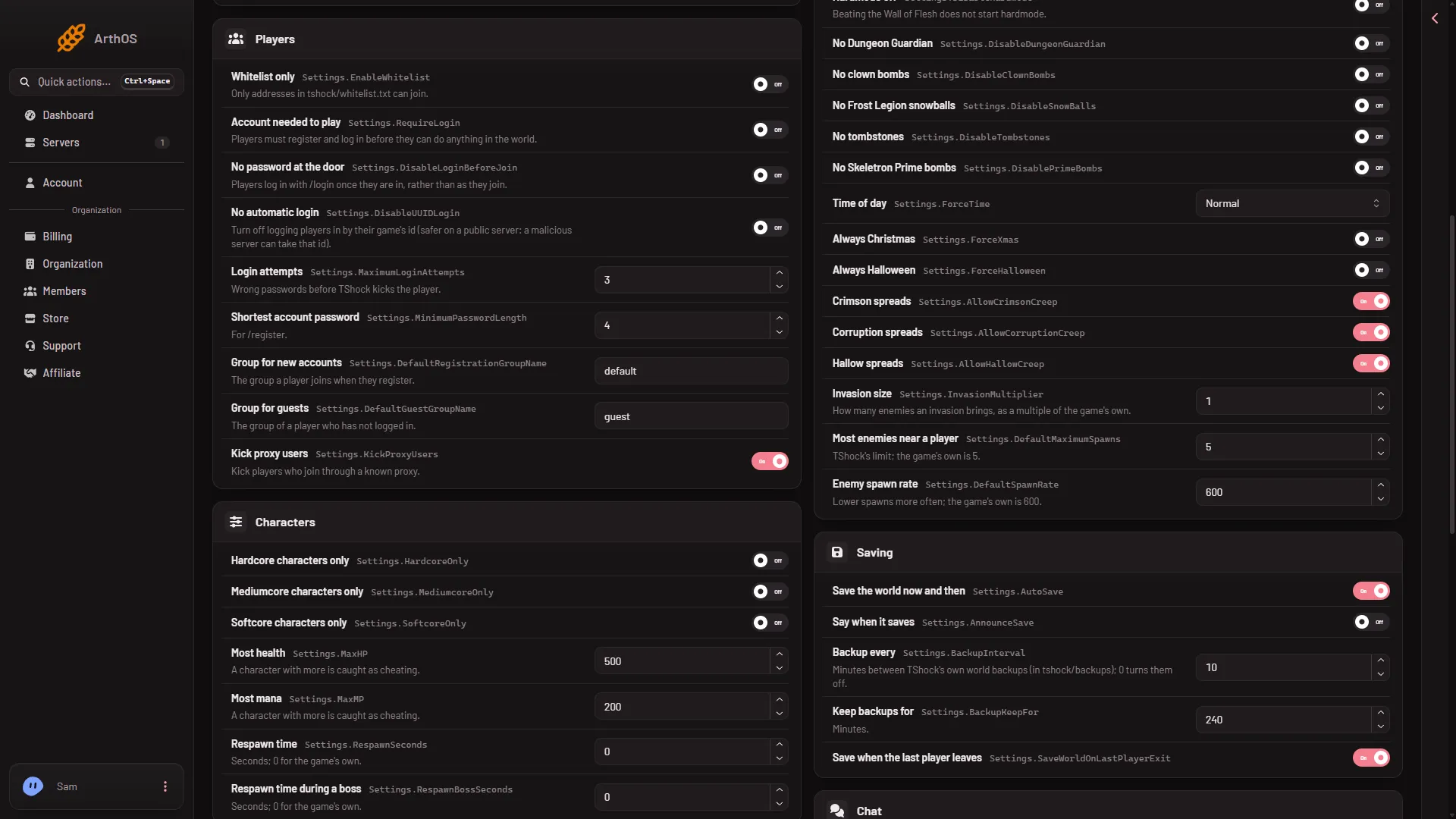
- Switch on Whitelist only
Add the addresses
- Open Files.
- Open the folder
tshock, then the filewhitelist.txt. Create it there if it is not in the folder. - Write the allowed addresses and save the file.
An address looks like 203.0.113.24.
To see the address a player joined from, open Players. The address on a player’s row is shown only to a role that allows seeing addresses. Ask the owner of the organization if you cannot see it.
By hand
The switch is EnableWhitelist in tshock/config.json, inside the Settings object. The text a refused player gets is WhitelistKickReason. On a Loafhosts test server it reads “You are not on the whitelist.”
"Settings": {
  "EnableWhitelist": true,
  "WhitelistKickReason": "You are not on the whitelist."
}
Change the existing lines in the real file. Do not replace the whole Settings object.
Turn it off
Switch Whitelist only off in the same place, save, and restart. Anyone can join again, still subject to the other rules, such as Account needed to play.
If it does not work
- Nobody can join, including you. The list may be empty or may not hold your address. Add yours, or switch Whitelist only off and restart.
- The TShock file is missing from the Config Editor. The server is not running TShock. Change the program on the World page.
- A friend is refused. Their home address changed. Add the new one.
- Nothing seems to change. The switch needs a restart.
A whitelist by address is not the same as a login. To make players register accounts, see make players log in.
Not checked on TShock 6.2.1 as of 13 November 2026: how each line of the file must be written, and whether the server must restart after the file changes.
Sources: github.com: TShock