
















To make everyone on your TShock server register and log in, turn on Account needed to play in the Config Editor and restart the server. After that, a player must have an account before they can do anything in the world. TShock keeps the accounts, and you can see them on the Players page.
This works only on a Terraria server that runs TShock.
Turn it on
- Open Config Editor.
- Above the settings, choose TShock. This is TShock’s own
tshock/config.json. - Find the group Players.
- Switch on Account needed to play (1). The panel’s help line says: players must register and log in before they can do anything in the world.
- Choose Save in the bar that appears.
- Restart the server. The panel says: “Saved. Restart the server to apply the changes.” A restart disconnects everyone who is on. Warn them first with Message everyone on the Players page.
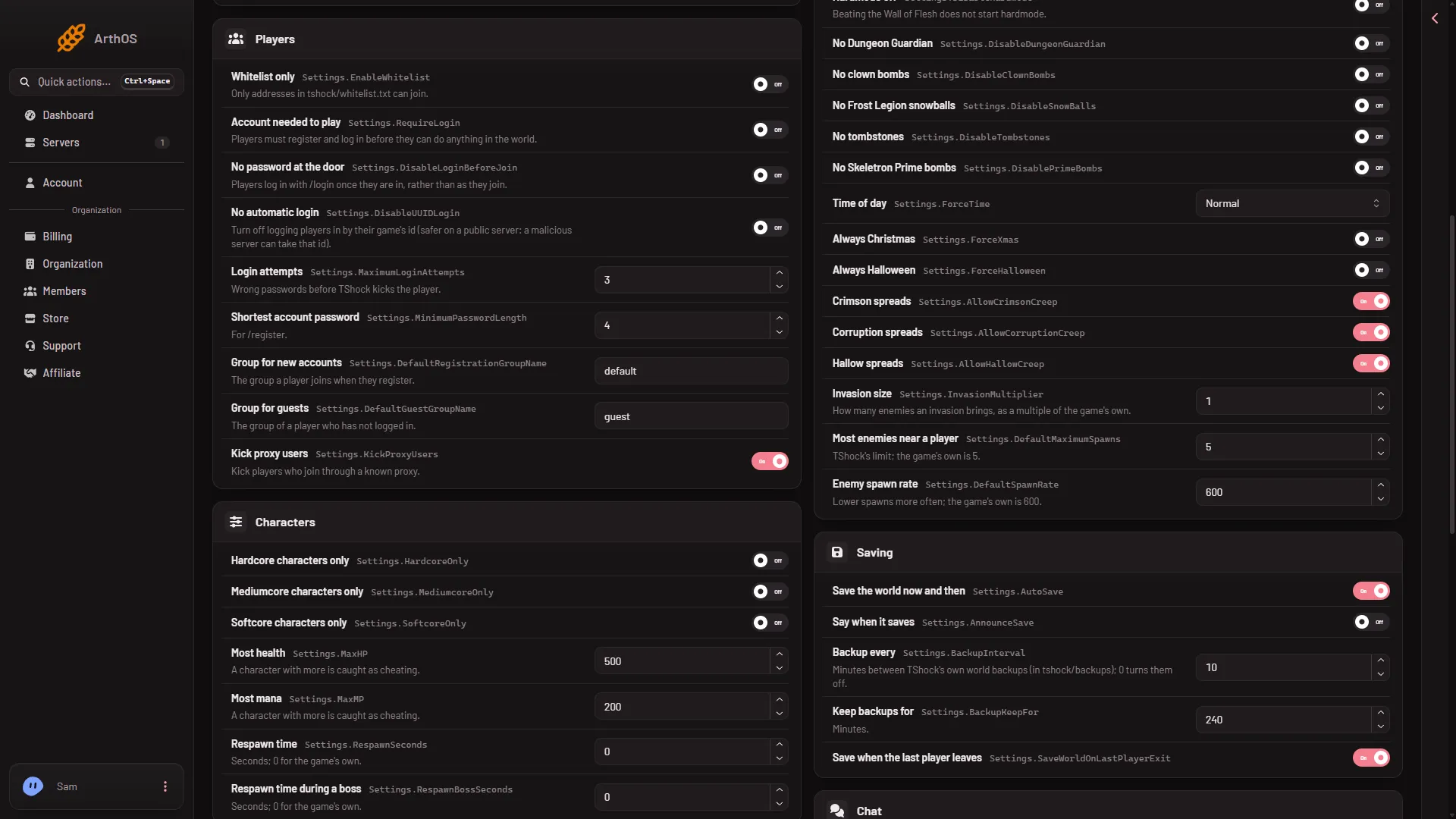
- Switch on Account needed to play
The four related settings
All of them sit in the same Players group.
- No password at the door. Players log in with
/loginonce they are in, rather than as they join. Leave it off if you want players asked for a password as they join. - No automatic login. Turns off logging players in by their game’s id. The panel’s help says this is safer on a public server, because a malicious server can take that id.
- Login attempts. How many wrong passwords TShock allows before it kicks the player. It takes a number from 1 to 100.
- Shortest account password. The shortest password
/registeraccepts. It takes a number from 4 to 64.
Each of these also needs a restart to take effect.
By hand
The same settings are in tshock/config.json, inside the Settings object. Stop the server, open the file in Files, change the values and save. Keep the file valid JSON.
"Settings": {
  "RequireLogin": true,
  "DisableLoginBeforeJoin": false,
  "DisableUUIDLogin": false,
  "MaximumLoginAttempts": 3,
  "MinimumPasswordLength": 4
}
The lines above are the keys behind Account needed to play, No password at the door, No automatic login, Login attempts and Shortest account password. In the real file, change the existing lines. The file has many other keys inside Settings, so do not replace the whole object.
Check that it works
- Restart the server and wait for it to be ready.
- Join with a character that has no account yet.
- Open Players. After someone registers, they appear under TShock accounts.
If it does not work
- The TShock file is not in the list. The server is not running TShock. Change the program on the World page.
- Players still move freely. The setting was saved but the server was not restarted. Restart it.
- You locked yourself out. Make sure the owner account exists first. See make yourself TShock’s owner.
- Players are kicked a lot. Raise Login attempts, or tell them to use the password they registered with.
Not checked on TShock 6.2.1 as of 13 November 2026: exactly what players see on screen at each step of a login.
Sources: github.com: TShock