

















For players to join without Experimental mode, every reason the game has for marking your server experimental must go. Turning the panel tools off is not enough on its own. A new server also has Programmable block scripts on and Block limits on None, and the game counts both.
The Experimental mode row in the Config Editor cannot do this. It can only force the mode on. The game turns the mode off by itself once no reason is left.
Before you start
Know what you give up. Without the panel tools you lose live health, ships moving, kicks and bans at once, and giving items. Without scripts, Programmable blocks stop working. With block limits on, players can reach a PCU limit and be unable to build more. PCU means Performance Cost Unit: the game’s measure of what each block costs the server.
1. Turn off the panel tools
- Open the Players page.
- Choose Turn off on the tools line.
- In the box Turn off the panel tools?, choose Turn off (1).
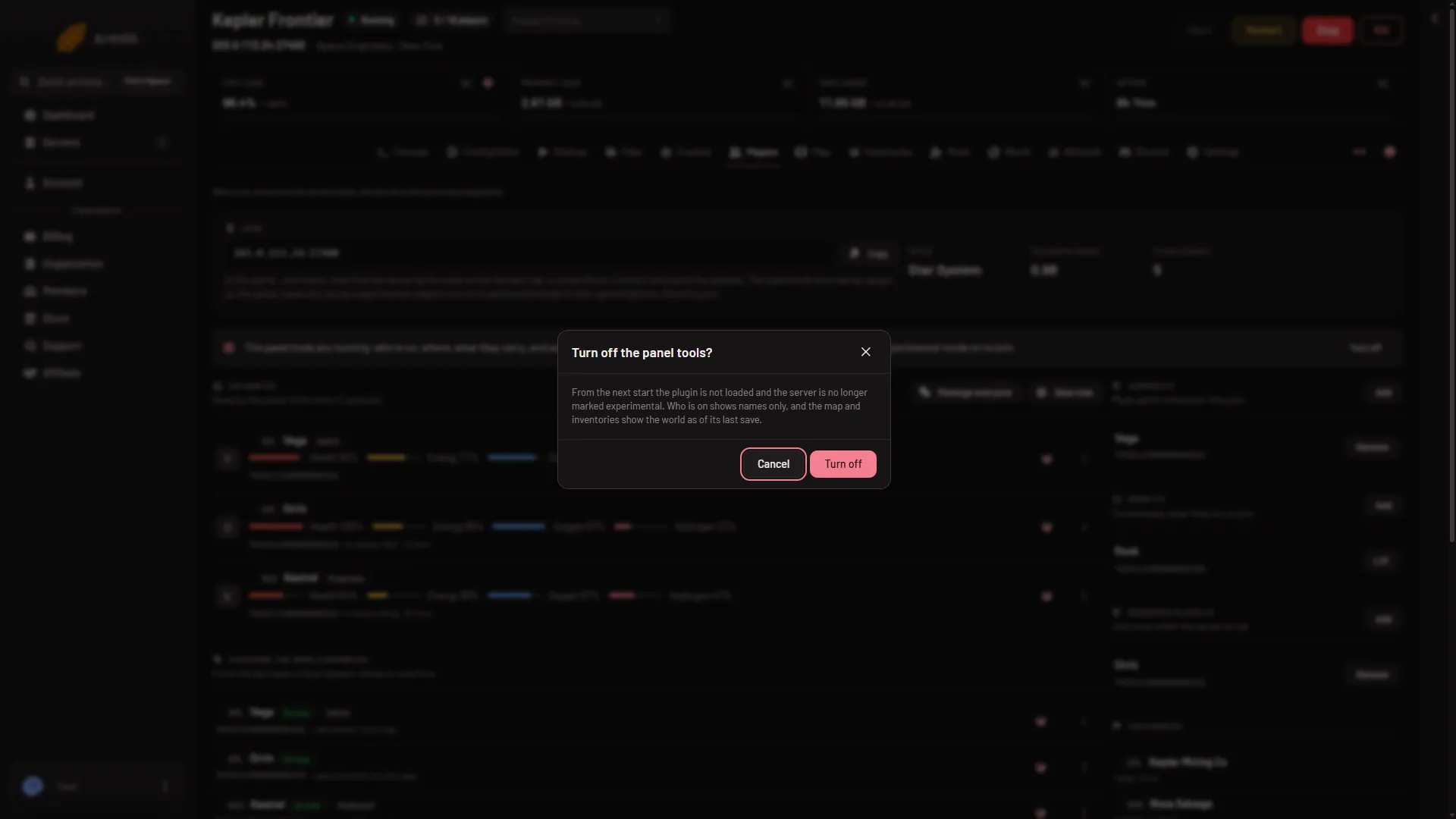
- Turn off
You can also set Panel tools to off on Startup and choose Save. Either way, it takes effect at the next start. The panel never restarts the server for you.
2. Stop the server
World settings are saved only while the server is stopped. The game writes them itself when it stops, over anything changed while it runs. Choose Stop at the top of the page and wait until it is offline. A stop saves the world.
3. Change the world settings
Open the Config Editor, then World settings. A new server shows only Passwords and Server settings until it has started twice: the first start makes the world, the next start names it as the world that loads. Start it again (or restart it), then stop it to change world settings. The same happens after Make it at the next start on the World page.
- In Players, turn off Programmable block scripts (
EnableIngameScripts). Its help says: “On marks the world experimental: players need Experimental mode on to join.” With scripts off, a player who uses a Programmable block gets the game’s message “Error: This world has disabled scripts.” - In Building and limits, change Block limits (1) (
BlockLimitsEnabled) from None to For everyone together, Per faction or Per player. Its help says: “None marks the world experimental.” With None, the game applies no PCU limit and ignores Most blocks in one grid and Most blocks per player. With a choice made, the PCU limit is shared out as you choose. - Check PCU limit (2). Its help says: “Above the game’s own marks the world experimental.” Lower it if the Console reason line still names a PCU reason after your first start. The game’s own value was not checked as of 15 November 2026. The number in the picture is only an example.
- In World settings, turn the Experimental mode row off, and turn Spectator camera and Permanent death off if they are on. The game lists both among the features that can mark a world.
- Choose Save.
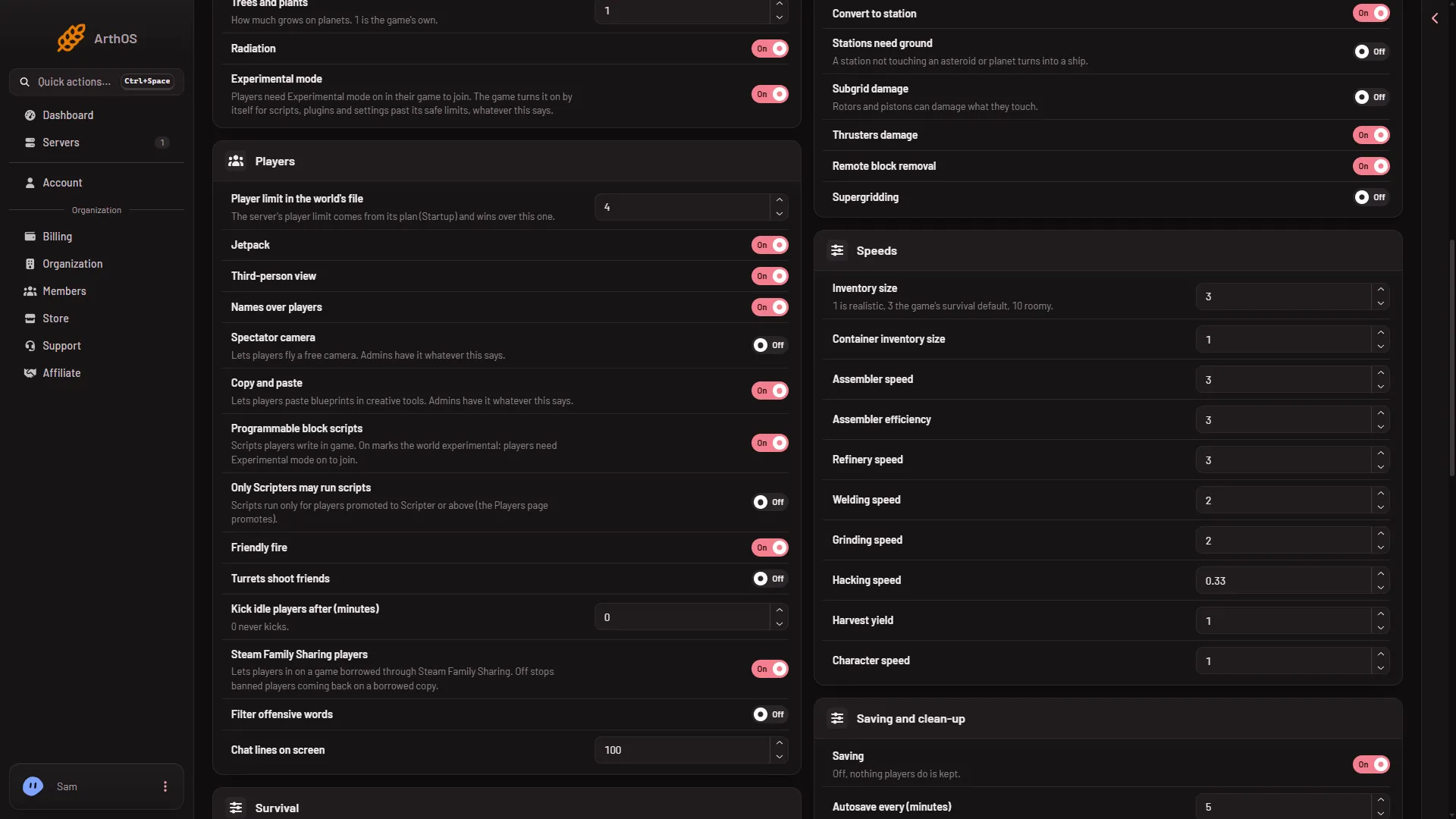
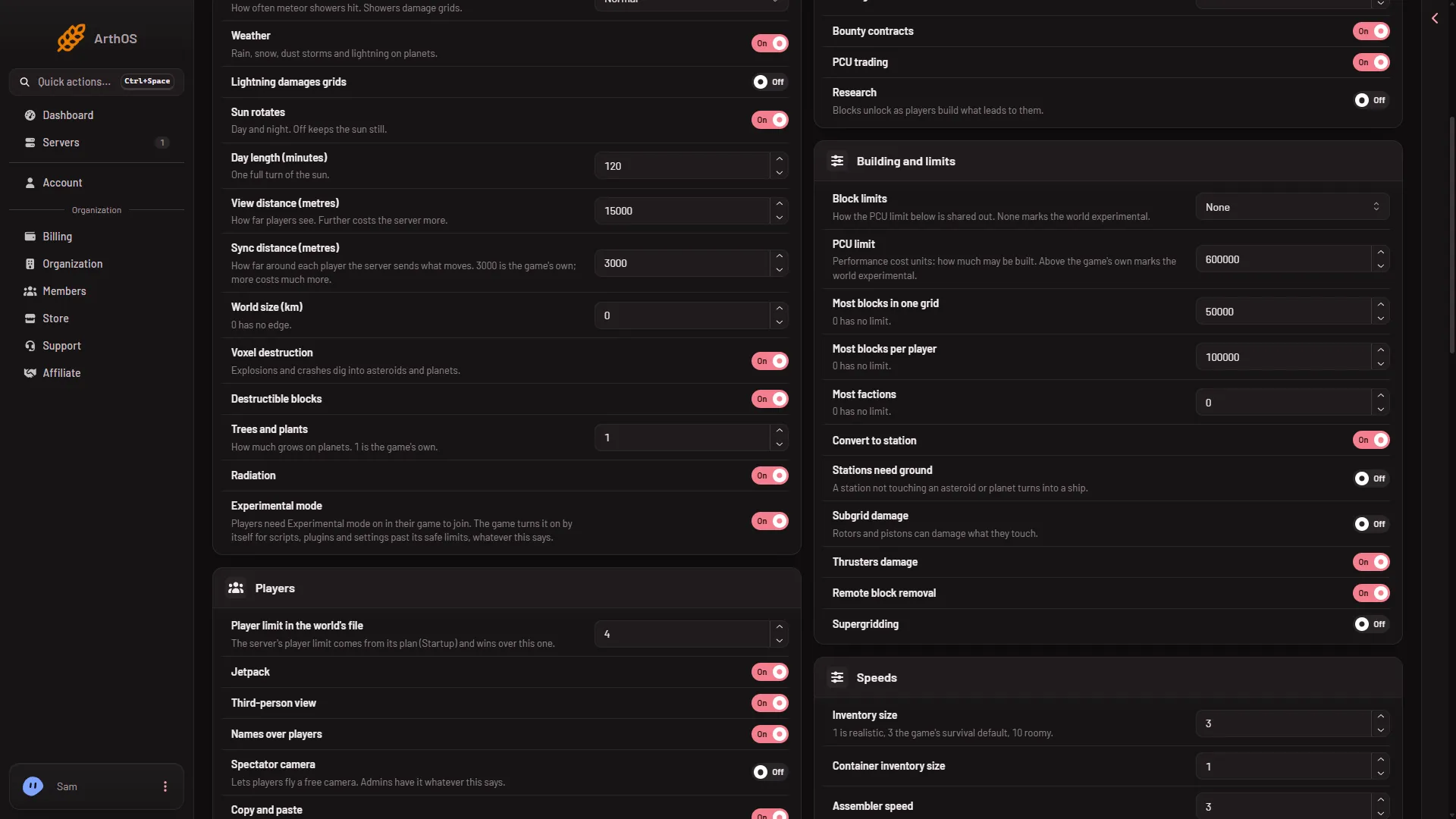
- Block limits
- PCU limit
4. Start and check
Choose Start. In the Console, find the line Experimental mode: after Loading session, and the line Experimental mode reason: under it. Experimental mode: should read No. If a reason is still named, that is the one to remove. Read your server’s own line, because other worlds differ.
Hardware below Keen Software House’s minimum is also a reason. Keen, the game’s makers, name 3 logical cores, and a Small plan has 2. Not checked whether that counts as of 15 November 2026.
What changes without the panel tools
- Players lists who is on by name and time on, from the Steam player query (the list of players the game reports to Steam). It shows no rank, health or position. Rows under Everyone the world knows still offer Ban, Lift the ban, Make admin and No longer admin. Admins and bans apply from the next start.
- Map and Inventories show the world as of its last save.
- Kicks, messages, respawn, Change rank, Save now, Give an item and Move need the tools and are gone. A kick writes nothing to any list.
If it does not work
- Still experimental after the start. Read the reason line. A new server names all three reasons, tools, scripts and block limits, so all three must be changed.
- The Save button is greyed. The server is not offline. Stop it first.
- A player with the mode on. They can still join. Turning the reasons off does not stop them.
Sources: spaceengineers.wiki.gg: SessionSettings, spaceengineers.wiki.gg: Experimental mode