

















The panel tools are a small plugin (an add-on the server loads) that belongs to the Loafhosts panel. With them on, the panel can see who is on, where they are and what they carry, and can act in the game: kick, ban, give items and save the world. They are off for a new server.
On a new server, players already need Experimental mode in their game (Options, Game), so turning the tools on adds nothing they must change. See Experimental mode.
Players install nothing. The plugin loads inside the game, and the panel talks to it. It acts only on commands signed with a key that only the panel and the game’s process have.
What works without them
With the tools off, the panel still does a lot. The strip at the top of the Players page says what is missing.
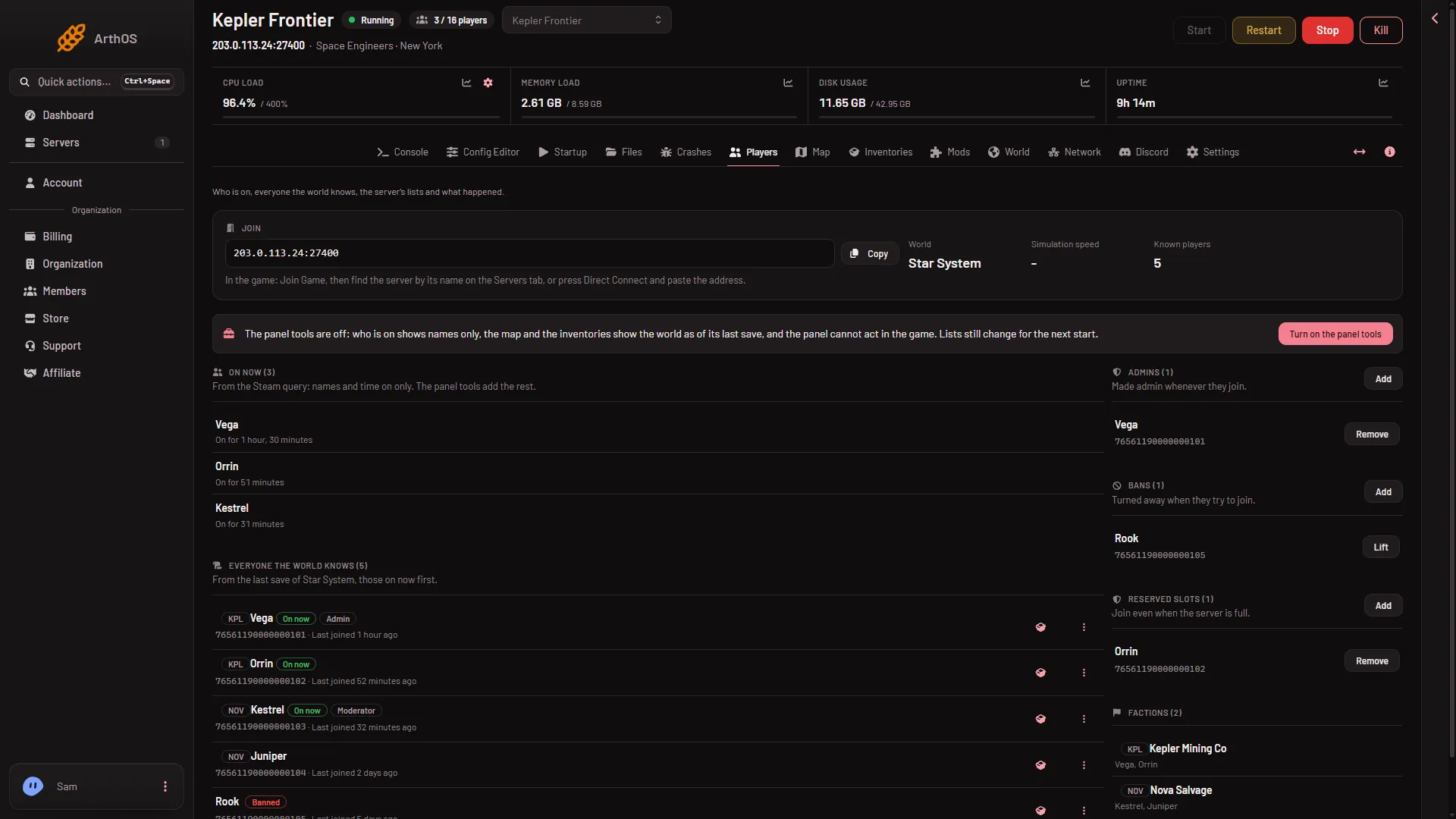
- Turn on the panel tools
- Panel tools off
- From the Steam query
- Who is on. On now lists names and time on, from the Steam player query (3): the list of players the game reports to Steam. Nothing else is known about them.
- Map and Inventories. They show the world as of its last save: planets, trading stations, grids (ships and stations) and what they hold. They do not move.
- Lists. Admins, Bans and Reserved slots still change, but they apply at the next start. Rows under Everyone the world knows still offer Ban, Lift the ban, Make admin and No longer admin.
- Everything else on the server. Console, files, mods, worlds, backups and the Config Editor do not need the tools.
What the tools add
- On now with detail. Each person shows a faction tag, a rank, bars for health, suit energy, oxygen and hydrogen, their SteamID64, and the ship or station they sit in with its speed. The page reads the game every 2 seconds.
- Ships moving on the map. Players and ships move on the Map, and a ship shows its blocks, PCU and owner.
- Actions that act at once. Message everyone and Save now sit above the list. On a person’s menu: Message, Send to the respawn screen, Move to, Change rank, Kick and Ban. Bans and ranks also reach the game’s own lists. A kick needs the tools and writes nothing to any list.
- Items. Give an item and Remove, to a person or to a block of a ship. Removed items are gone for good.
- What happened. Joins, leaves, chat and what the panel did. The Console tags the game’s Join, Leave, Chat and Kick lines.
- Live inventories. The Inventories page reads the game now instead of the save.
Save now asks the game to save and does not wait for the save to finish. Wait a few seconds after it. Without the tools, a normal Stop saves.
Turn them on
You need permission to change the startup. A member without it sees no button.
- Open the Players page.
- Choose Turn on the panel tools.
- Read the box Turn on the panel tools? and choose Turn on the panel tools.
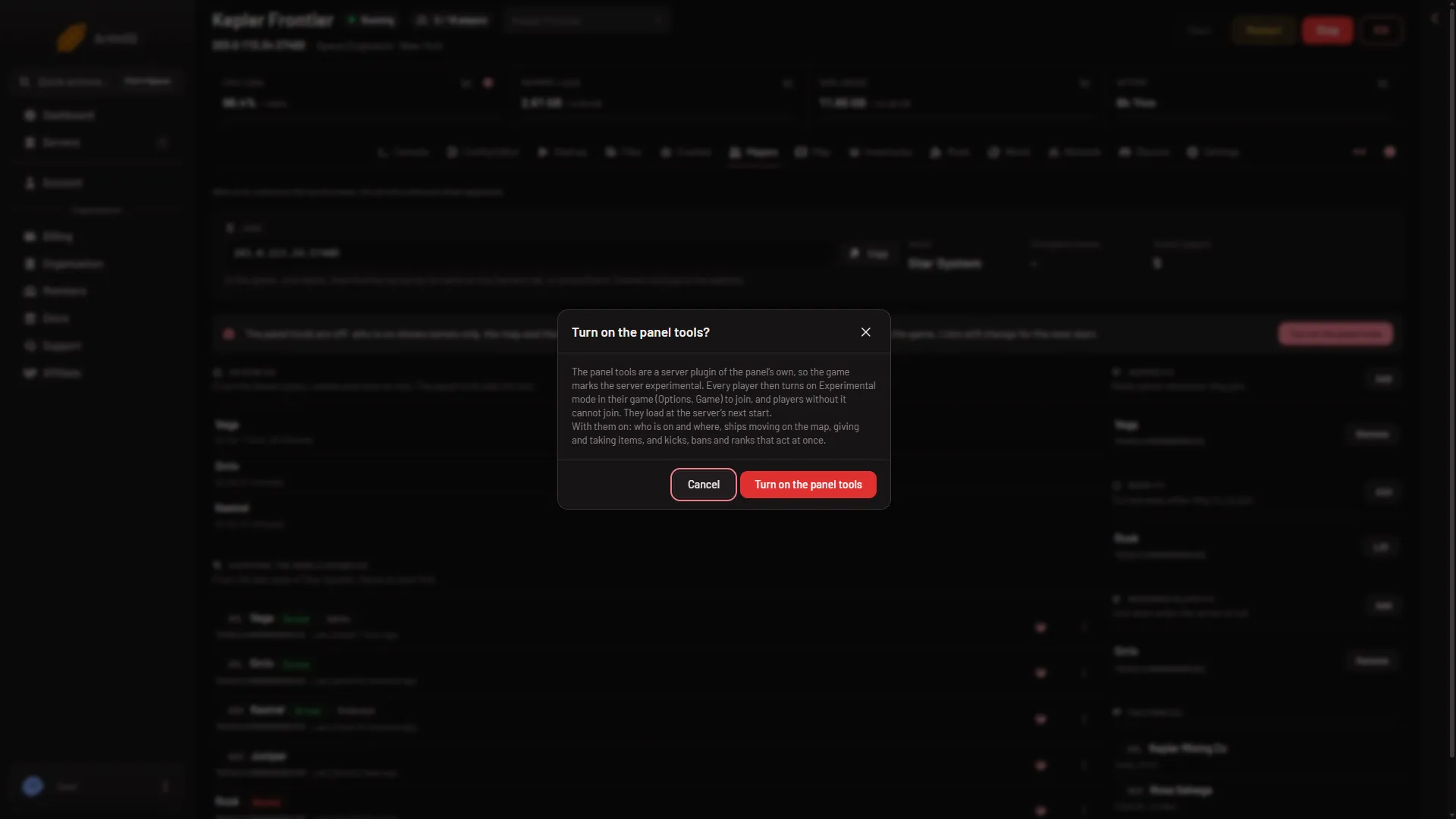
- Experimental
- Turn on
This does not restart the server. The tools load at the next start. Until then, the tools line reads “The panel tools are on and load at the next restart.” Restart the server when you are ready. A restart disconnects every player.
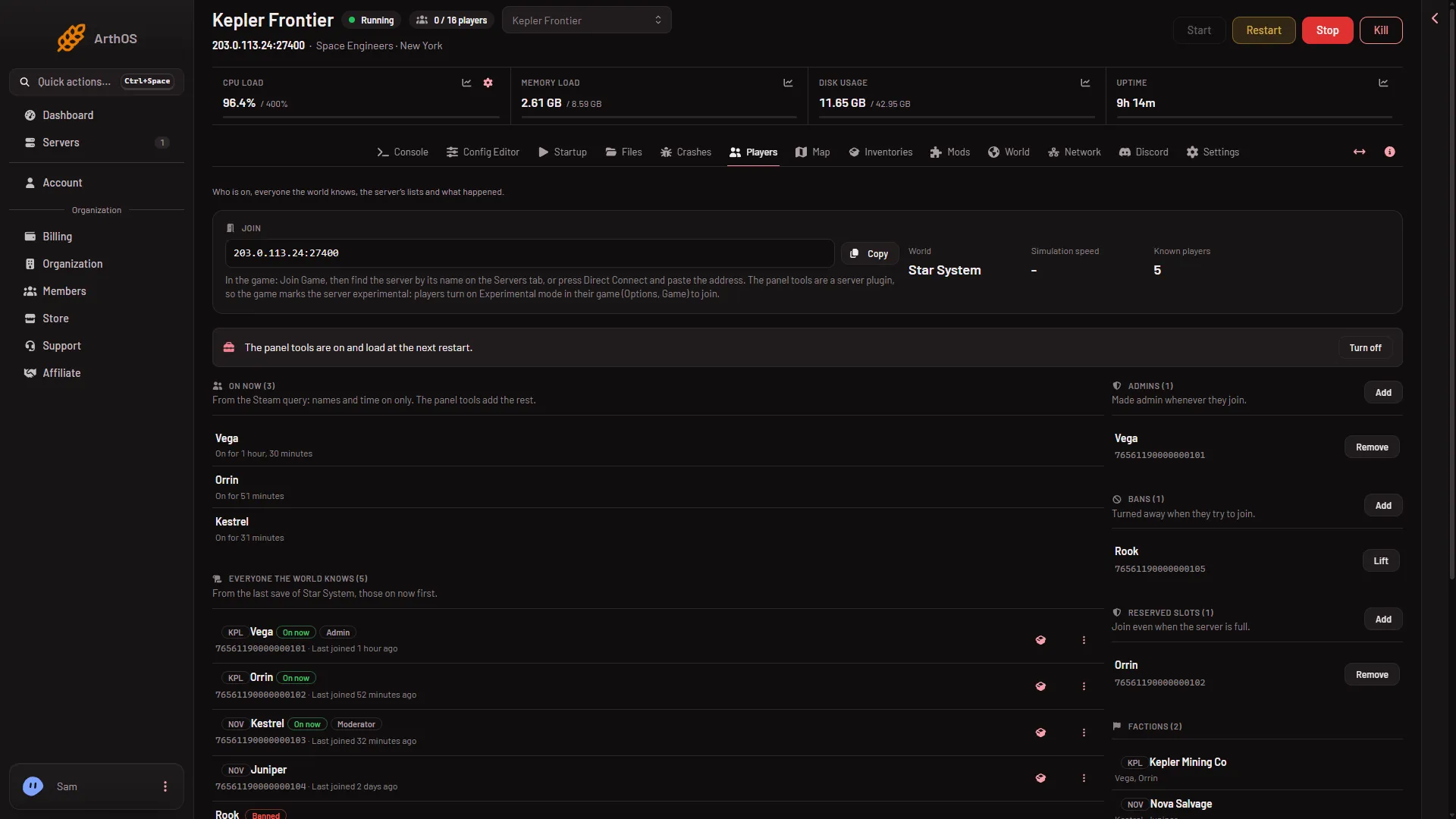
- Waiting for the next start
You can also set Panel tools on Startup and choose Save, without the box. It is the same setting.
Turn them off
- On the Players page, choose Turn off.
- In the box Turn off the panel tools?, choose Turn off.
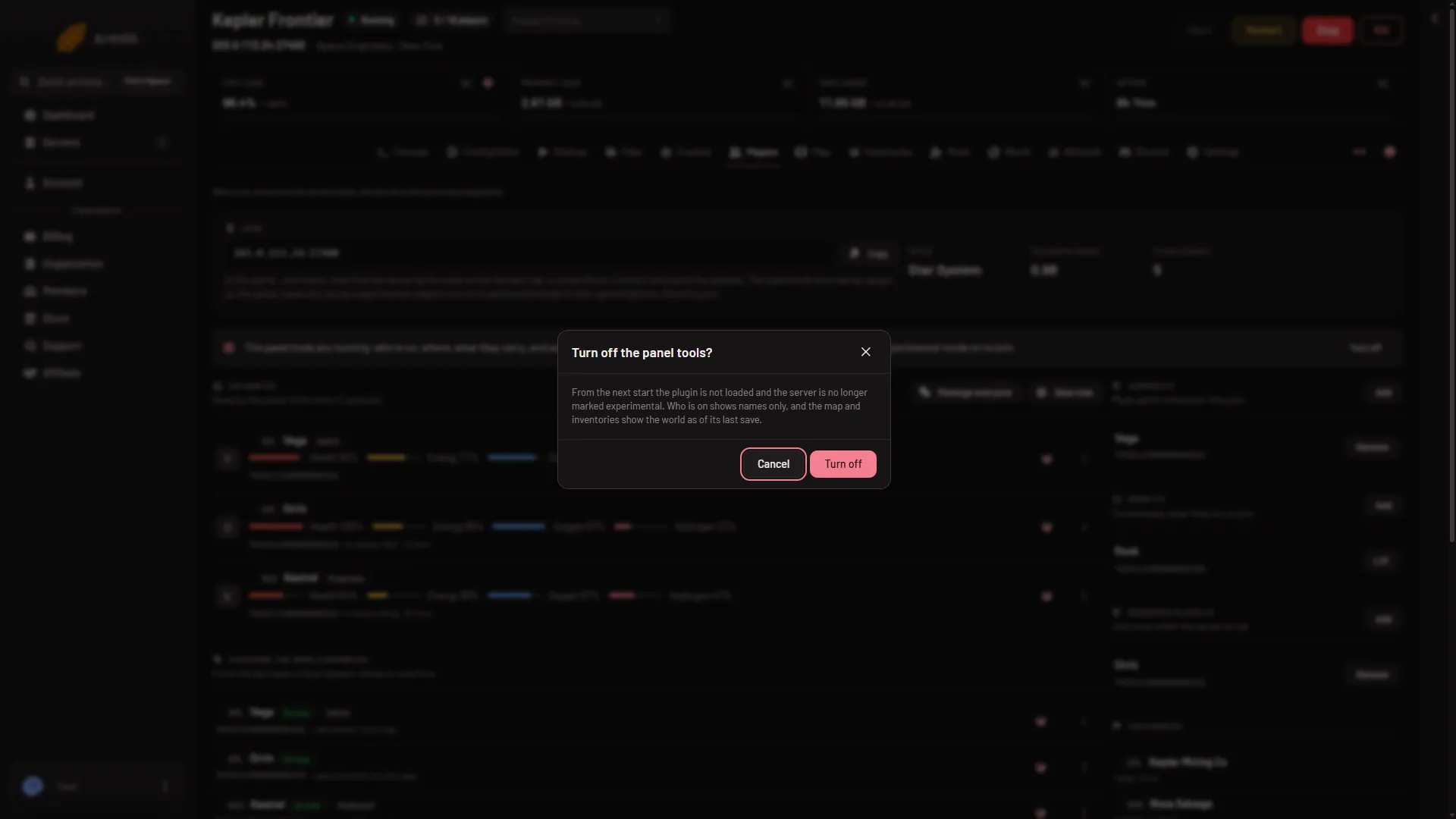
- Turn off
From the next start the plugin is not loaded. Turning the tools off does not by itself make the server joinable without Experimental mode. Scripts and block limits also mark the server, so see turn off Experimental mode if players should join without it.
If it does not work
- A button is refused. The panel says “the server is not running” or “the panel’s tools are not running yet: they load when the server starts”. Start the server, or wait for the tools to load.
- The game did not answer. The panel says “the game did not answer; it may be busy saving, so try again in a moment.”
- The tools line stays on “load at the next restart”. The server has not started since you turned them on. Restart it.