












To unban a player, open the Players page and choose Lift next to their name under Banned. They can join again at once. You do not need to restart the server.
From the Players page
- Open the server and go to Players.
- Find Banned (N) (1). It is the game’s own ban list.
- Choose Lift (2) beside the player.
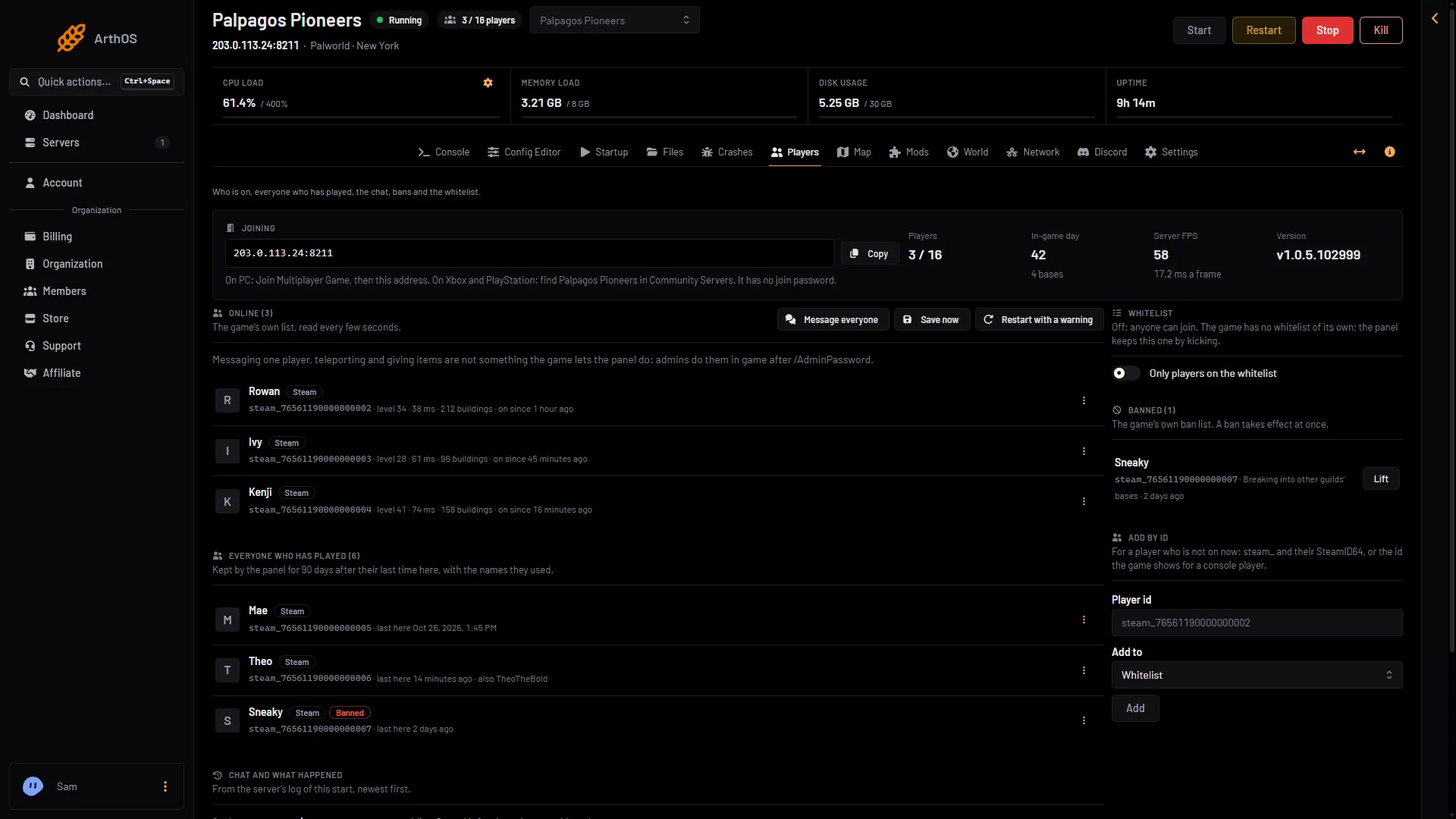
- Ban list
- Lift a ban
You can also open the menu at the end of the player’s row (the three dots) and choose Lift the ban. A banned player shows the tag Banned.
Lifting a ban needs a role that allows moderating players. It also needs the game’s API. The game’s API is how the panel talks to the game. The panel keeps it on while the Admin password is 16 characters or more (a new server gets a 20-character one).
From the Map
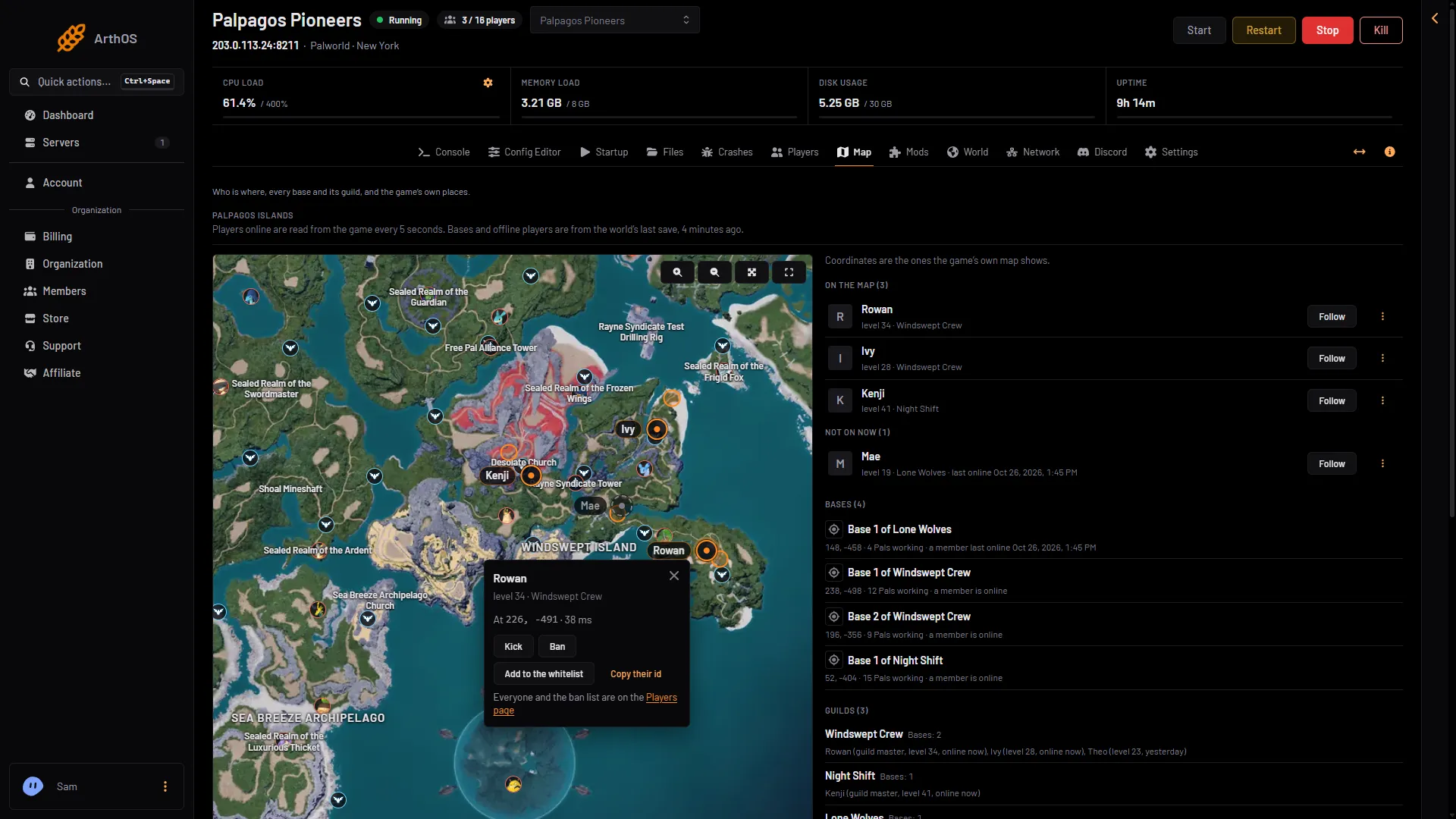
Click the player’s marker on the Map to open their card. The picture shows the card of a player who is not banned. For a banned player, Ban is replaced by Lift the ban.
From the Console
Open the Console page and type UnBanPlayer and the id:
UnBanPlayer 76561190000000000The slash is optional. An id is steam_ and the SteamID64, or just the SteamID64. See server commands.
In the game
If you are admin (see make yourself admin), press Enter and type /UnBanPlayer (SteamID).
If the player is not in the list
The Banned list reads the game’s ban list. If an id is missing, it is not banned. Check that you have the right id. See find a player id.
If it does not work
- Lift is missing. Your role may not allow moderating players.
- Lift is greyed out. The game’s API is off. The ban list says “Lifting a ban needs the game’s API on: see the line at the top of the page.”
- The page says the API is off. Set an admin password of 16 characters or more in the Config Editor and restart.
- The player still cannot join. Look for a different cause. Check the whitelist: if Only players on the whitelist is on, anyone not on it is kicked within seconds.
- They joined, then left at once. That is the whitelist too. The Players page shows “turned away by the whitelist”.
More about the game: Palworld servers.
Sources: docs.palworldgame.com: Commands, docs.palworldgame.com: Unban