

















Leave Update on start on and restart the server. At every start, the server asks Steam for a newer build and takes it. There is no separate update button.
The version matters because players who have updated their game cannot join an older server. As of 15 November 2026 the current version is 1.210.014. Keen Software House, the game’s makers, announced the Warfare 3 update for 16 November 2026, so the number will change soon. This guide does not say what that update changes on a server.
Check that Update on start is on
- Open your server and choose Startup.
- Under Variables, find Update on start (1). The text says “Checks Steam for a newer server build each time the server starts. Players who have updated cannot join an older server.”
- If the switch is off, turn it on and choose Save.
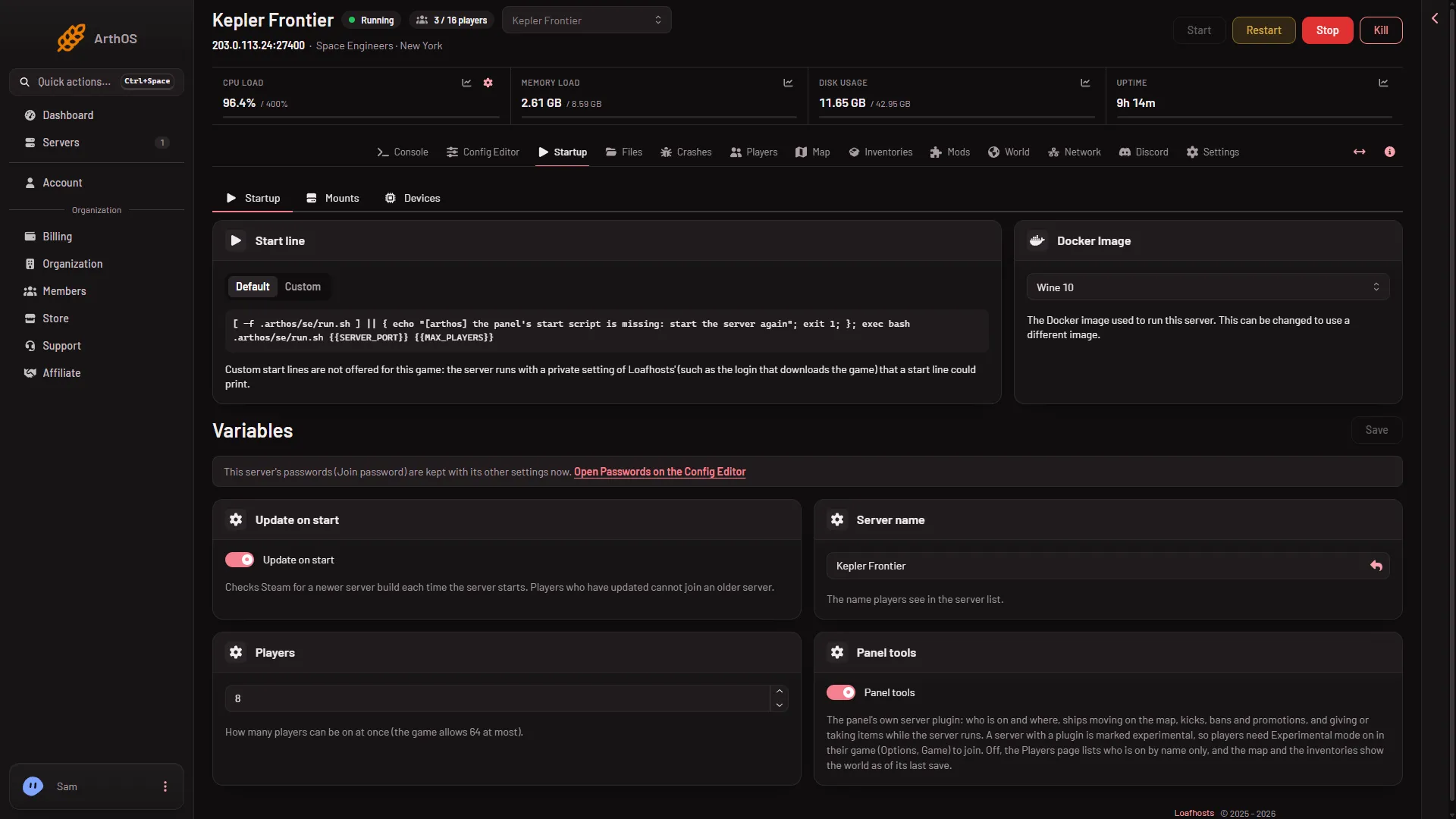
- Update on start
A new server has it on. Saving the page does not restart the server.
Take a new build
- Warn your players. A restart disconnects them.
- Use Restart at the top of the server page.
- Wait for the server to come up. An update can make that start slower than usual. How long it takes was not measured.
That is all. The server checks Steam as it starts, so a restart is the update.
See which version the server runs
- Choose Crashes.
- Choose the newest start, the one marked Running now.
- Read Game version.
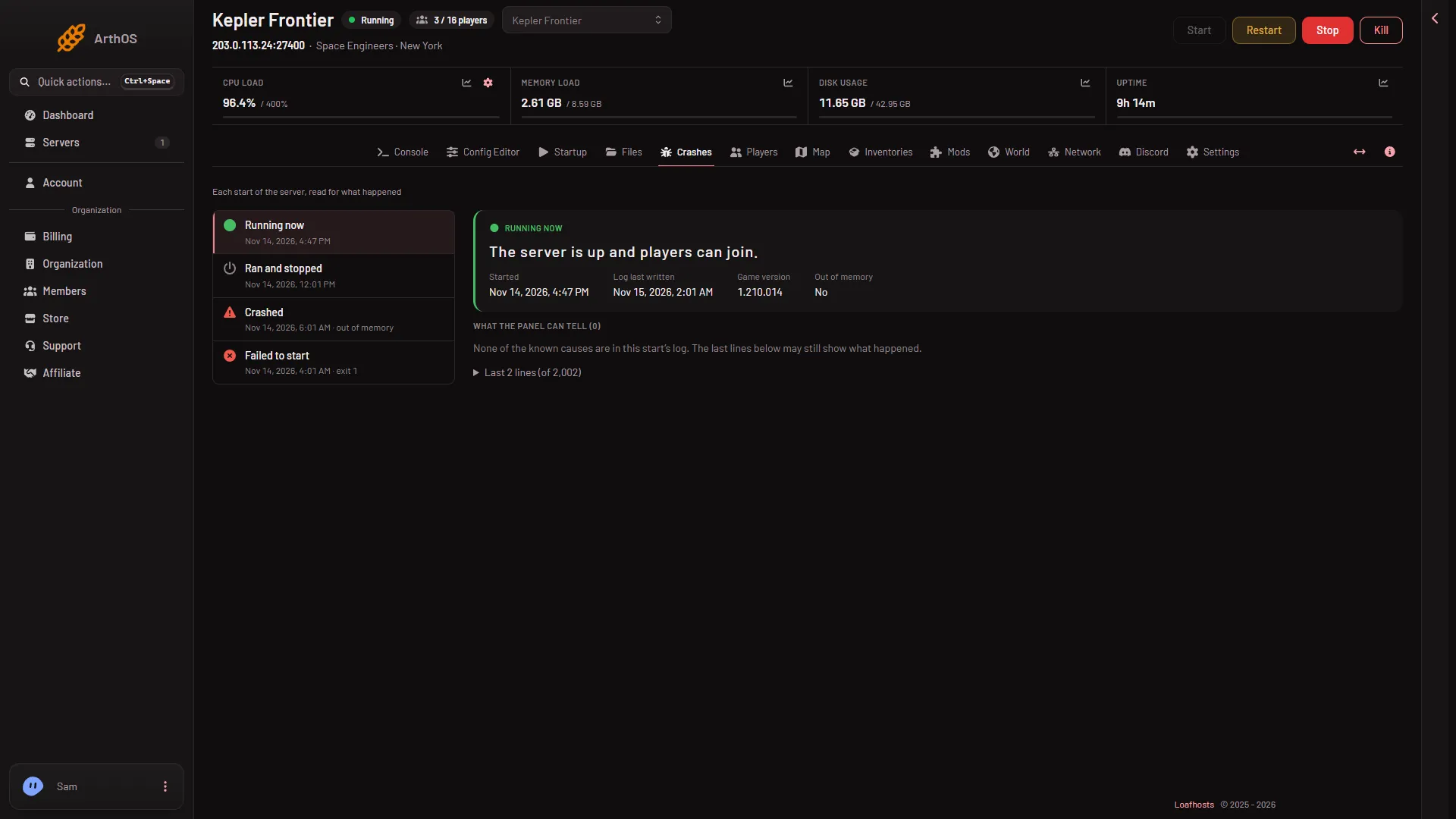
The number comes from the game’s own log of that start, so it shows the version the server started with. If it is older than the game players have, restart the server. After any game update, do the same: restart, then read Game version.
Players cannot join after a game update
When Keen releases an update, players’ games update on their own. A server that has not restarted since is still on the old version. The game’s server list has a filter with the tooltip “Show only servers with compatible version”, which hides a server on another version.
- Restart the server with Update on start on.
- Check Game version on Crashes against the update.
- Ask players to try again.
Not checked with a player on 1.210 as of 15 November 2026: what a player sees when they try to join an older server.
Mods update at every start too
The game also updates the Workshop mods of the world at every start. A mod that its maker has not updated for a new game version can stop working. The Mods page shows when a mod’s script did not compile. See update mods.
If it does not work
- The version did not change after a restart. Check Update on start is on, and that you restarted after saving.
- Players still cannot join. See cannot join a server.
- The files look broken. Settings, Reinstall Server runs the installation again. The panel says some files may be deleted or modified, and a broken-files finding on Crashes says your worlds in the Instance folder stay. Take a panel backup first: on Backups, press Create, then Create Backup. More about the game: Space Engineers servers.
Sources: store.steampowered.com: 244850