











Game clock speed sets how long a VEIN day lasts. For longer days, use a number below 16. A bigger number makes the day shorter. The panel says that at the default of 16, a day takes 90 minutes. The settings are in the group World and time, in the Game rules file of the Config Editor. They apply at the next start.
Night speed makes the night pass faster than the day. Not checked on 0.025 as of 27 October 2026: how Night speed changes the length of a whole day and night.
The settings
- Game clock speed is how fast the game’s day runs. The default is 16. You can use a number from 0.1 to 100.
- Night speed is how much faster than the day the night runs. The default is 3. You can use a number from 0.1 to 50.
- Night starts at (hour) is the hour the faster night begins. The default is 20. It uses a 24-hour clock, so 20 is 8 in the evening.
- Night ends at (hour) is the hour the night speed ends. The default is 6.
- Time runs with nobody on is off by default. Turn it on and the clock keeps going while the server is empty.
- Sleeping moves time on is off by default. Turn it on and sleeping makes time pass faster.
- A new world starts on day is 0 by default. It is how many days into the calendar a new world starts. It affects a new world only.
See the game date
The Players page shows the game’s own date and clock next to In game. The number of players on is the figure called Players, for example 3 / 16.
Change them
- Choose Stop at the top right of the server page. The Config Editor saves only while the server is stopped.
- Open the Config Editor page and the Game rules tab.
- Find the World and time group. Change Game clock speed (1) and any other setting you want.
- Save, then choose Start at the top right of the server page.
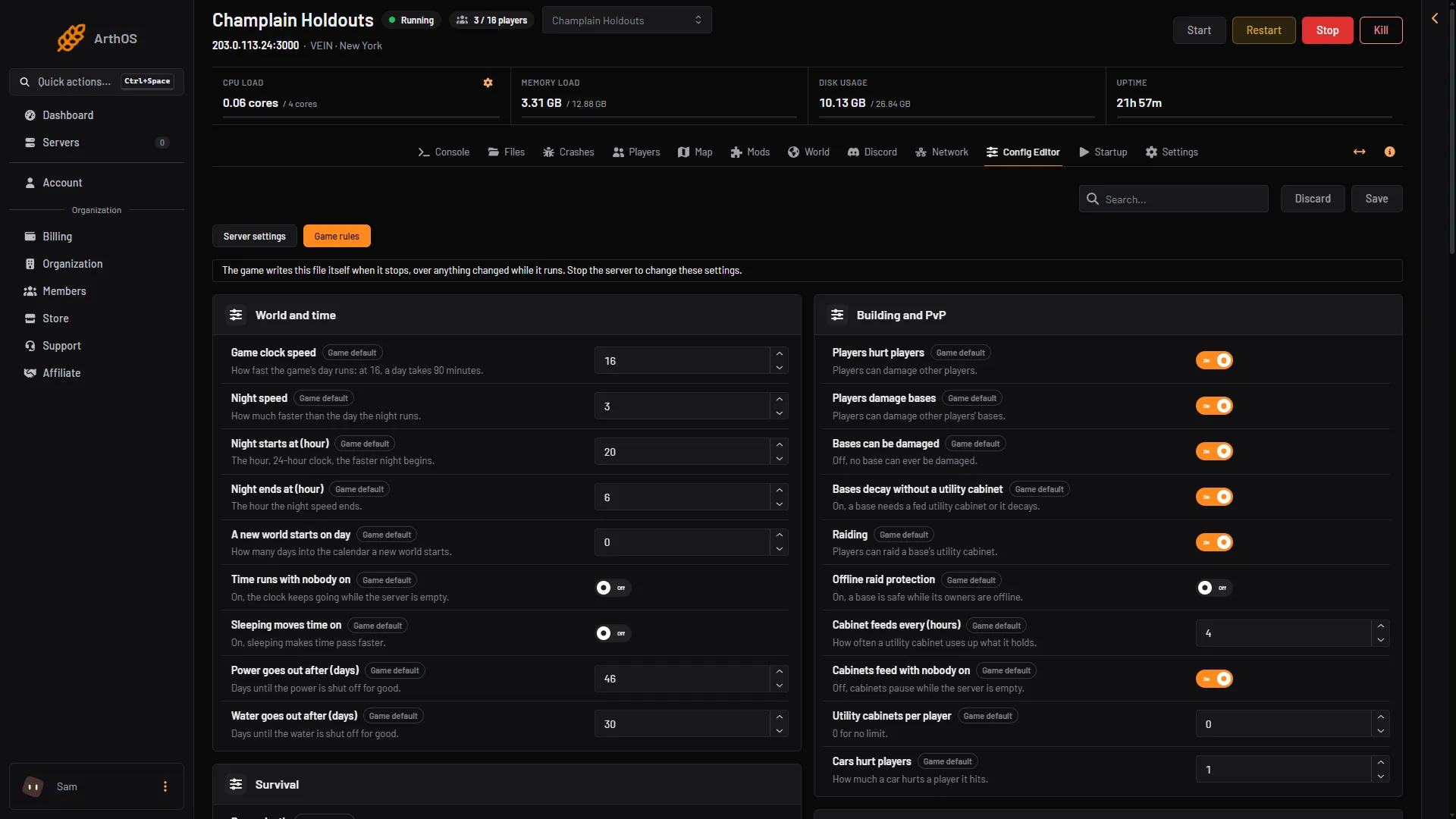
- Game clock speed
If it does not work
- Nothing changed. The server was running when you saved, or it was not restarted.
- The day is too short or too long. Lower Game clock speed for longer days and raise it for shorter ones. Check Night speed too, because it changes how fast the night passes.
- Time stands still when nobody is on. This is the default. Turn on Time runs with nobody on if you want the clock to go on.
By hand
The file is Vein/Saved/Config/LinuxServer/Engine.ini, in Files. Edit it only while the server is stopped. Not checked on 0.025 as of 27 October 2026: the folder on a Windows server. The keys are in the section [ConsoleVariables]:
[ConsoleVariables]
vein.Time.TimeMultiplier=8
vein.Time.NightTimeMultiplier=3
The others are vein.Time.NightTimeMultiplierStart, vein.Time.NightTimeMultiplierEnd, vein.Time.StartOffsetDays, vein.Time.ContinueWithNoPlayers and vein.Sleep.AdvanceTime.
Power and water also run on this calendar. See VEIN power and water shutoff. More about the game: VEIN servers.
Sources: ramjet.notion.site