











A horde is a large group of zombies that gathers from noise and smells. Three settings in the Game rules file of the Config Editor control hordes. They are in the group Zombies and AI. Changes apply at the next start.
The settings
- Hordes is on by default. Turn it off and no hordes gather.
- Hordes a minute is how many hordes start each minute, on average. The default is 0.05, which is about one horde every 20 minutes. You can use a number from 0 to 5.
- A horde lasts (seconds) is how long a horde event runs. The default is 120, which is 2 minutes. You can use a number from 10 to 3600.
Make hordes rarer
Lower Hordes a minute. A value of 0.01 is about one every 100 minutes. Or turn Hordes off.
Make hordes more common
Raise Hordes a minute. A value of 0.1 is about one every 10 minutes. Raise A horde lasts (seconds) for longer events.
Change them
- Choose Stop at the top right of the server page. The Config Editor saves only while the server is stopped.
- Open the Config Editor page and the Game rules tab.
- Find the Zombies and AI group and change the three settings. Hordes (1) and Hordes a minute (2) are in the picture.
- Save, then choose Start at the top right of the server page.
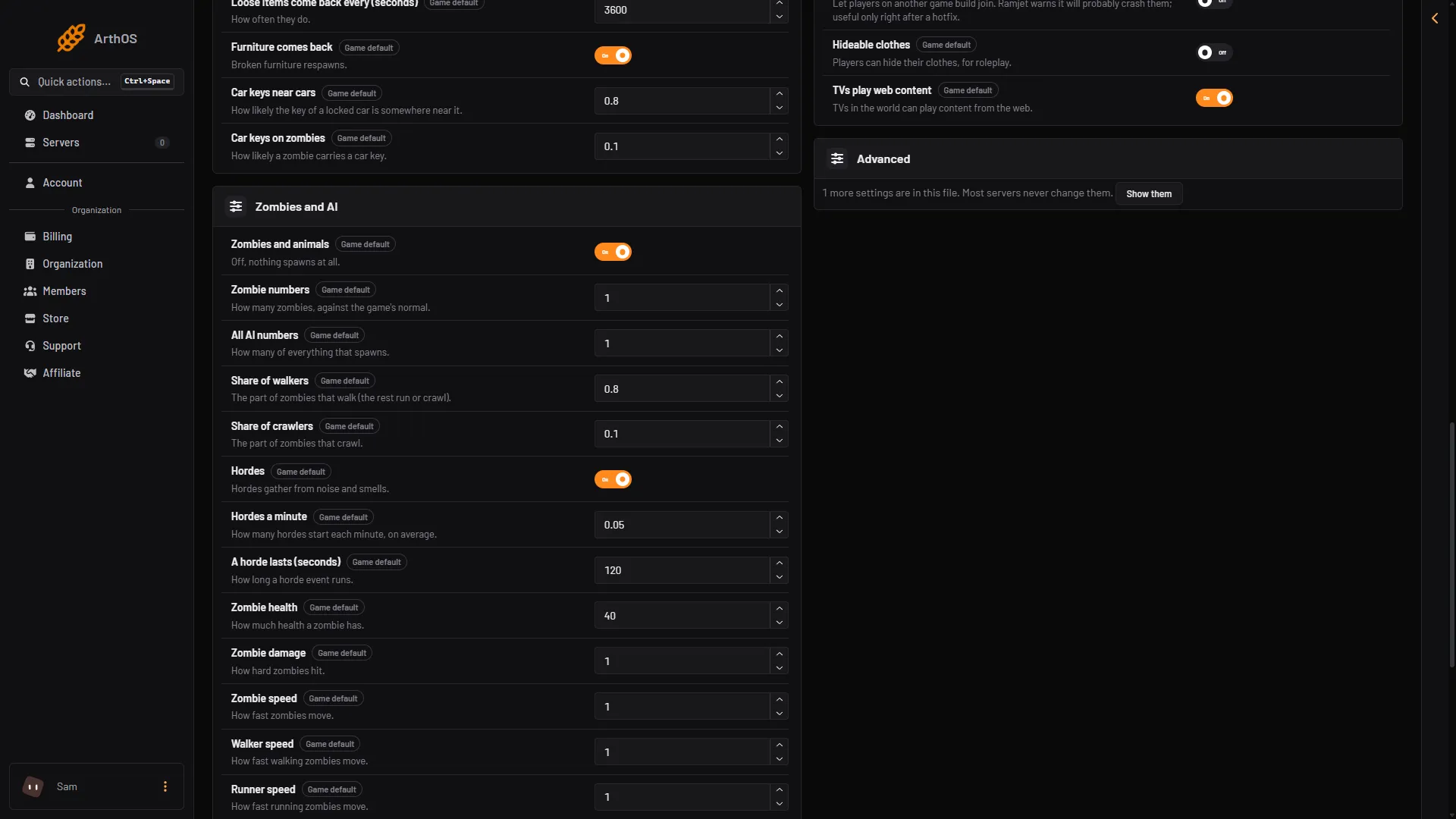
- Hordes
- Hordes a minute
If it does not work
- Nothing changed. The server was running when you saved, or you did not restart it.
- The setting is back at its old value. The game rewrote the file when it stopped. Change it with the server stopped.
- A horde still came. Hordes a minute is an average, so a horde can still start at any time. A low number makes them rare, not impossible. Turn Hordes off to stop them.
By hand
The file is Vein/Saved/Config/LinuxServer/Engine.ini, in Files. Edit it only while the server is stopped. Not checked on 0.025 as of 27 October 2026: the folder on a Windows server. The keys are in the section [ConsoleVariables]:
[ConsoleVariables]
vein.AISpawner.Hordes.Enabled=1
vein.AISpawner.Hordes.ChancePerMinute=0.01
vein.AISpawner.Hordes.Duration=120
More zombie settings: VEIN zombie settings. More about the game: VEIN servers.
Sources: ramjet.notion.site