











A hotfix is a small update that fixes problems. Ramjet Studios, who make VEIN, publish a separate version of the server for every hotfix, such as 0.025h2. You can put your server on one of them from the World page. Use this after a bad update, then come back to the current version later.
Pick a version
- Open the World page and find the Game version card.
- Set to shows what the server is set to now. Empty means The current version. Running now shows the build the server runs, when the server is up.
- Check that Update when the server starts is on, on the same card. With it off, the server keeps its files and does not fetch a different version at all.
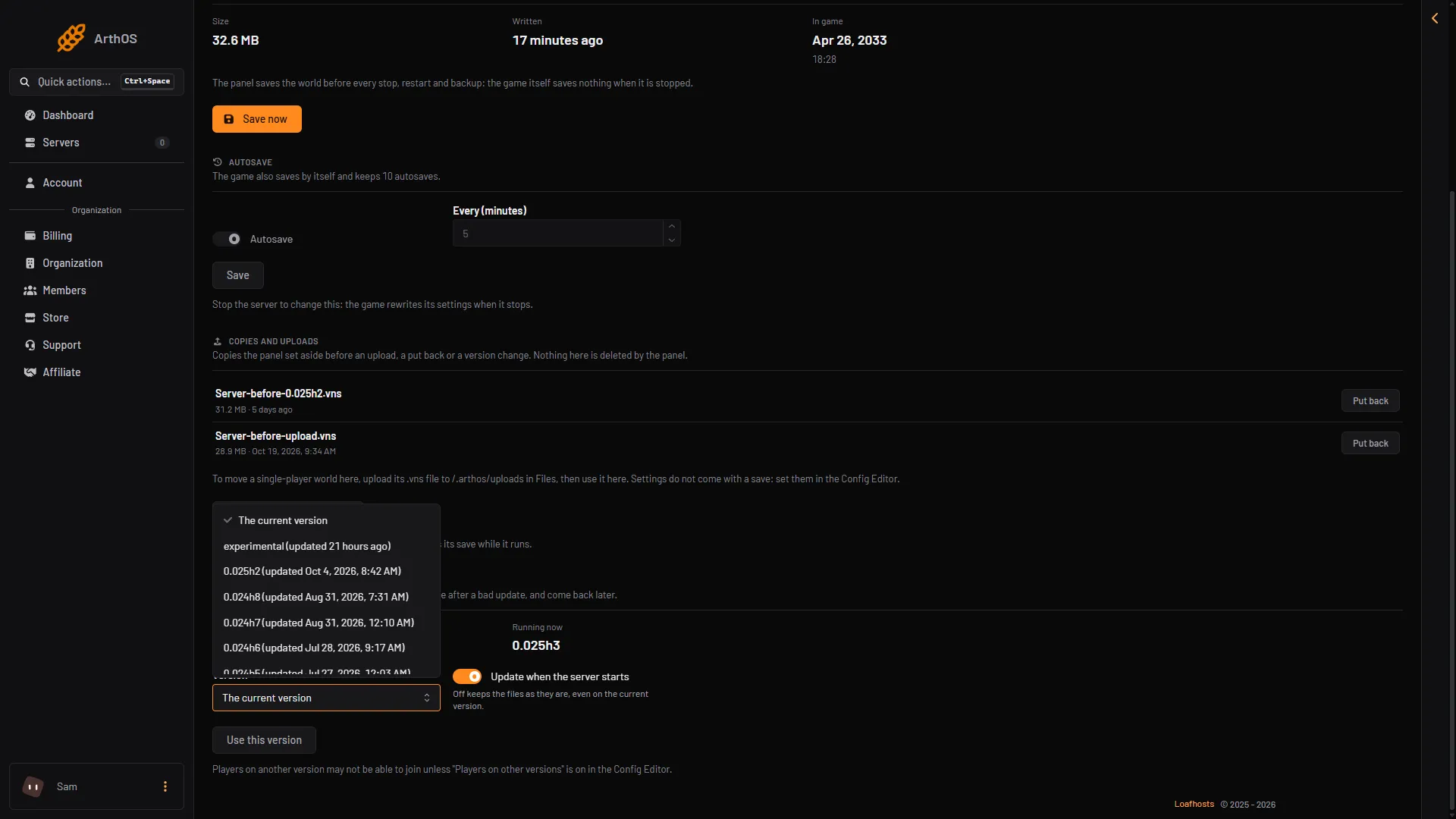
- Open Version (1) and pick a hotfix. The list shows each version with the date it was updated.
- Choose Use this version (2).
- Confirm the box “Switch to (version)?”. It says the panel makes a copy of the save first and that the server changes version at its next start.
- Choose Restart at the top right of the server page. See restart a VEIN server.
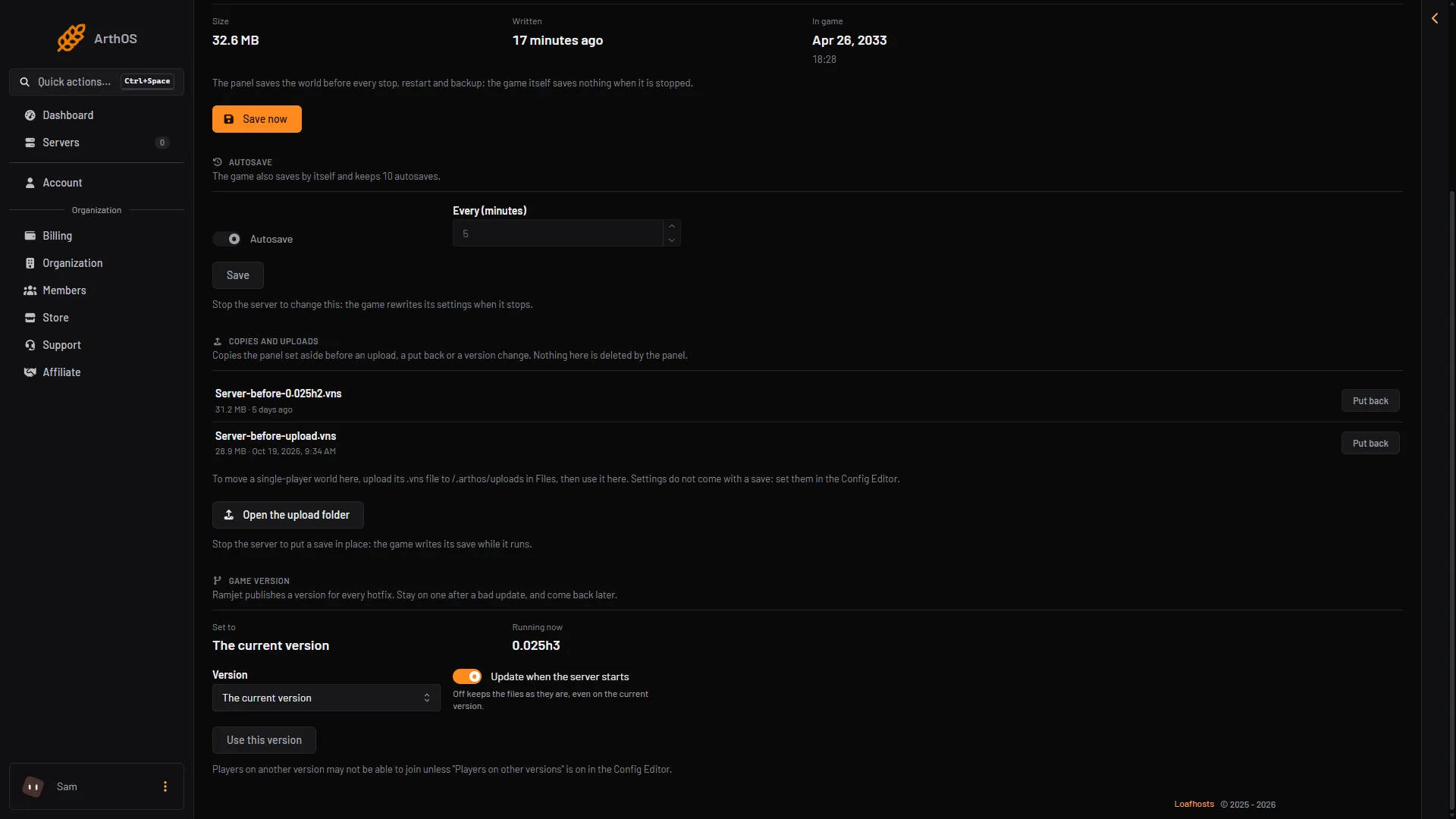
- Version
- Use this version
The list, once open, shows the current version, experimental and each hotfix with the date it was updated.
The page says “Saved. It applies at the next start.” Nothing changes until the restart.
What happens to the save
Before the switch, the panel saves the world and makes a copy of the save. It keeps the copy. The copy shows on the same page under Copies and uploads, and the panel does not delete it. If the older version cannot read the save, use Put back on the copy. Put back means the copy becomes the live save again, and it needs the server stopped.
Come back to the current version
Open Version, pick The current version, and choose Use this version. Restart the server. It then follows the latest build again.
If Update when the server starts is off, the server does not get new files at all. Turn it on first. See update a VEIN server.
Players need the same version
Players join only if their game version matches the server. If you stay on an older hotfix, players who updated can no longer join. The Config Editor switch Players on other versions lets them in, but Ramjet warns it will probably crash them. See VEIN version mismatch.
Not checked on 0.025 as of 27 October 2026: how a player picks an older version in Steam.
So a hotfix version is a short-term fix: wait for the next build, then go back to the current version.
By hand
If you run the server yourself, use SteamCMD with the branch Ramjet publishes for the hotfix. Replace (dir) with your server folder and (branch) with the version name, for example 0.025h2:
steamcmd +force_install_dir (dir) +login anonymous +app_update 2131400 -beta (branch) validate +quitThe wiki gives the plain update line without -beta. The -beta form is how SteamCMD picks a branch.
If it does not work
- The version did not change after the restart. Use this version was not chosen: the button is off until you pick a different version. Also check that Update when the server starts is on. With it off, the server keeps its files.
- A new hotfix is not in the list. The panel reads the list from Steam and keeps it for up to an hour. Look again later.
- Players cannot join. Their game does not match the server. See VEIN version mismatch.
More about the game: VEIN servers.
Sources: vein.wiki.gg: Vein Dedicated Server Setup, developer.valvesoftware.com: SteamCMD