











A VEIN player and the server must run the same game version. When Ramjet Studios releases a hotfix (a small update), the two can drift apart. First see which version the server runs. Then either update the server, or hold it on one hotfix, or let players on other versions in for a short time.
See the server’s version
Open Players. The row of figures at the top has a Version box, for example 0.025h3. That is the version the server is running now. The Crashes page shows it too, as Game version, for each start.
Update the server
The server can check Steam for a newer build every time it starts.
- Open Startup and check that Update on start is on. On the World page the same switch is called Update when the server starts. Off keeps the files as they are, even when a newer version exists.
- Choose Restart at the top right of the server page. The panel saves the world first.
- After the start, look at Version on Players again.
The update happens at the start, not while the server runs. A server that stays up for days stays on the version it started with.
Hold the server on one hotfix
Ramjet publishes a version for every hotfix. A server can stay on one, for example after a bad update.
- Open World. In the card Game version, Running now shows the version in use.
- Choose a version in Version. The current version is the newest one.
- Choose Use this version and confirm.
- The panel makes a copy of the save and keeps it first. The server changes version at its next start, and only if Update when the server starts (on the same card) is on: off keeps the files as they are.
Players must then be on that same version too.
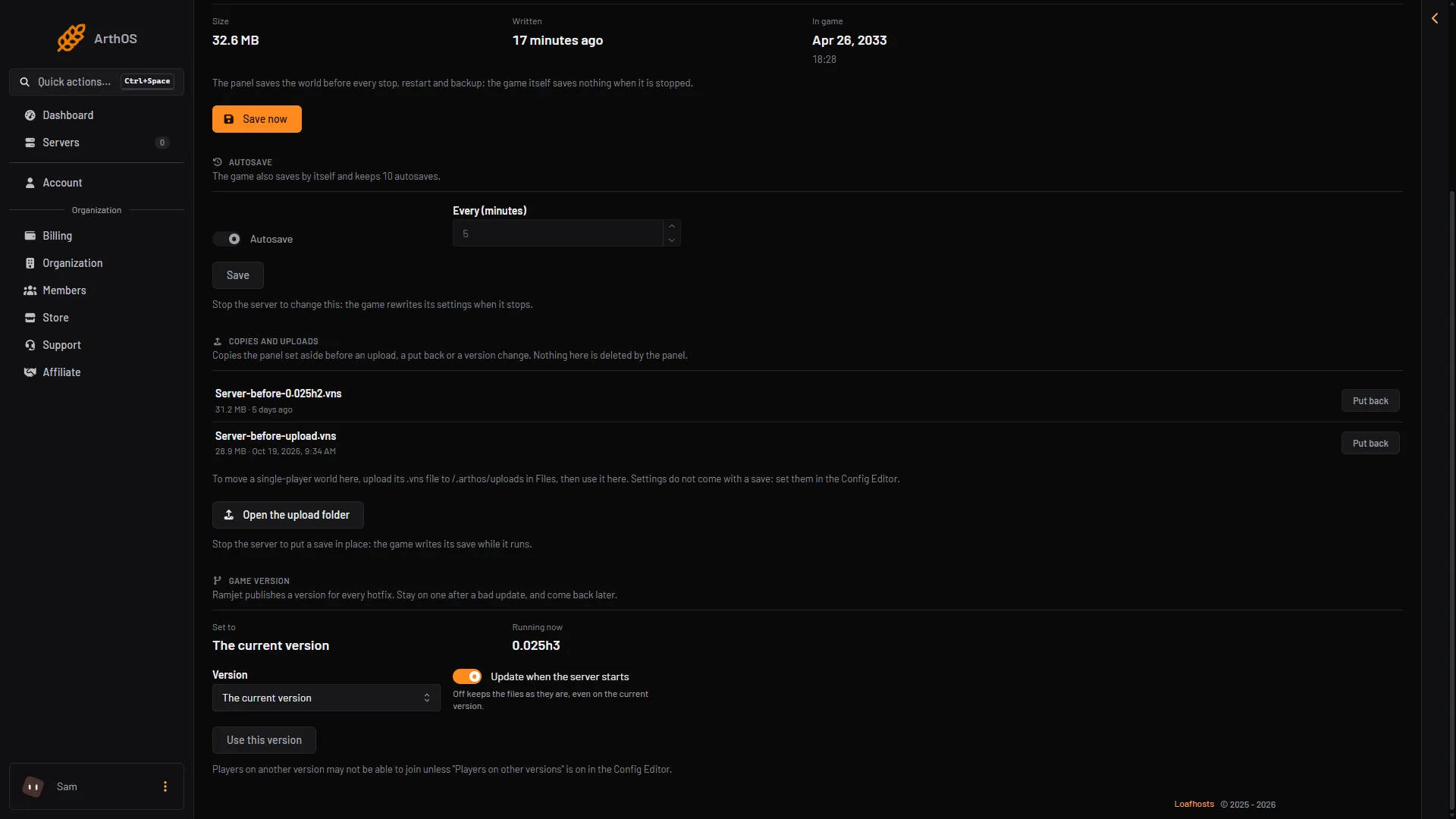
- Running now
- Choose a version
- Update when the server starts
- Use this version
Let players on other versions in
Only for a short time, for example right after a hotfix. Ramjet warns that it will probably crash those players.
- Stop the server. The Config Editor saves this file only while the server is stopped.
- Open Config Editor, then Game rules, group Players and the server.
- Turn on Players on other versions (1) and save.
- Start the server. The setting applies at the start.
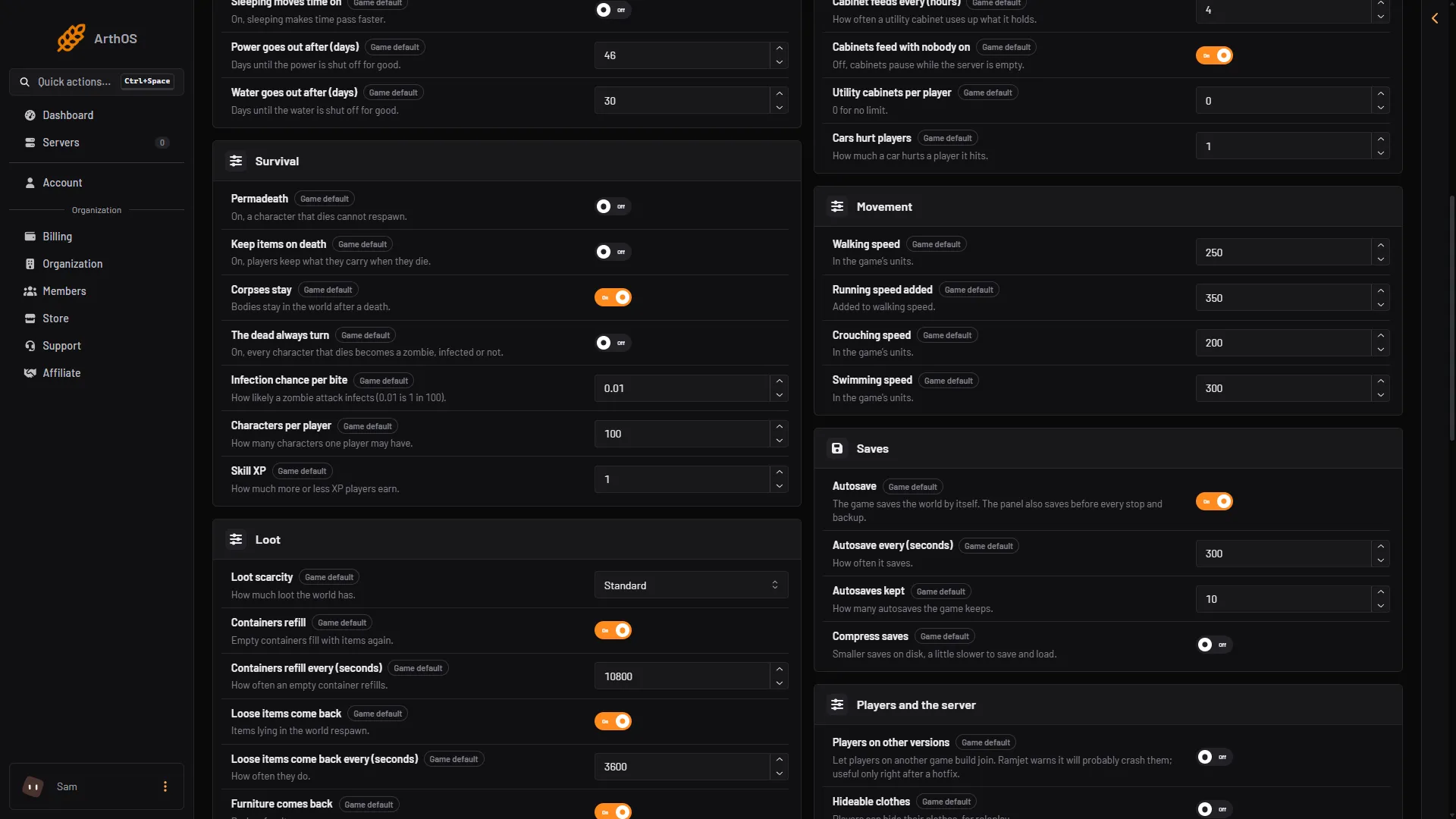
- Players on other versions
If it does not work
- Version did not change after a restart. Check Update on start, and check that Game version on the World page is not set to an older hotfix.
- Server is on a hotfix and players are on the newest. Choose The current version on the World page and choose Restart at the top right of the server page.
- Players crash after joining. That is the risk of Players on other versions. Turn it off and update them.
- The save will not load after a version change. It may come from another game build. See VEIN progress lost for putting a copy back.
More about the game: VEIN servers. Not checked on 0.025 as of 27 October 2026: how a player picks an older version in Steam, and the branch names in the game’s Betas list in Steam.