











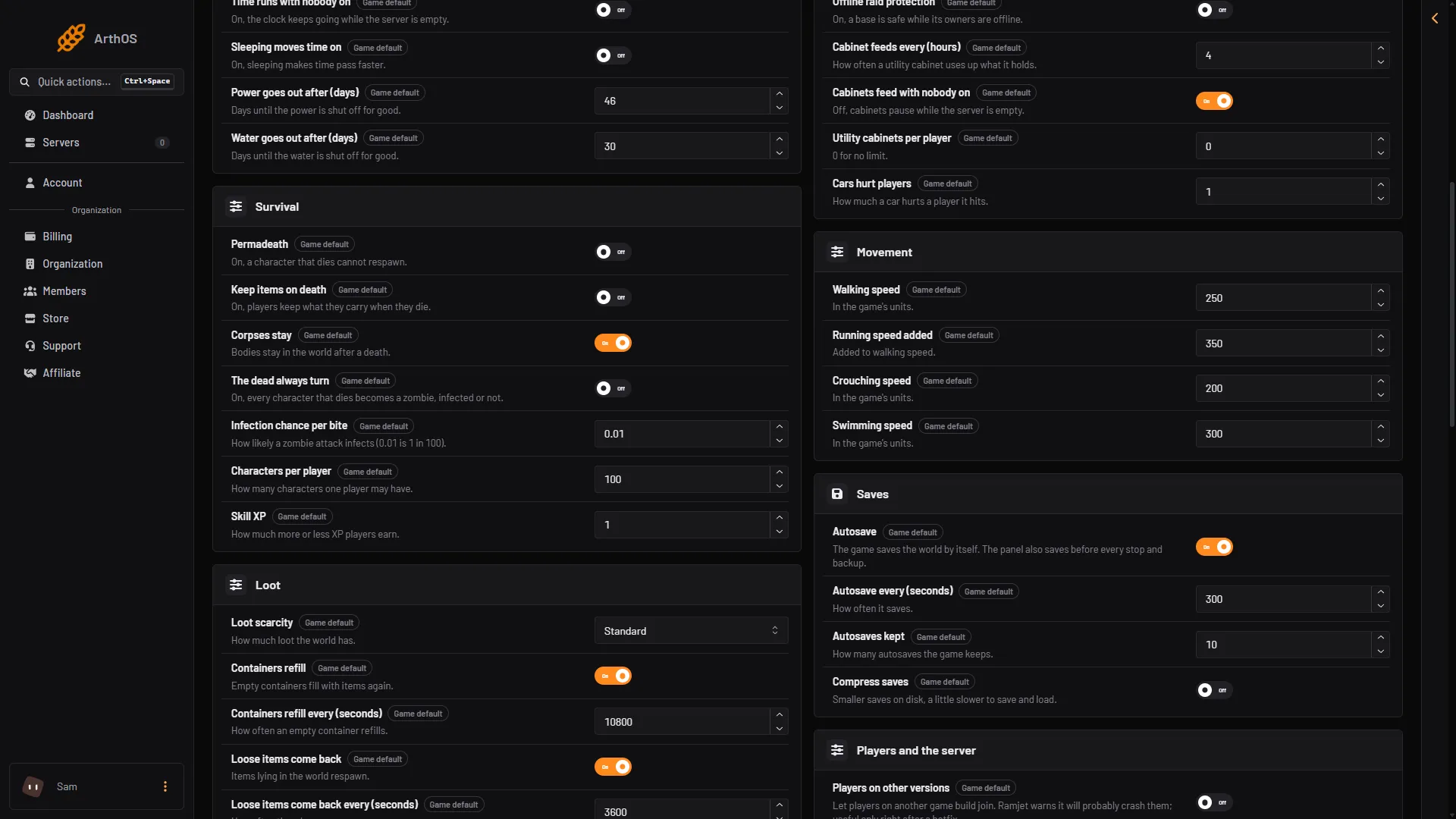
VEIN’s loot settings sit in the Game rules file of the Config Editor. Loot scarcity sets how much loot the world has. The other settings say how fast things come back. Every change applies at the next start of the server.
The settings
All of these are in the group named Loot.
- Loot scarcity has five choices: None, More loot, Standard, Less loot and Impossible. The default is Standard. Not checked on 0.025 as of 27 October 2026: what None does. Try it on a test world before you use it.
- Containers refill is on by default. Empty containers then fill with items again.
- Containers refill every (seconds) is how often that happens. The default is 10800, which is 3 hours.
- Loose items come back is on by default. Items that lie in the world then respawn.
- Loose items come back every (seconds) is how often. The default is 3600, which is 1 hour.
- Furniture comes back is on by default. Broken furniture respawns.
- Car keys near cars is the chance that the key of a locked car is somewhere near it. The default is 0.8.
- Car keys on zombies is the chance that a zombie carries a car key. The default is 0.1.
The two key settings are chances from 0 to 1. A value of 0.8 means 8 in 10. A value of 0.1 means 1 in 10. The two time settings take 60 seconds or more.
Change them
- Choose Stop at the top right of the server page. The Config Editor saves only while the server is stopped, because the game rewrites its files when it stops and would undo a change made while it runs.
- Open the Config Editor page.
- Open the Game rules tab.
- Find the Loot group. Change the settings you want, such as Loot scarcity (1) and Containers refill (2).
- Save. Then choose Start at the top right of the server page.
- Loot scarcity
- Containers refill
A setting left at its default is not written to the file. This is normal. The game leaves out every line equal to its default.
Which loot setting to use
- A server that feels too empty: choose More loot, or shorten Containers refill every (seconds).
- A server that feels too easy: choose Less loot.
- A hard survival server: choose Impossible, the hardest choice on the list.
- Loot that comes back more slowly: raise Containers refill every (seconds) and Loose items come back every (seconds). Both take 60 seconds or more.
- To stop loot coming back at all, turn off Containers refill, Loose items come back and Furniture comes back.
By hand
The file is Vein/Saved/Config/LinuxServer/Engine.ini, in Files. Edit it only while the server is stopped. Not checked on 0.025 as of 27 October 2026: the folder on a Windows server. The keys are in the section [ConsoleVariables]:
[ConsoleVariables]
vein.Scarcity.Difficulty=3
vein.ContainersRespawn.Interval=21600
vein.Scarcity.Difficulty is 0 for None, 1 More loot, 2 Standard, 3 Less loot, 4 Impossible. The others are vein.ContainersRespawn.Enabled, vein.ItemActorSpawner.Respawns, vein.ItemActorSpawner.RespawnInterval, vein.Furniture.Respawns, vein.Vehicles.NearbyKeySpawnChance and vein.Vehicles.ZombieKeySpawnChance.
If it does not work
- The change did not save. The server was running. Stop it, change the setting, save, and start it again.
- The setting is back at its old value. You changed it while the server ran, and the game rewrote the file when it stopped. Change it again with the server stopped.
- Containers that were already empty did not change. Not checked on 0.025 as of 27 October 2026. Wait for the next refill time.
More about the game: VEIN servers.
Sources: ramjet.notion.site