











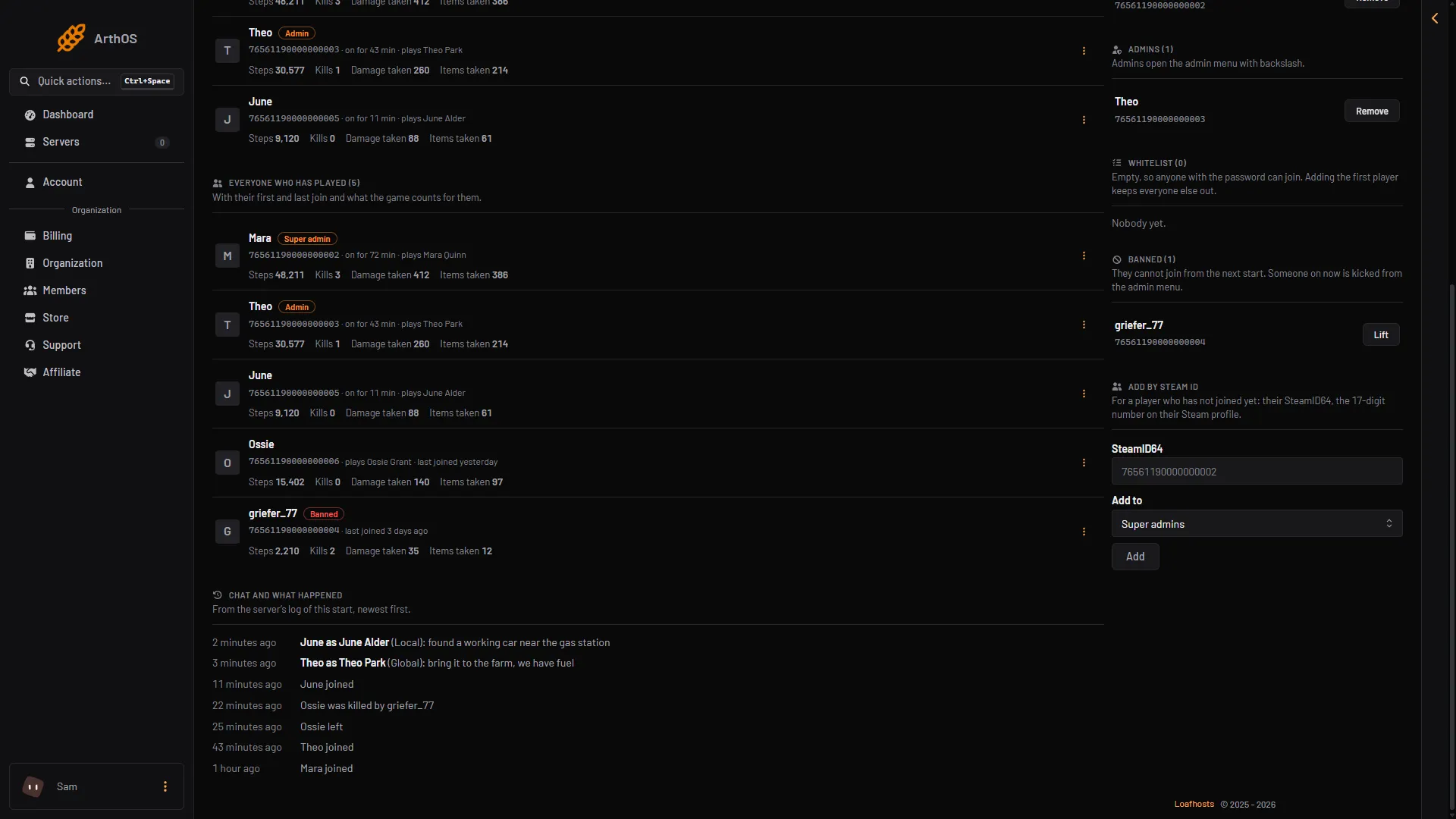
VEIN keeps a few counters for every player. The Players page shows them under each player’s name. They are the game’s own numbers, read while the server runs.
Where to find them
- Start the server and open the Players tab.
- Find the player under Online or Everyone who has played.
- Look under their name and Steam id. A short row of counters is there.
- Everyone who has played
- Banned
What each counter means
- Steps: how many steps the player has taken.
- Kills: what the game counts under
PlayerKills. - Damage taken: the total damage the player has taken.
- Items taken: how many items the player has taken.
The numbers are rounded to whole numbers. If the game adds a new counter in a later update, the page shows it under the game’s own name, with spaces added.
How fresh they are
The page reads a player’s record from the game. For a player who is on now, the record is read again about once a minute, so the numbers grow as they play. For a player who is not on, the record is kept until they join or leave again.
The page reads a limited number of players on each look. If you have many players, some counters show on the next refresh. The title of Everyone who has played then says how many more are coming.
Last joined
Each player who is not on shows “last joined” with the time. The page’s own hint mentions a first join too, but the row shows only the last one.
If counters are missing
- No counters under a name. The server is stopped, still starting, or the record has not been read yet. The list comes from the game, so it only fills in while the server runs.
- A player is missing. See who is online.
To see where players are, see the VEIN live map. More about the game: VEIN servers.