











The Players page shows the chat of your VEIN server in a list called Chat and what happened. To get the Global chat into a Discord channel, paste a webhook on the Discord page.
Read the chat
- Open the Players tab.
- Scroll to Chat and what happened. It is under Everyone who has played.
The list is read from the server’s log of this start, newest first. It shows the last 60 happenings. The panel shows each chat line like this:
Tester as Sam Cook (Local): anyone near the gas station?
That is the Steam name, the character name, the channel and the words. The channel is Local or Global.
The same list also shows when players joined, left, died, or were killed, and by whom.
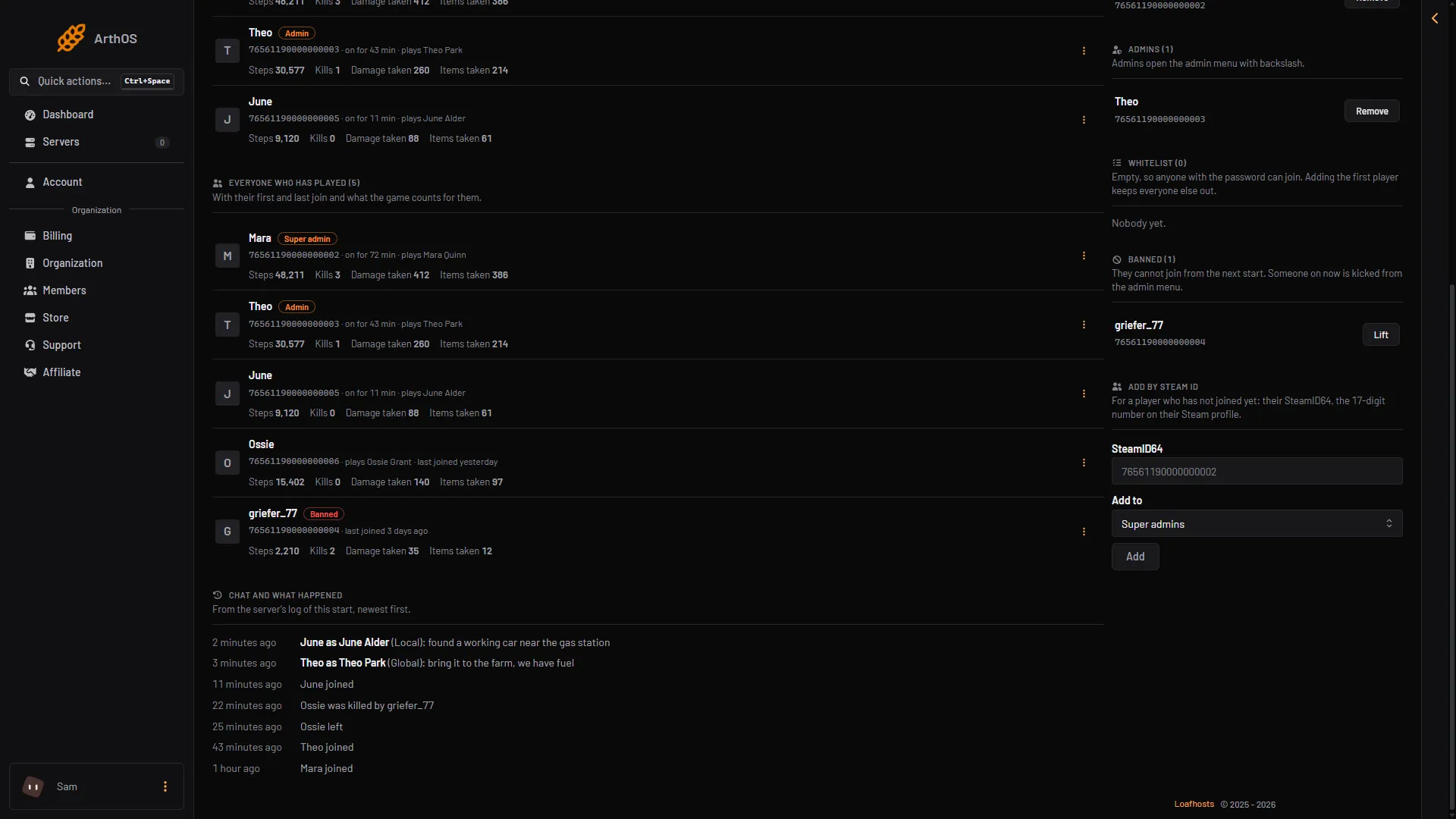
- Chat and what happened
- Chat
- A death
Things to know:
- The log starts again at every server start, so chat from before the last start is not in this list.
- A very long line is cut at 300 characters.
- The page hides join passwords and Steam tickets in the lines it shows.
- The panel only reads chat. It cannot send chat as a player. To tell everyone something, see send a message to everyone.
Send Global chat to Discord
The game posts its Global chat to Discord by itself when it has a webhook. A webhook is an address Discord gives a channel so something can post there.
- In Discord, make a webhook for the channel in the channel’s settings. Copy its URL. It starts with
https://discord.com/api/webhooks/. - In the panel, open the Discord tab.
- In the card The game’s own posts, paste the URL in Global chat webhook.
- Choose Save.
- Choose Restart at the top right of the server page. The game reads the webhook when it starts.
The panel never shows the URL again after you save it, because it holds a secret. The field says “A webhook is set. Paste a new one to replace it.” To change it, paste a new URL and choose Replace. To turn it off, choose Stop.
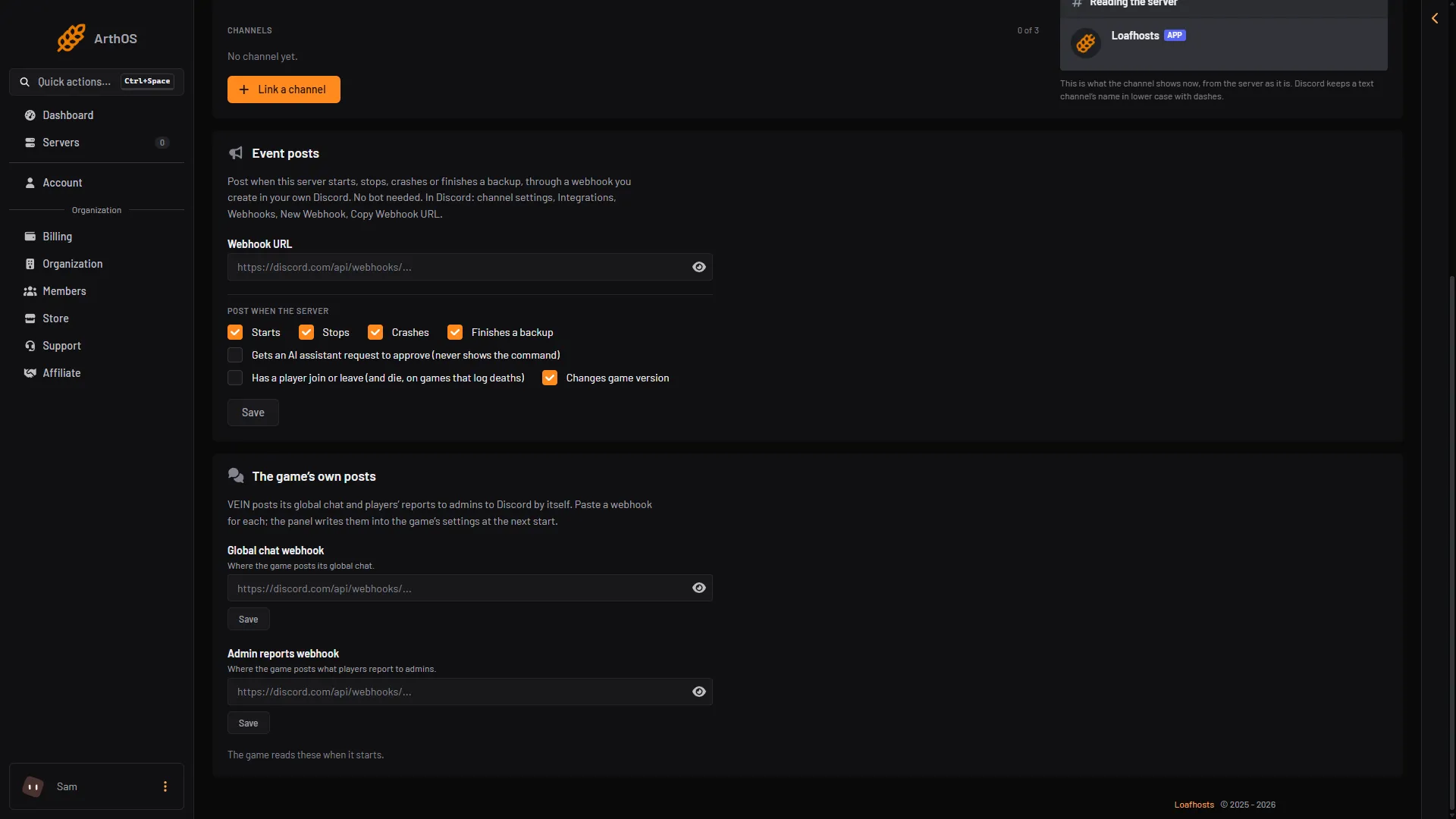
- Global chat webhook
- Save
Only Global chat goes to Discord. Local chat stays in the game and in the panel’s list. The same card has an Admin reports webhook for the game’s admin reports; see VEIN and Discord. You need permission to change Discord settings on the server to use this card.
If it does not work
- The page says “A webhook URL starts with https://discord.com/api/webhooks/”. The address is wrong. Copy it again from Discord.
- Nothing reaches Discord. Check that you chose Restart after saving. Check that the webhook still exists in Discord.
- The chat list is empty. Nobody has spoken since the server last started, or the server is stopped.