











Open the Players page and choose Message everyone. Everyone on the server sees your text in the game’s own notification. To warn players before a restart, use Restart with a warning on the same page.
Message everyone
- Start the server and open the Players tab.
- In the Online section, choose Message everyone.
- In the box Message, type one line. It can be 1 to 200 characters.
- Choose Send.
The page answers “Sent. Everyone on the server sees it now.” The message shows at once. No restart is needed.
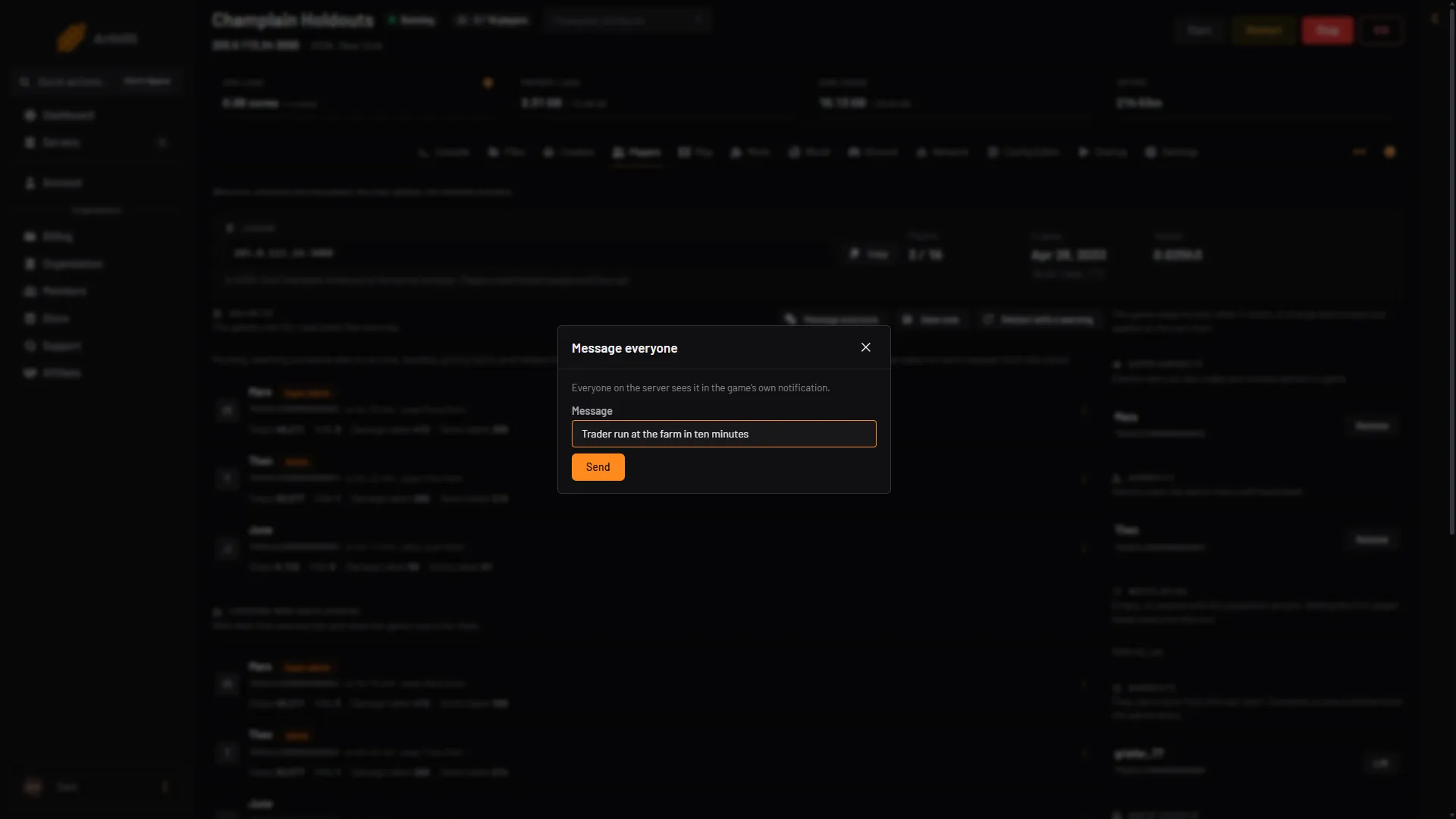
- Who sees it
- Message
- Send
The button is only there while the server is running and has answered the panel. Your role also needs permission to moderate players. If the button is missing, ask the server owner.
Restart with a warning
A normal restart gives players no time to finish what they are doing. This one warns them first.
- In the Online section, choose Restart with a warning.
- In Restart in, choose 10 minutes, 5 minutes or 1 minute.
- In Message, type the start of the warning, or leave it empty. The box shows “The server restarts in” as the default.
- Choose Start the countdown.
The panel sends the first warning at once, for example “The server restarts in 10 minutes.” Players then see a notice at 10 minutes, 5 minutes, 1 minute and 10 seconds before the restart, as far as the time you chose allows. A 5 minute countdown gives notices at 5 minutes, 1 minute and 10 seconds. The message part can be up to 120 characters. The panel adds the time left and a full stop.
At the end the server saves the world and restarts.
While a countdown runs, the button reads “Restart at” with the time. Open it and choose Stop the countdown to cancel. The server keeps running.
If the server cannot be told about the first warning, the countdown does not start. The page shows the reason.
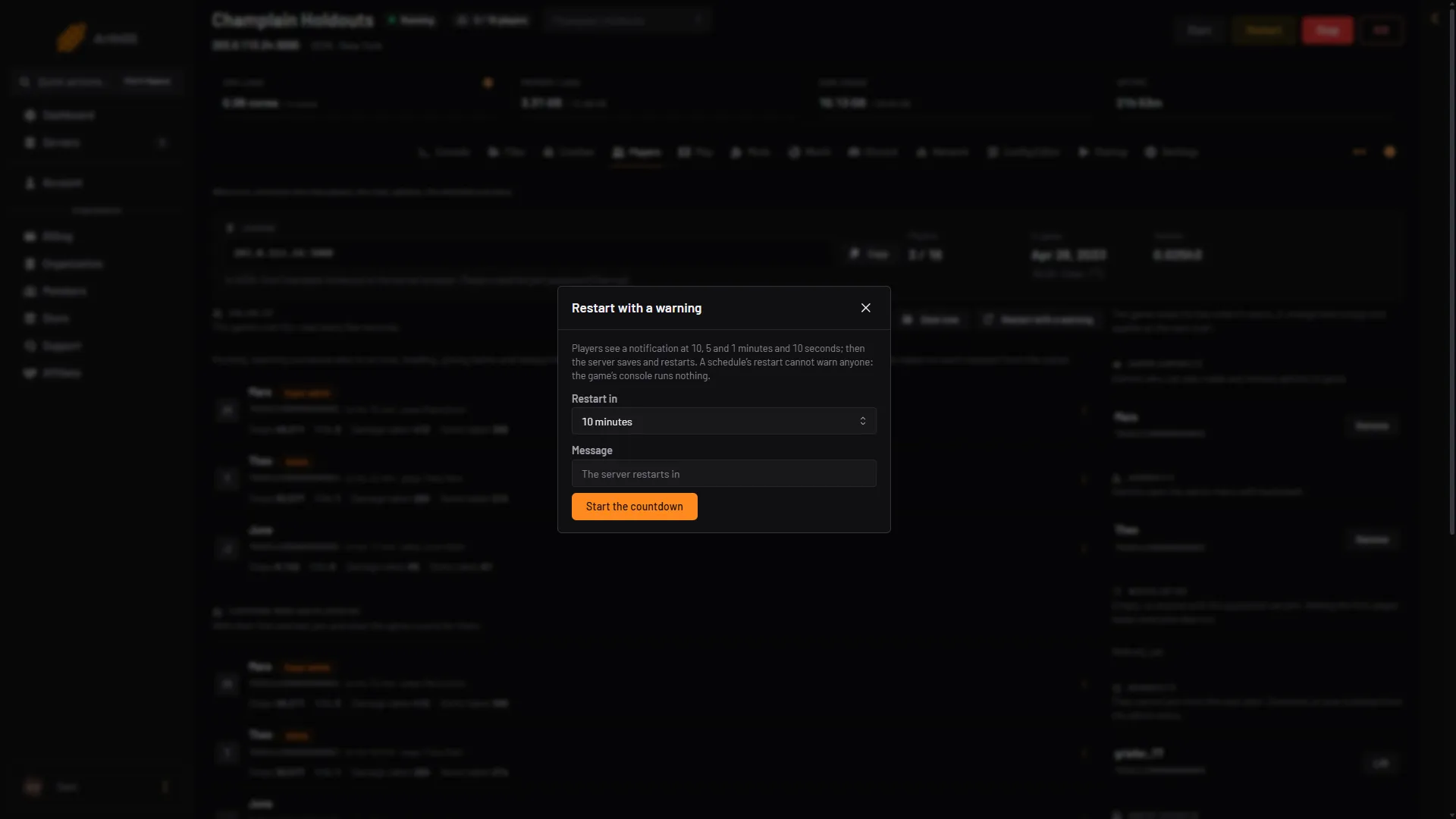
- Restart in
- Message
- Start the countdown
A restart set up in Schedules cannot warn anyone. The game’s console runs nothing the panel sends it, so a scheduled restart has no notice. Use Restart with a warning when players are on. See restart a VEIN server.
A message to one player
The panel cannot send a private message. A message always goes to everyone. There is no message action in a player’s row menu either.
VEIN has no RCON (a remote command line) and its console runs nothing, so there is no command to type for this. Use Message everyone.
If it does not work
- Message everyone is missing. The server is stopped or starting, has not answered the panel yet, or your role cannot moderate players.
- The message is refused. It must be one line and at most 200 characters. Remove line breaks and shorten it.
- Nobody sees the message. Check that the server is running and players are in the world. The notice shows in the game for players who are on.
To read what players say, see the chat on the Players page. More about the game: VEIN servers.