











VEIN writes a new log each time the server starts. The log for the start in progress is Vein.log. At the next start the game renames it Vein-backup-(time).log and begins a new Vein.log. Read the live output on Console, one start at a time on Crashes, or download the files from Files.
Where the files are
They are all in one folder: Vein/Saved/Logs. An earlier log has the time it was renamed in its name, written year, month, day, hour, minute, second. The panel reads that time as UTC. For example, Vein-backup-2026.10.25-16.32.37.log was renamed on 25 October 2026 at 16:32:37 UTC.
The lines inside are Unreal Engine lines. Most start with a time in square brackets, such as [2026.10.25-16.08.39:717], which the panel also reads as UTC. The first lines of a start have no time.
Watch it live
Open Console. It shows what the game prints as it runs: starting, saving, players joining and leaving. The panel hides the join password and each player’s Steam ticket. They show as (hidden).
Read it by start
- Open Crashes.
- In the list on the left, pick a start (1 in the picture). The newest is at the top. The page shows the newest ten starts, which is the panel’s limit.
- Read the headline. It says whether the start is running, ran and stopped, crashed, failed to start, or ended early.
- Read What the panel can tell. It lists known problems found in that log, such as a crash, running out of memory, a save that could not be written, or a port already in use. Each finding (2) comes with a fix (3).
- Open the folded Last 80 lines to read the end of the log. Routine start-up lines are left out.
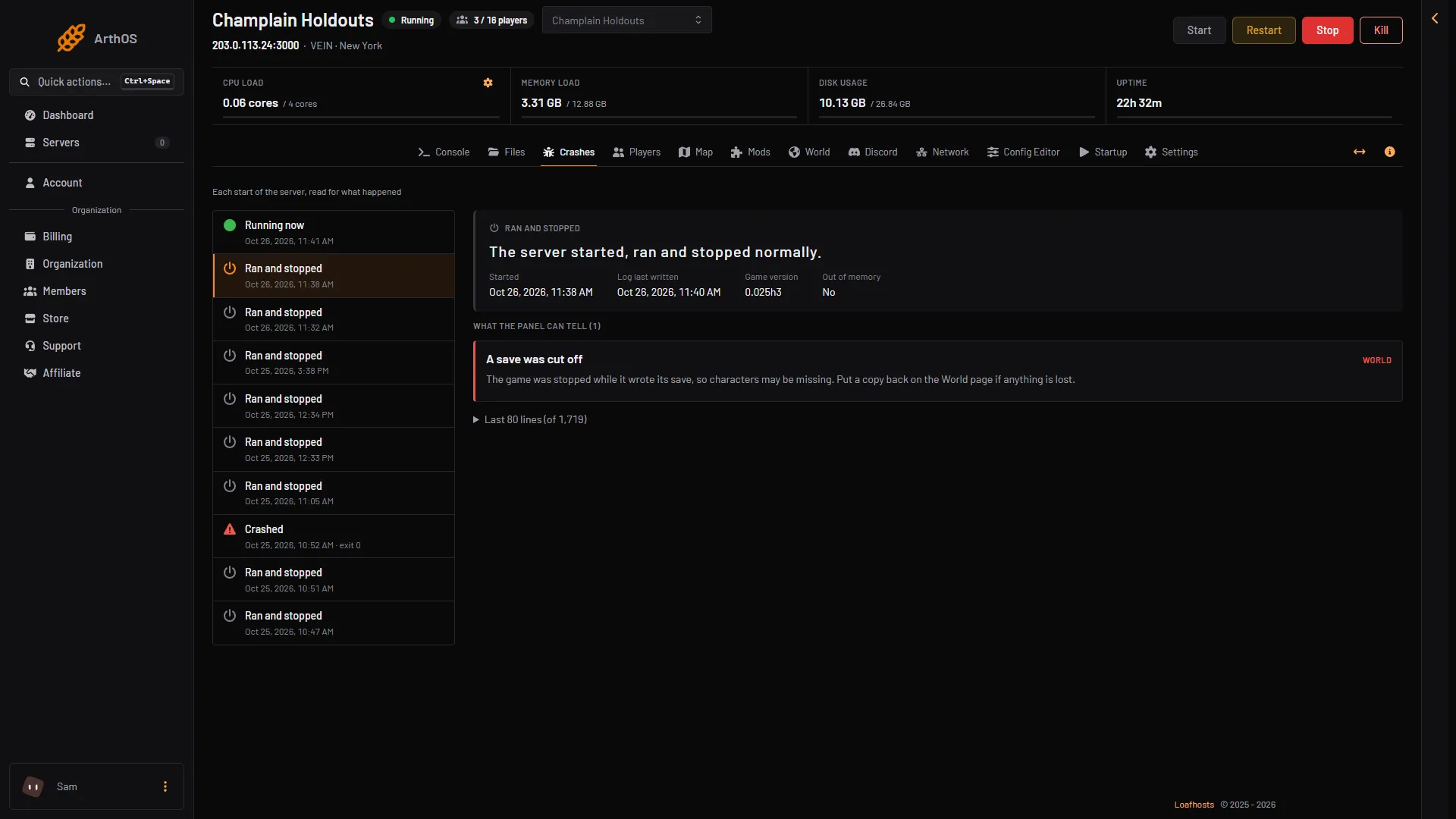
- The start with the finding
- The finding
- The fix
The same page also reads the game’s own crash reports if one was written. For what to do next, see server crash and out of memory.
Download a log
- Open Files.
- Open the folders
Vein,Saved, thenLogs. - Open the menu (three dots) on the file and choose Download.
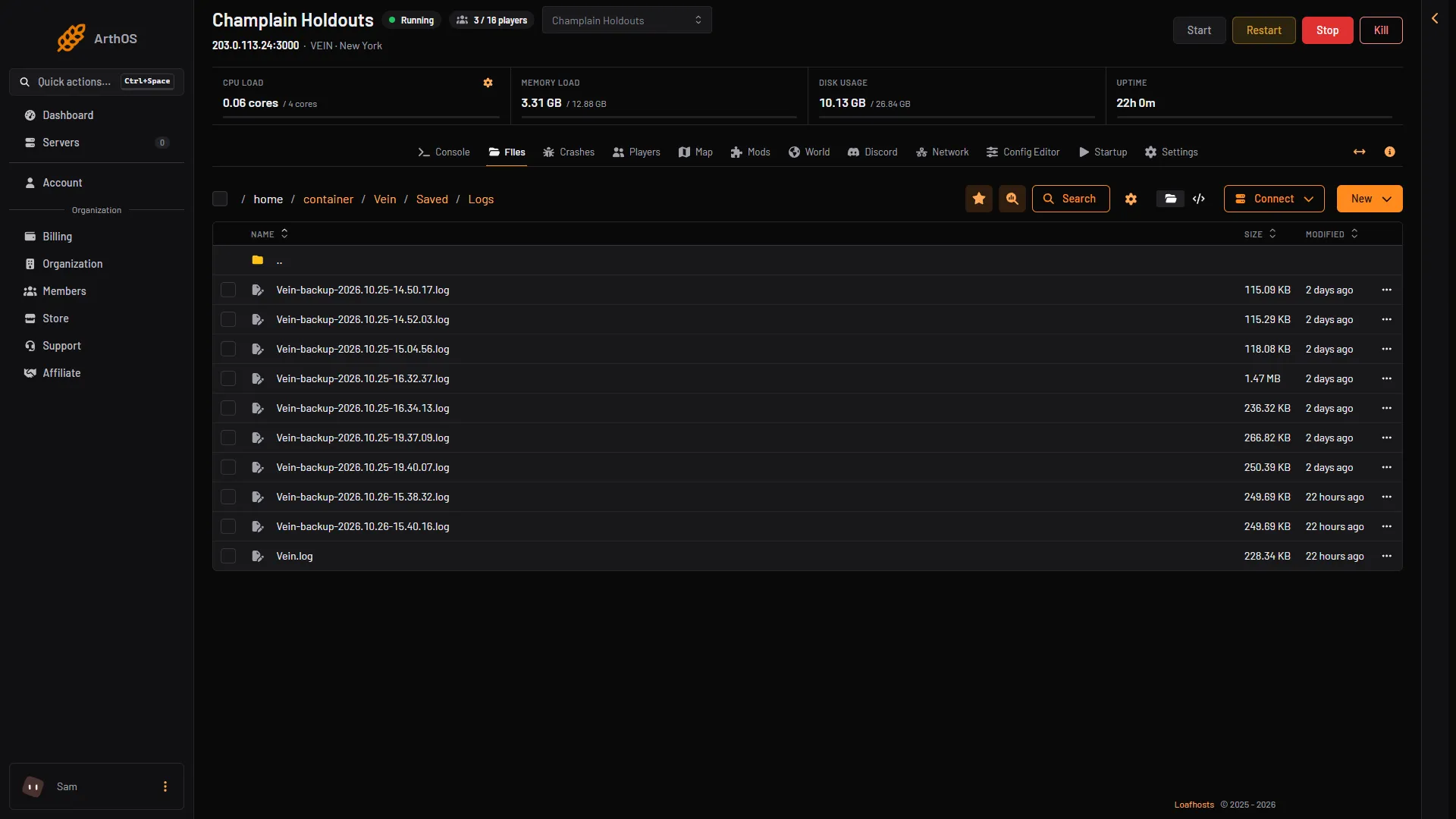
- This start
- Earlier starts
More about the file folders: server files.
If it does not work
- Crashes shows no starts. There is no log yet. Start the server once.
- A start you expect is missing. The page shows only the newest ten starts. Older ones may only be in Files.
- The log is empty or very short. The start may have failed early. Check Console and the headline for that start.
More about the game: VEIN servers.
Not checked on 0.025 as of 27 October 2026: how many old logs the game keeps before it deletes one.