











When a VEIN server stops by itself, open the Crashes page. It lists each start of the server, says how each one ended, and names the cause when it can. The page shows the newest ten starts.
Read the list of starts
- Open Crashes in the server’s tab row.
- Under Starts, the newest start is first. Each one has an outcome:
- Running now: the server is up.
- Starting: it has not finished loading yet.
- Ran and stopped: it was asked to stop and stopped normally.
- Crashed: the game stopped without being asked to.
- Failed to start: it never got as far as letting players in.
- Ended early: the log stops without saying how the server ended.
- Open the start you want. What the panel can tell lists what it found, each with a plain title and a fix. Below that, the last lines of the log are shown. Secrets such as the join password are hidden in them.
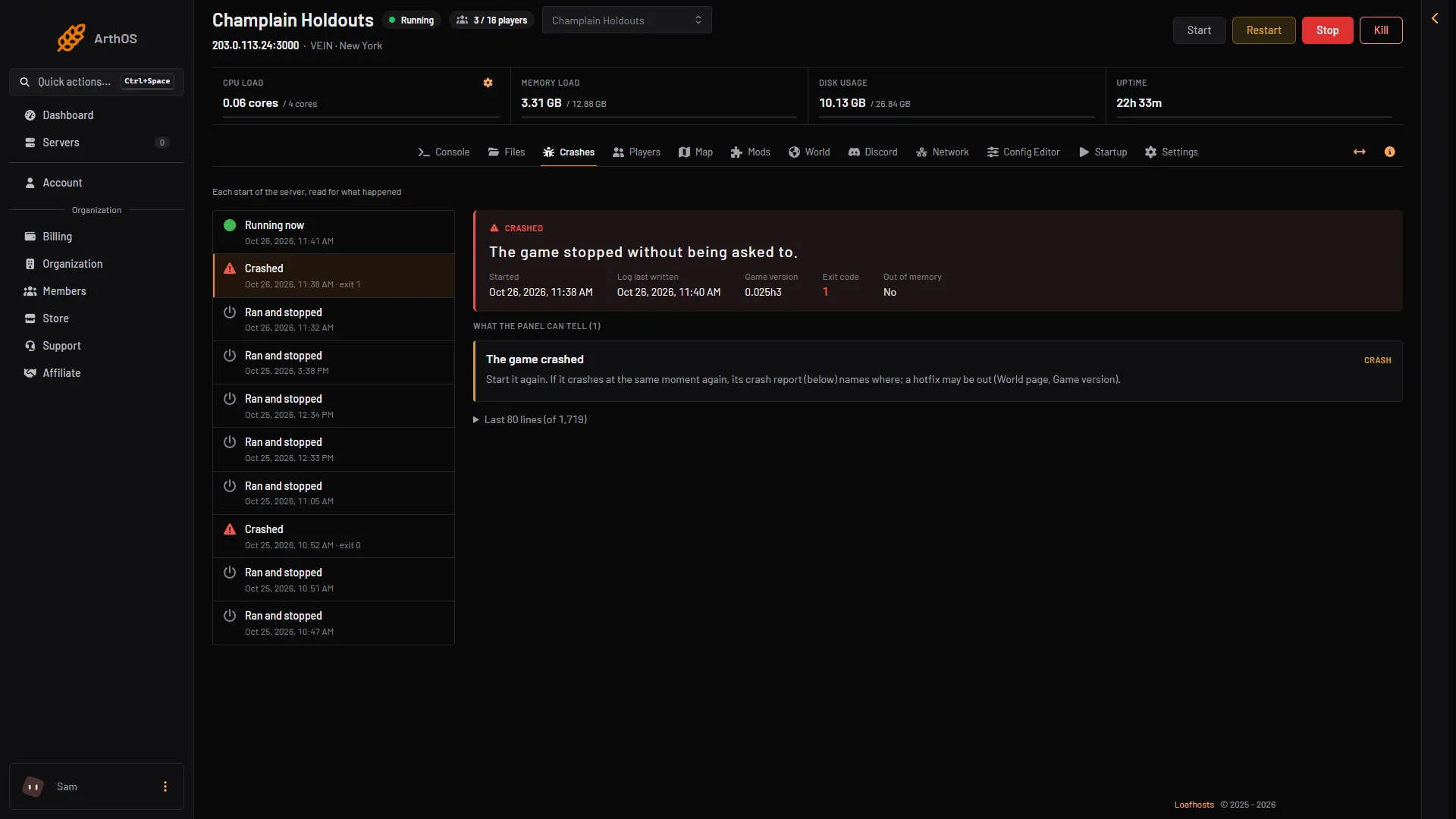
- The finding
- The fix
What the panel can find, and what to do
The panel reads each start’s log for these causes.
- The game crashed. Start it again. If it crashes at the same moment again, the crash report names where. A hotfix may be out: see the World page, Game version.
- The server ran out of memory. VEIN needs about 3.5 GB with nobody on, and more for each player and every base. Raise the server’s memory, or restart it to clear what built up. A start can also show Out of memory Yes in its details, marked Crashed, with no finding: the node stopped the server for using more memory than its size. Either sign means memory. See VEIN out of memory.
- Steam’s library could not be loaded. Reinstall the server from its settings. The save stays.
- The server list could not be told the server is up. If the server is missing from the browser for long, restart it. If that does not help, tell support. See VEIN server not showing.
- The save could not be loaded. It may be from another game build. Put the build back on the World page, or put a copy of the save back there.
- The world could not be saved. Usually a full disk. Free some space and save again. Old save copies on the World page count.
- A port the game needs was in use. Restart the server. If it happens again, ask support to check its ports.
The engine’s crash report
When the game crashes hard, it writes its own crash report. If one was written during a start, the panel shows it as “The engine wrote a crash report”, with the first lines of the report. The file is Vein/Saved/Crashes/(id)/CrashContext.runtime-xml, in Files. The lines name where the game stopped. Start the server again. If it stops at the same place, a hotfix may be out.
A save that was cut off
If the server was stopped while it wrote its save, the panel shows “A save was cut off”. Characters may be missing. The fix is to put a copy back on the World page: Put back makes the copy the live save again. See VEIN progress lost.
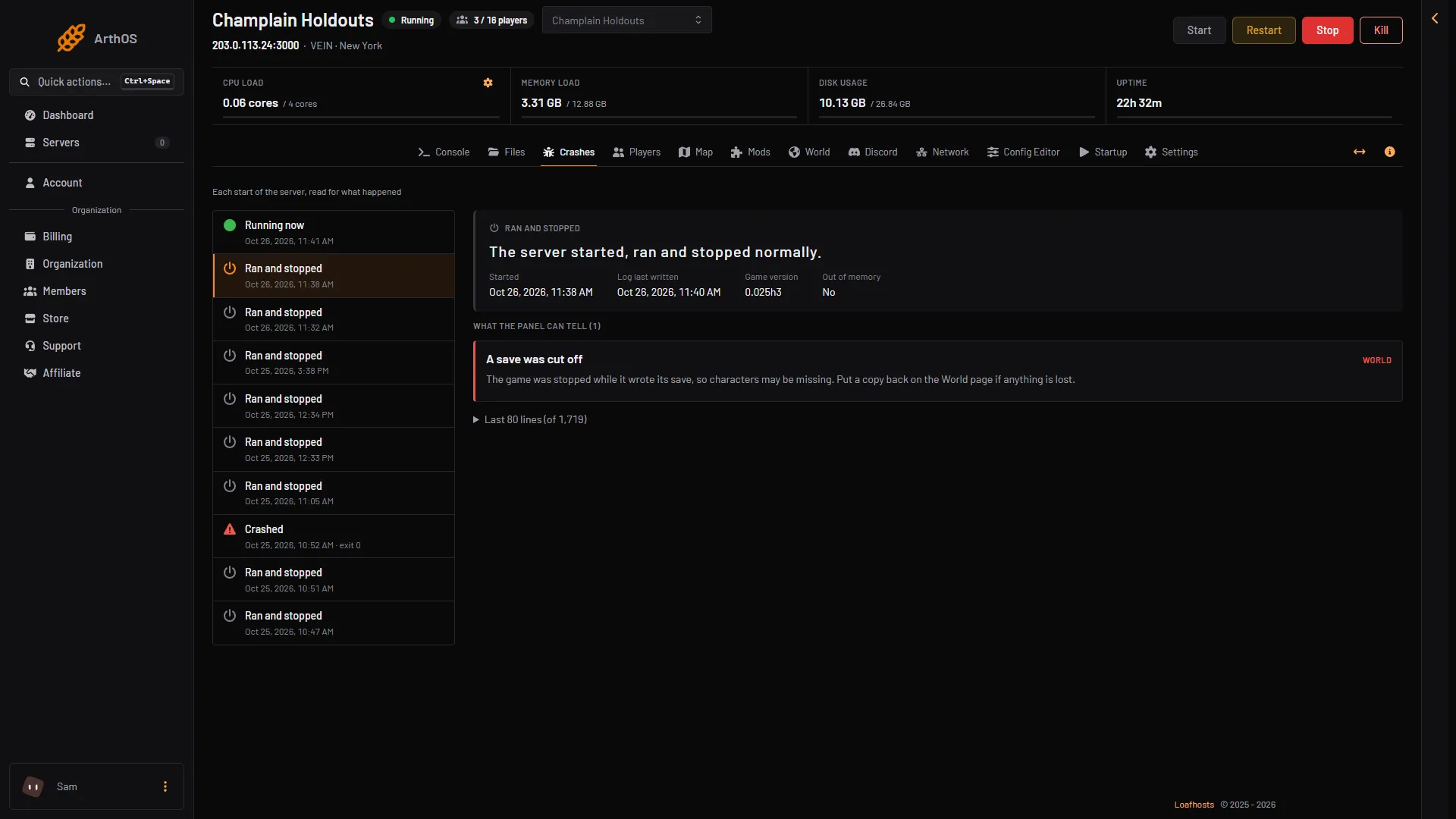
- The finding
- The fix
If it does not work
- The page says nothing points at a cause. Read the last lines under the start. Not every crash leaves a known cause.
- The same crash after every start. Check Game version on the World page and try the newest version, or go back to the one before.
- No starts listed. The server has not started yet, so there is nothing to read.
- A normal start looks like a problem. Every start prints a Steam library warning and a slow server-list answer before Steam connects. The panel ignores these on purpose, and so can you.
More about the game: VEIN servers.