











Everything of a VEIN server is under the Vein folder in Files. The save is in Vein/Saved/SaveGames, the two ini files in Vein/Saved/Config/LinuxServer, and the logs in Vein/Saved/Logs. These paths were read on Loafhosts servers, which run the Linux build of the server.
The list
| What | Where |
|---|---|
| The world | Vein/Saved/SaveGames/Server.vns |
| A save being written, or one that was cut off | Vein/Saved/SaveGames/Server.bak.vns |
| Copies the panel keeps | Vein/Saved/SaveGames/Server-before-(what)-(time).vns |
| Server settings | Vein/Saved/Config/LinuxServer/Game.ini |
| Game rules and autosave | Vein/Saved/Config/LinuxServer/Engine.ini |
| The log of this start | Vein/Saved/Logs/Vein.log |
| Logs of earlier starts | Vein/Saved/Logs/Vein-backup-(time).log |
| Crash reports | Vein/Saved/Crashes/(id)/CrashContext.runtime-xml |
| Worlds you upload | .arthos/uploads |
At each start the game renames the old Vein.log to Vein-backup- and the time, for example Vein-backup-2026.10.25-16.32.37.log.
The .arthos folder also holds the panel’s own files. Leave everything in it alone except the uploads folder.
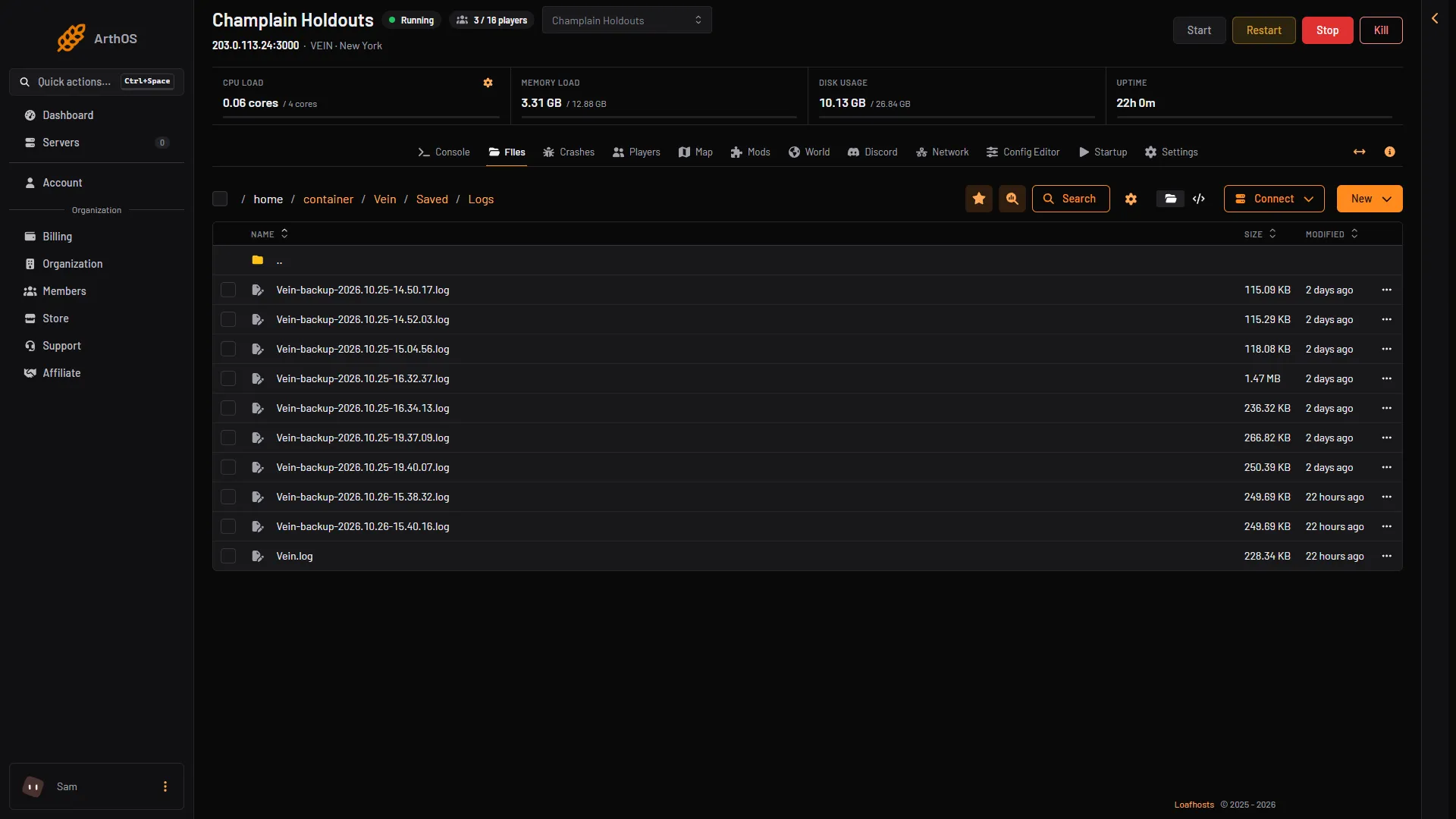
- This start
- Earlier starts
Open them
In the panel, use Files and open the folders one by one. For the save, the World page is easier: see the World page. For the ini files, the Config Editor shows them with names and help text: Server settings is Game.ini and Game rules is Engine.ini.
To use a file manager on your PC, choose Connect and then via SFTP on the Files page. SFTP is a way to copy files between the server and your PC.
Edit the ini files only while stopped
The game rewrites Game.ini and Engine.ini when it stops. A change made while it runs is lost. Stop the server, change the file, then start it.
The game engine (Unreal Engine) leaves out every line that equals the default. A setting at its default is not in the file at all, so do not worry if you cannot find it.
Some values in Game.ini belong to the panel. It writes the player limit, the list name, the join password, the ports and the Discord posts again before every start. Change those on Startup and Discord, not in the file.
By hand
Add a line to the right section of Game.ini while the server is stopped, for example:
[/Script/Vein.VeinGameSession]
bPublic=True
HeartbeatInterval=30.0
Game.ini also has ServerDescription in that section. In Engine.ini, the autosave is under [ConsoleVariables]: vein.Autosave.Interval (seconds), vein.Autosave.Enabled and vein.Autosave.MaxQuantity. Not checked on 0.025 as of 27 October 2026: the folder of a Windows server.
The logs
The Console page and the Crashes page read these logs and hide the join password and players’ Steam tickets. The file itself is the game’s raw output, so check it before you share it.
If it does not work
- A change to an ini file is gone. It was made while the server ran, or it was a value the panel owns.
- A setting is not in the file. It is at its default, so the game engine left it out.