











The Skill XP setting is a multiplier on the experience players earn. The default is 1, which is the game’s normal speed. Set it to 2 for double, 0.5 for half. It applies the next time the server starts.
What the number means
A multiplier scales something. At 1 nothing changes. Above 1 players earn more XP for the same action. Below 1 they earn less. The panel accepts any value from 0 to 10, and decimals such as 1.5 are fine.
The panel’s help line says only: “How much more or less XP players earn.”
Change it
- Choose Stop at the top right of the server page. The game rewrites its settings files when it stops, so the editor saves only while the server is stopped.
- Open Config Editor and choose the Game rules file.
- In the group Survival, find Skill XP.
- Type the new number.
- Choose Save. The changes apply when the server starts.
- Choose Start at the top right of the server page.
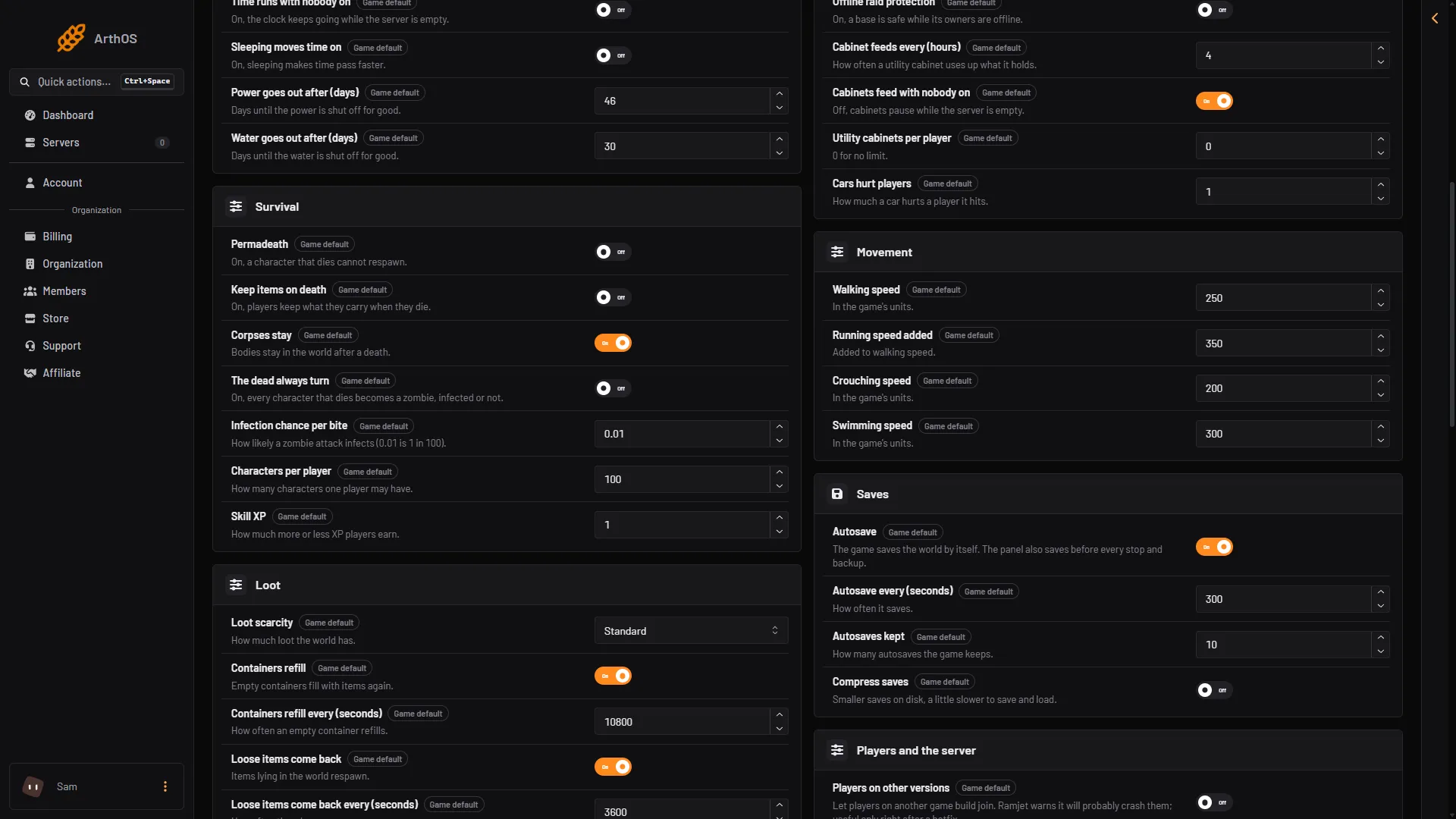
- Skill XP
The Skill XP field (1) holds the number. Here it is at 1, the game’s normal speed.
The editor marks a setting at its default with Game default. At 1 the line is not even in the file, because the game leaves out every line equal to its default. That is normal.
Pick a number
- 1 is the game as Ramjet Studios made it.
- 2 to 3 suits a small group that wants to see the late skills sooner.
- 0.5 suits a long, slow server.
Change it in small steps. You can change it again later, but each change needs a stop and a start.
If it does not work
- Save is greyed out. The server is running. Stop it, then edit.
- Players see no change. The server has to start again after saving. Choose Start at the top right of the server page.
- You cannot find Skill XP. It is in the Game rules file, not Server settings.
By hand
Edit Vein/Saved/Config/LinuxServer/Engine.ini in Files, only while the server is stopped. The key goes under [ConsoleVariables]. At 1 the line may be missing from the file. A Windows server’s folder: Not checked on 0.025 as of 27 October 2026.
[ConsoleVariables]
vein.Stats.XPMultiplier=2
For the other settings in the same file, see game rules. More about the game: VEIN servers.
Not checked on 0.025 as of 27 October 2026: which skills the multiplier covers, and whether it changes progress players already have.