

















Paste the collection’s link into Add by link or ID on the Workshop tab of the Mods page and press Look up. The panel lists every mod in the collection, up to 200. Add them, then press Apply and restart.
A Steam Workshop collection is a list of mods someone made on Steam. It is not the same as the Collections tab in the panel. That tab keeps lists made in the panel. See the panel’s collections.
Add the collection
- On Steam, open the collection’s page. Copy its address. It looks like
https://steamcommunity.com/sharedfiles/filedetails/?id=1234567890. - In the panel, open the Mods page and choose Workshop.
- Paste the link into Add by link or ID (1).
- Press Look up (2).
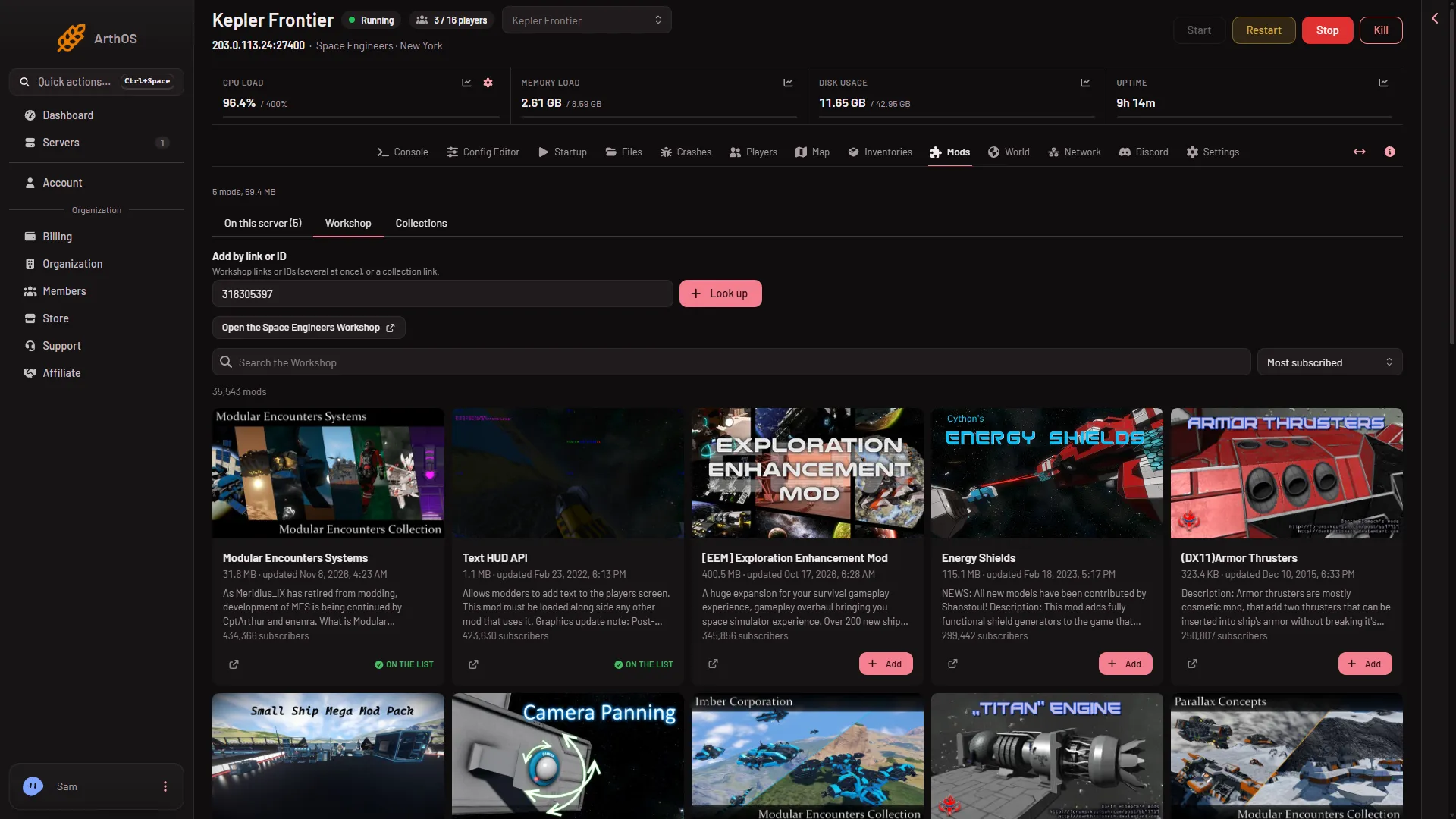
- Add by link or ID
- Look up
A box titled “Add the mods in” with the collection’s name opens (the picture shows the same box after a Look up with two mod IDs, so its title reads Add these mods?). It lists each mod in the collection with its picture, name and size. A mod that is already on your list says so.
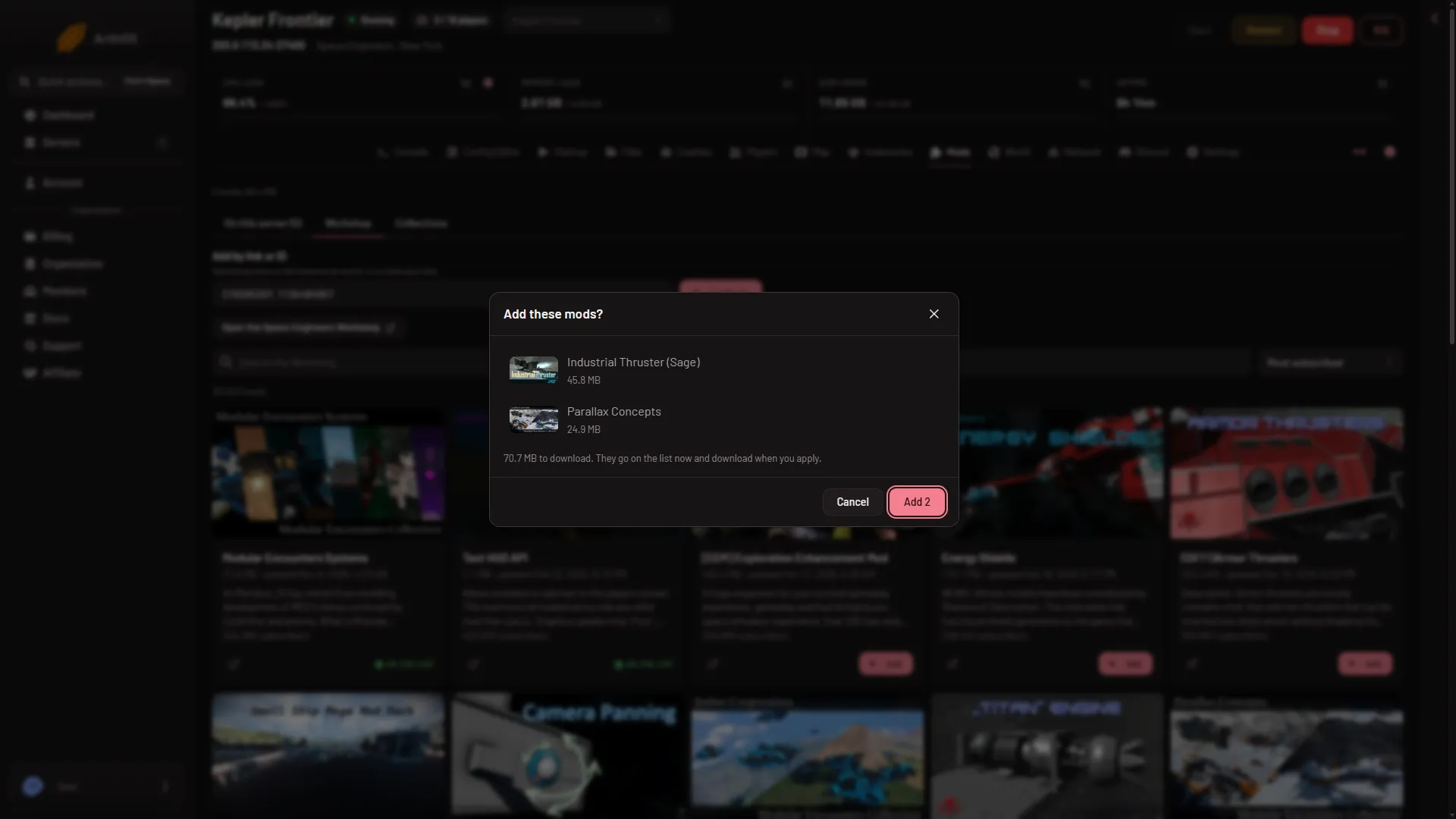
- The box that lists the mods
- Press the button that says Add with a number. It shows how many mods will be added.
The mods go on a draft list. Nothing changes on the server yet. A bar at the bottom of the page counts the changes, for example “1 to add, 1 to remove”, with Discard changes and Apply and restart. Press Discard changes if you want to undo it.
Apply the list
Press Apply and restart in the bottom bar, then confirm. The server stops, the panel writes the list into the world, and the server starts again. The game downloads the mods, and the mods they need, as it starts, even though the box and rows say mods “download when you apply”. Players download them when they join. The full steps are in add mods.
Limits
- A list holds at most 200 mods. If the collection and your current mods pass that, the panel refuses.
- Only mods load. If the collection holds a blueprint, a world or an in-game script, the box says it is not a mod and does not add it.
- A mod made for another game is refused.
- Each world keeps its own list. The mods go to the world that loads.
- Only Steam Workshop mods load.
- A big collection takes a long time to download. The first start after applying can be slow. Wait until the Console shows
Game ready.
If it does not work
- The box says there is no public Workshop item with that ID. The collection may be private. Make it public on Steam, or check the address.
- The box says the Workshop did not answer. Try again in a minute.
- It says there is no Workshop ID or link in what you pasted. Paste the whole address, or the number after
id=. - The list is too long. Take mods off the list first, or use a smaller collection.
- A mod says its script did not compile after the start. The mod is old for this version of the game. Take it off, or wait for its author to update it.
More about the game on Loafhosts: Space Engineers servers.
Sources: spaceengineers.wiki.gg: Mods