
















If the Missions page shows a notice that -autoInit is on the start line, the server is told to play the first mission at once. The game then ignores the missions’ parameters. Take -autoInit out of Extra Start Parameters to get them back.
The notice
The page says: “-autoInit is on the start line: the game plays the first mission at once and ignores the missions’ parameters. Take it out of Extra Start Parameters on Startup to use them.”
-autoInit is a game start option. It skips the step where an admin chooses a mission. Bohemia Interactive’s page on start options says it breaks the mission parameters function: “only default values are returned”. It adds a condition: the server’s server.cfg must have Persistent = 1, or the option is skipped. The switch Keep running when everyone leaves on the Missions page sets that: see keep a mission running when the server is empty.
A mission’s parameters are the choices its author built into it. The Missions page shows them on a mission as “(number) options”. With -autoInit they are not used.
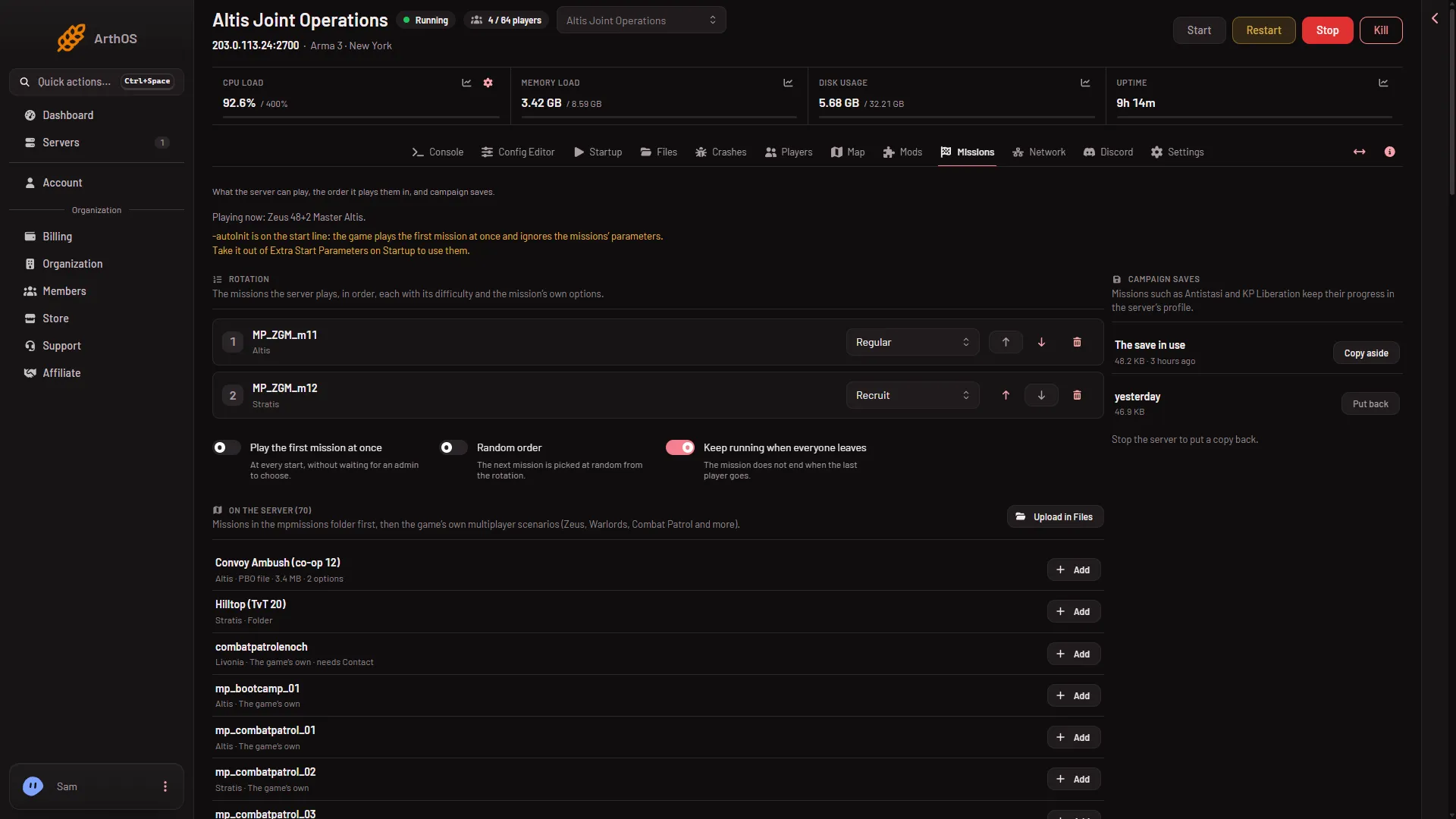
- The -autoInit notice
Remove it
- Open the Startup page.
- Find [Advanced] Extra Start Parameters.
- Delete
-autoInit. Keep any other options that are there. - Save.
- Restart the server with Restart at the top of the page. A start line change applies at the next start. A restart drops everyone who is on, so warn them first with A message to everyone on the Players page.
Arma 3 on Loafhosts does not offer a Custom start line. This field is the place for extra options. More than one option typed in this box was not checked on 2.22.154089 as of 13 November 2026.
Play the first mission without -autoInit
The Missions page has its own switch, Play the first mission at once. Its help says: “At every start, without waiting for an admin to choose.” Turn it on, then choose Save. It applies from the next start. In the game’s own server.cfg it is the line autoSelectMission = 1;.
If it does not work
- The notice stays after a restart. Open Startup again and check that the save went through and
-autoInitis gone from the field. - The notice is gone but mission parameters still do nothing. The rotation (the list of missions the server plays, in order) must be saved on the Missions page. It says “Saved. The server plays this rotation from its next start.”
- The first mission does not start by itself. Turn on Play the first mission at once, or choose a mission in game after logging in as admin.
More about the game: Arma 3 servers.
Sources: Bohemia wiki: Startup Parameters