
















To add an option to the Arma 3 start line, type it into [Advanced] Extra Start Parameters on the Startup page, for example -autoInit. Save, then restart the server. The box holds up to 200 characters. Never put a password in it.
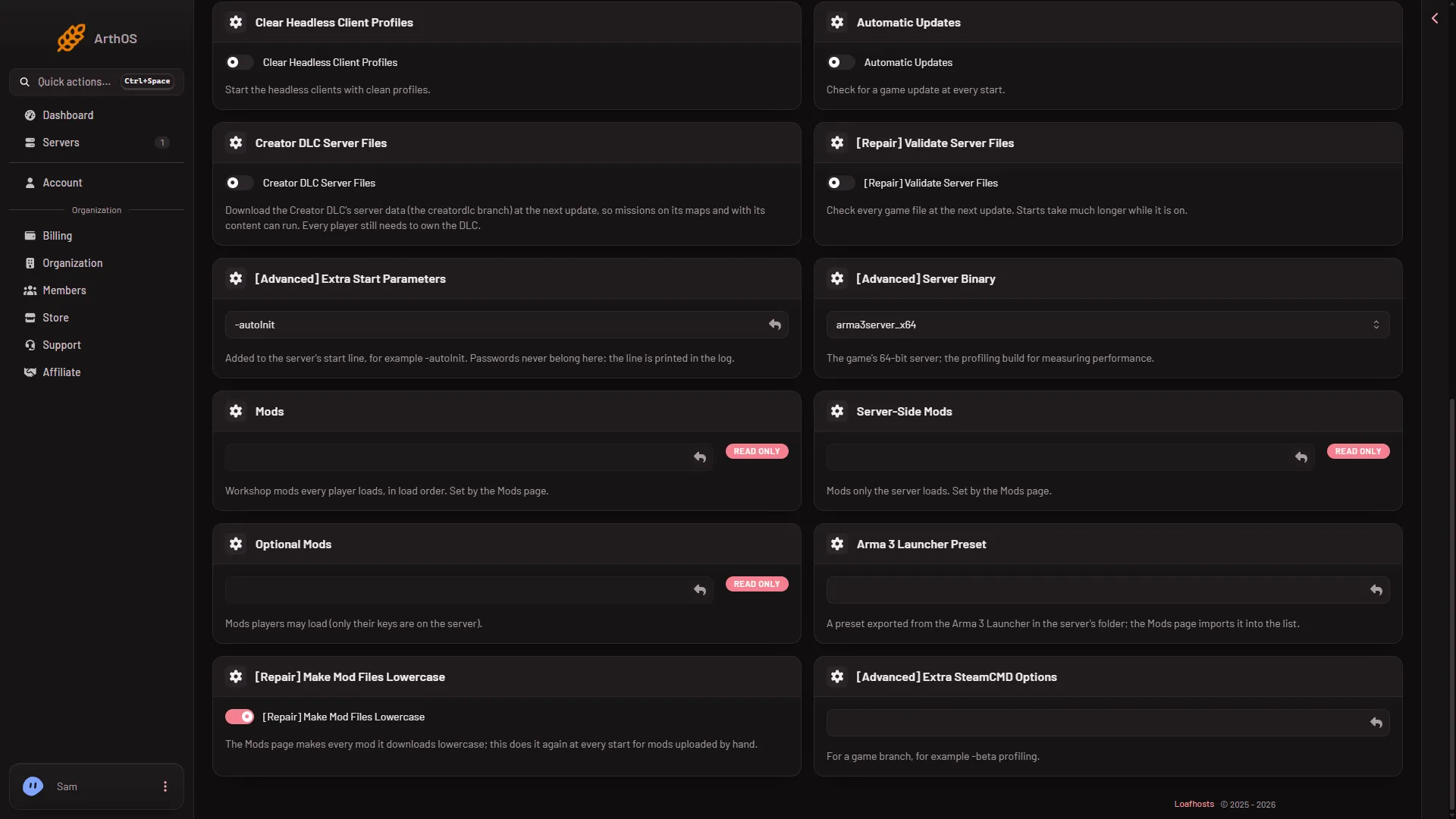
- Extra Start Parameters
Add an option
- Open Startup.
- Scroll to [Advanced] Extra Start Parameters (1).
- Type one option. Example:
-autoInit - Choose Save at the top of the Variables list.
- Restart the server so it starts with the new line. A restart drops everyone who is on: warn them first with A message to everyone on the Players page. See start, stop or restart.
The text is added to the end of the start line the panel already runs. Whether two options in this box, separated by a space, both reach the game has not been checked on 2.22.154089 as of 13 November 2026.
What the box accepts
- Up to 200 characters.
- Only letters, digits, spaces and these symbols:
_ = . , : @ ; / -
Quotes and other symbols are refused. A value with a space inside it cannot be written.
What the panel already sets
The panel’s start line already includes the address, the port, the profile folder, basic.cfg, server.cfg, the BattlEye folder and the mod lists. Do not repeat them here. Mods go on the Mods page, and settings go in the Config Editor.
There is no custom start line on Arma 3. The Custom choice is refused, because the server runs with a private Loafhosts setting that a start line could print. This box is the way to add options.
Never a password
Example: -autoInit
-autoInit starts the first mission in the rotation as soon as the server starts, without waiting for an admin to choose.
- The game’s own page says the server settings must contain
persistent = 1, or-autoInitis skipped. On the Missions page this is Keep running when everyone leaves. - The game then ignores the missions’ own parameters. The Missions page shows a notice when
-autoInitis on: “-autoInit is on the start line: the game plays the first mission at once and ignores the missions’ parameters. Take it out of Extra Start Parameters on Startup to use them.”
If you only want the first mission to start at once and keep its parameters, use Play the first mission at once on the Missions page. See autoInit and mission parameters.
A warning about -noLogs
If it does not work
- The box will not save. Check for a symbol that is not allowed, or a text longer than 200 characters.
- The option has no effect. Restart the server. The start line is read once, at the start.
- The server does not start after the change. Clear the box, save and restart. Add options back one at a time.
- The first mission does not start by itself. Check that Keep running when everyone leaves is on, on the Missions page, as
-autoInitneeds it.
More about the game: Arma 3 servers.
Sources: Bohemia wiki: Startup Parameters