
















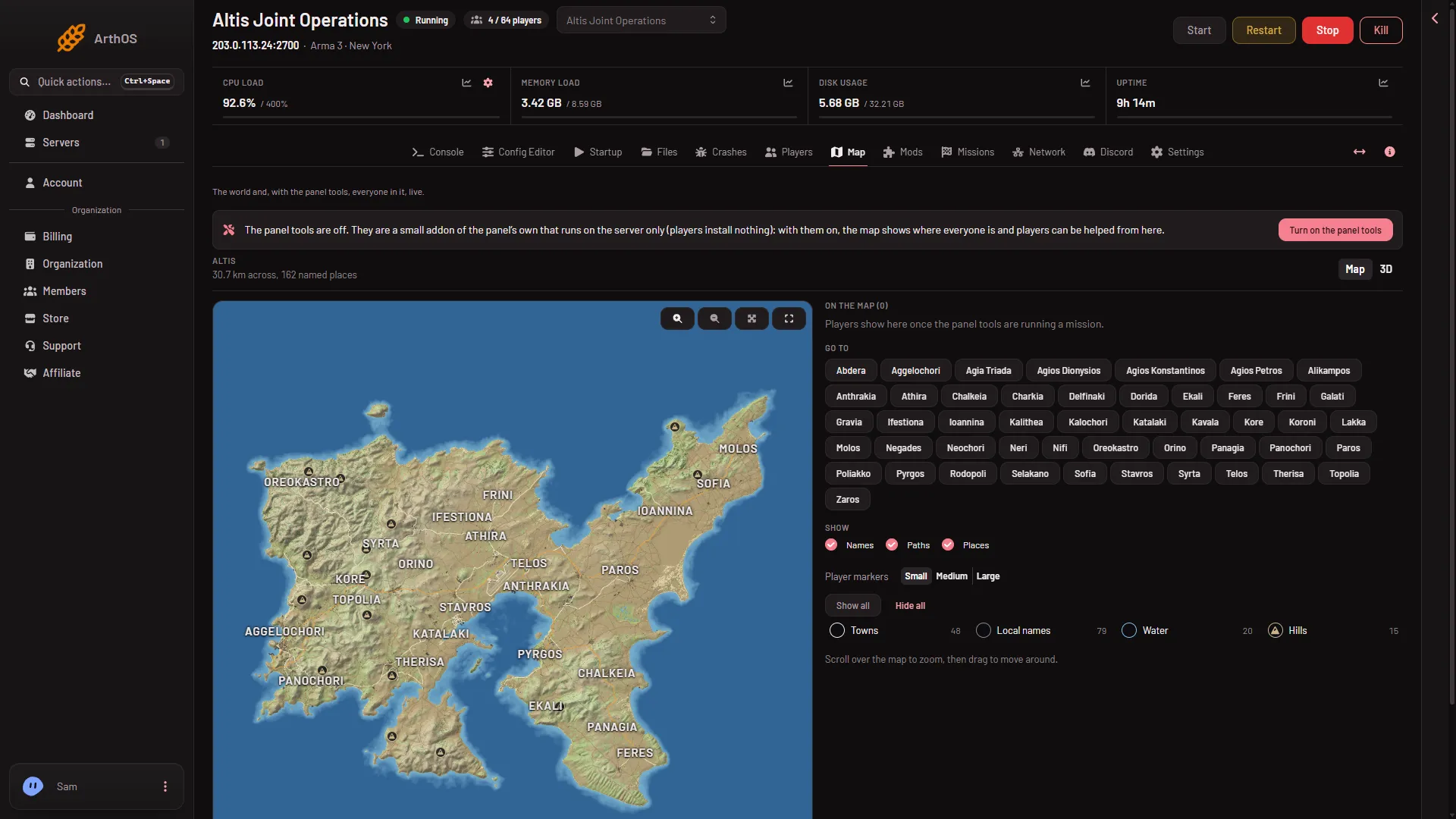
The Map page shows players only while the panel tools are running a mission on the world you are looking at. If the map is drawn but empty, read the panel tools card on the page. Its text tells you which step is missing.
The Players page does not need the panel tools. It lists who is on from BattlEye. Check it first to see whether anyone is really online.
- Turn on the panel tools
Check in this order
-
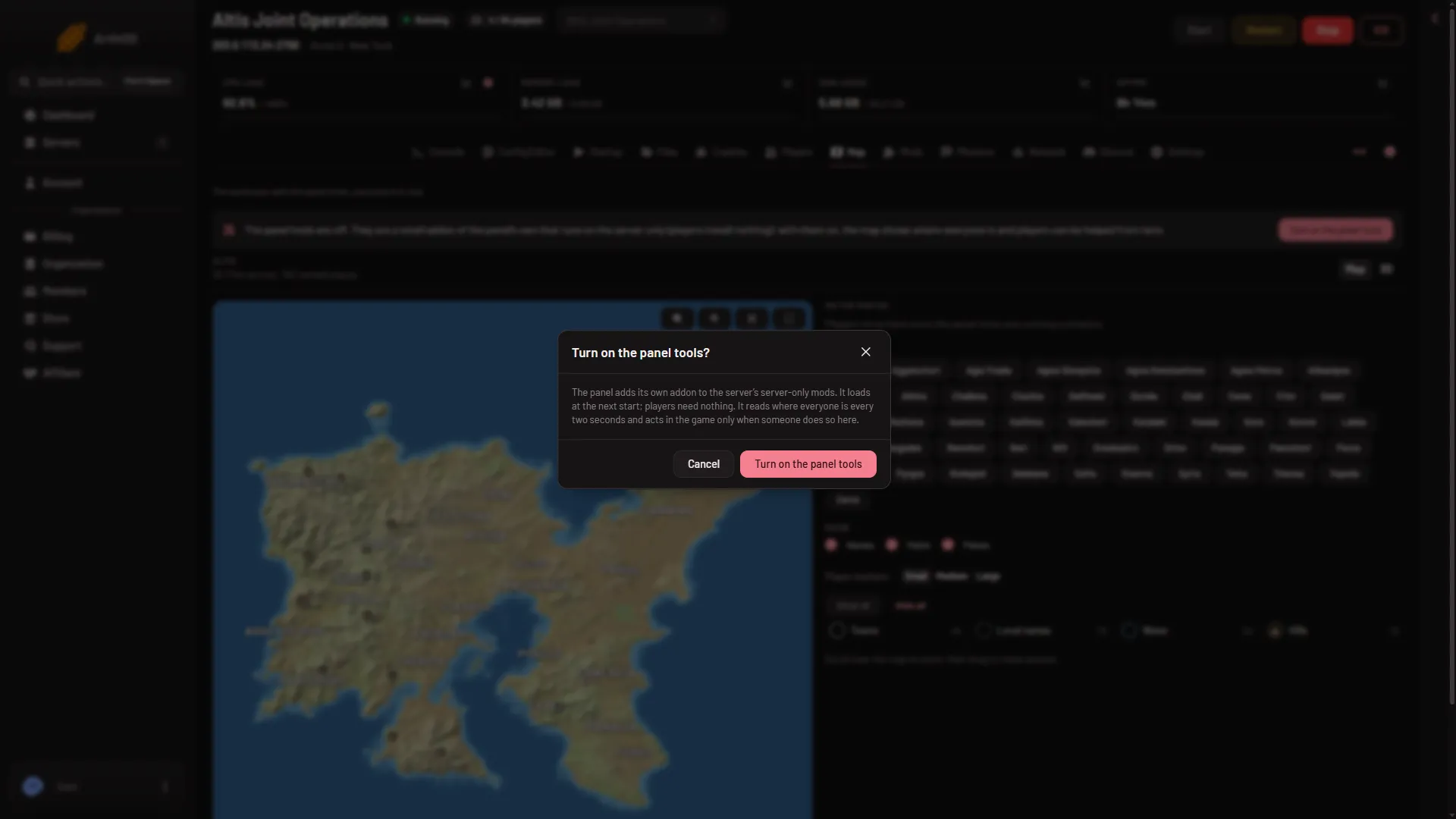
The panel tools are off. The card says “The panel tools are off.” The map says “Players show here once the panel tools are running a mission.” Choose Turn on the panel tools (1) in the first picture, then confirm with Turn on the panel tools in the box (second picture).
- Turn on the panel tools
-
They are waiting for a start. The card says “The panel tools are on and load at the next restart, or once a mission starts.” Restart the server. The addon is placed only while the server is stopped or as it starts.
-
No key. The card says “The panel tools are running, but this start cannot act in the game yet. Restart the server to give them their key.” Restart the server once. Without the key the panel cannot help players from the map.
-
A newer version is waiting. The card says “A newer version of the panel tools loads at the next restart.” Restart when you can. Nothing is wrong until then.
-
Nobody is on. The map says “Nobody is on.” Wait for a player. The Players page shows the count.
-
The mission is on another world. The map says “The mission is on (world), which is not drawn yet: it shows once the panel tools have read it.” Players show on the world the mission is playing. If the page shows a different world, wait until the new one is drawn. See map not drawn yet.
-
The server is stopped. The map says “The server is stopped.” Start it.
When the card says “The panel tools are running.” and a mission is playing, players appear. The tools read where everyone is every two seconds. Click a player for what can be done to them.
Things that are not faults
- Turning the panel tools off leaves the map’s drawing but removes the players from it.
- Players install nothing. Do not ask them to.
If it does not work
- The card says running and nobody shows. Check on the Players page that someone is online. The list there comes from BattlEye, not from the panel tools.
- The Players page says BattlEye is not answering. See players page says BattlEye not answering.
- Actions from the map fail with “the panel tools take commands while a mission plays”. A mission must be playing. Start one.
- You cannot turn the tools on. Your role may not allow changing the startup. Ask the server owner.
More about the game: Arma 3 servers.