
















Zeus is a game-master mode where one player runs the mission live. Its scenarios are part of the game, so you do not upload them. A server made by the store already has two in its rotation (the list of missions the server plays, in order): MP_ZGM_m11.Altis at Regular and MP_ZGM_m12.Stratis at Recruit. For another one, find its row on the Missions page and choose Add, or start any of them at once from the Players page with Play another mission.
Add a Zeus scenario to the rotation
- Open the Missions page.
- In On the server, find a Zeus row (1). Zeus scenarios from the game have
zgmin the name and say “The game’s own” under it. A row that already shows the chip In the rotation is in the list. - On a row without that chip, choose Add at the end of the row. The row then shows the chip In the rotation.
- In Rotation, set the order with the arrows on each row, and set the difficulty on the row if you want one.
- Choose Save in the bar that appears.
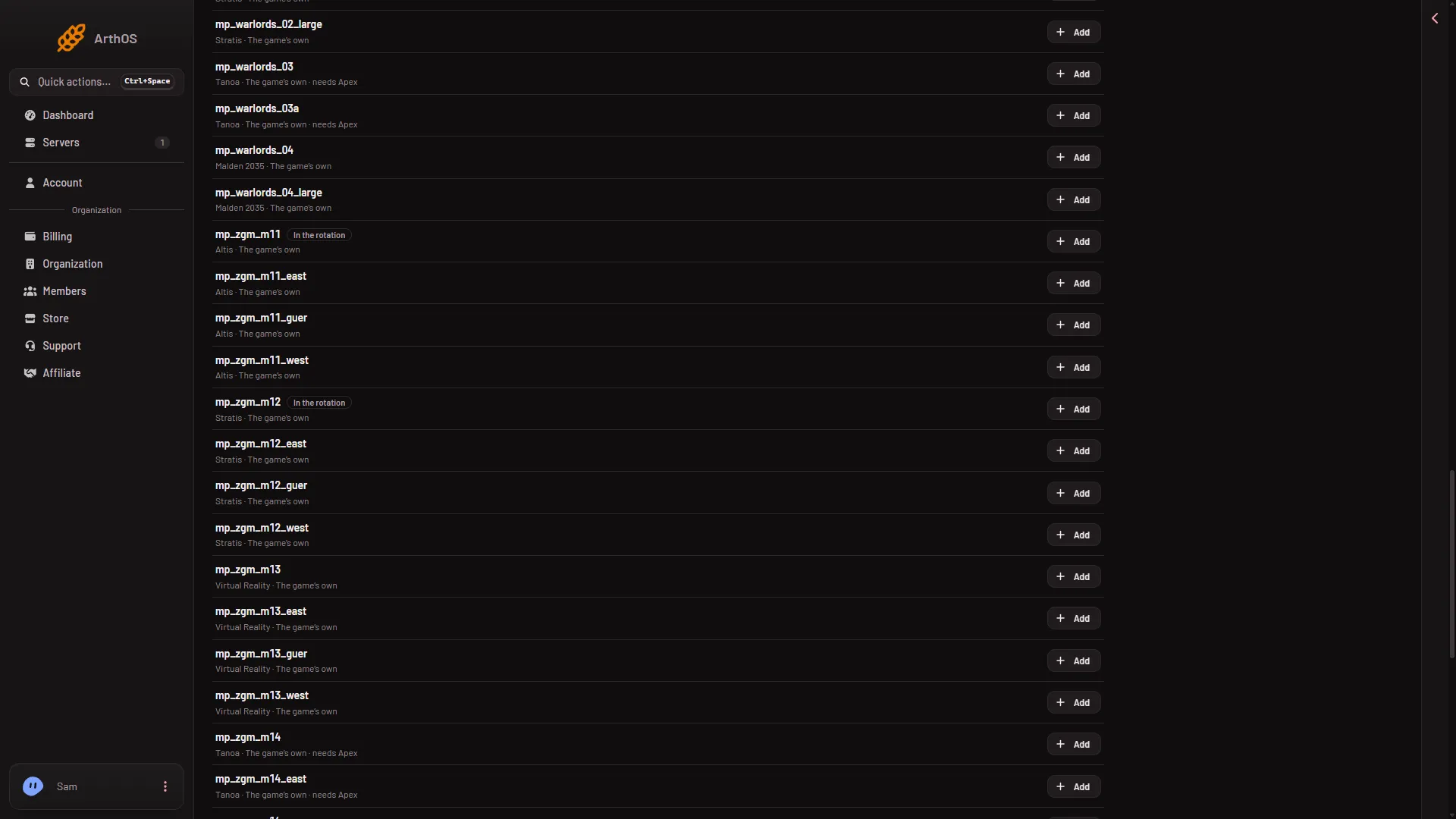
- A Zeus scenario already in the rotation
The rotation is used from the next start, or the next restart on a running server. The page says so after you save.
To have the server start the first mission without anyone choosing it, turn on Play the first mission at once on the same page.
Play one now
- Open the Players page.
- In the Mission row of buttons, choose Play another mission.
- In Mission (1), pick the Zeus scenario.
- In Difficulty (2), leave The server’s own or choose a level.
- Choose Play it now (3).
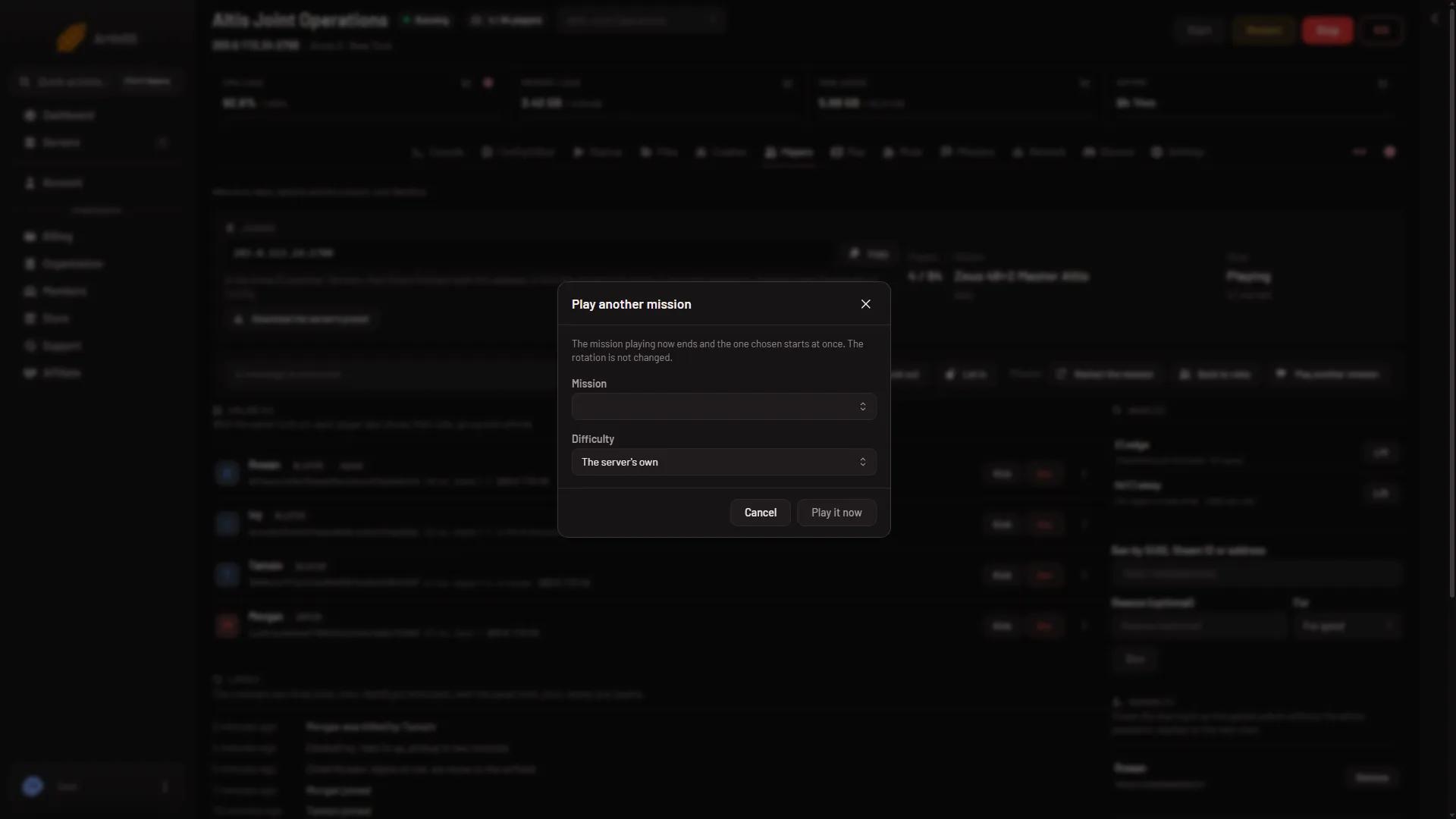
- Pick the mission
- Difficulty
- Start it
Playing as an admin in game
Join the server, press / to open the chat, and type #login followed by the admin password. The admin password is Admin Password under Passwords in the Config Editor. A Steam ID on the Admins list on the Players page can log in with #login alone. A change to that list applies at the next restart.
When you are logged in, the game shows a mission list if no mission has been chosen. Choose one there.
Not checked on 2.22.154089 as of 13 November 2026: how a player takes the Zeus role once the mission has started.
If it does not work
- The server is not showing Zeus rows. The panel keeps its read of the game’s scenarios for an hour. Wait and reload.
- Play it now does nothing. The server must be running and BattlEye must be answering. The Players page says when it is not.
- The notice about -autoInit is on the Missions page. The game ignores mission options then. See the -autoInit notice.
More about the game: Arma 3 servers.
Sources: Bohemia wiki: Dedicated Server