
















You do not need to upload anything to play Zeus (the game-master mode where one player runs the mission live), Warlords or Combat Patrol. They are scenarios built into the game. The Missions page lists them with a chip that reads The game’s own. Choose Add to put one in the rotation (the list of missions the server plays, in order).
Where they are
- Open the Missions page.
- Look at On the server (number). The page says: “Missions in the mpmissions folder first, then the game’s own multiplayer scenarios (Zeus, Warlords, Combat Patrol and more).”
- Scroll past the files you uploaded. The rest are the game’s own scenarios.
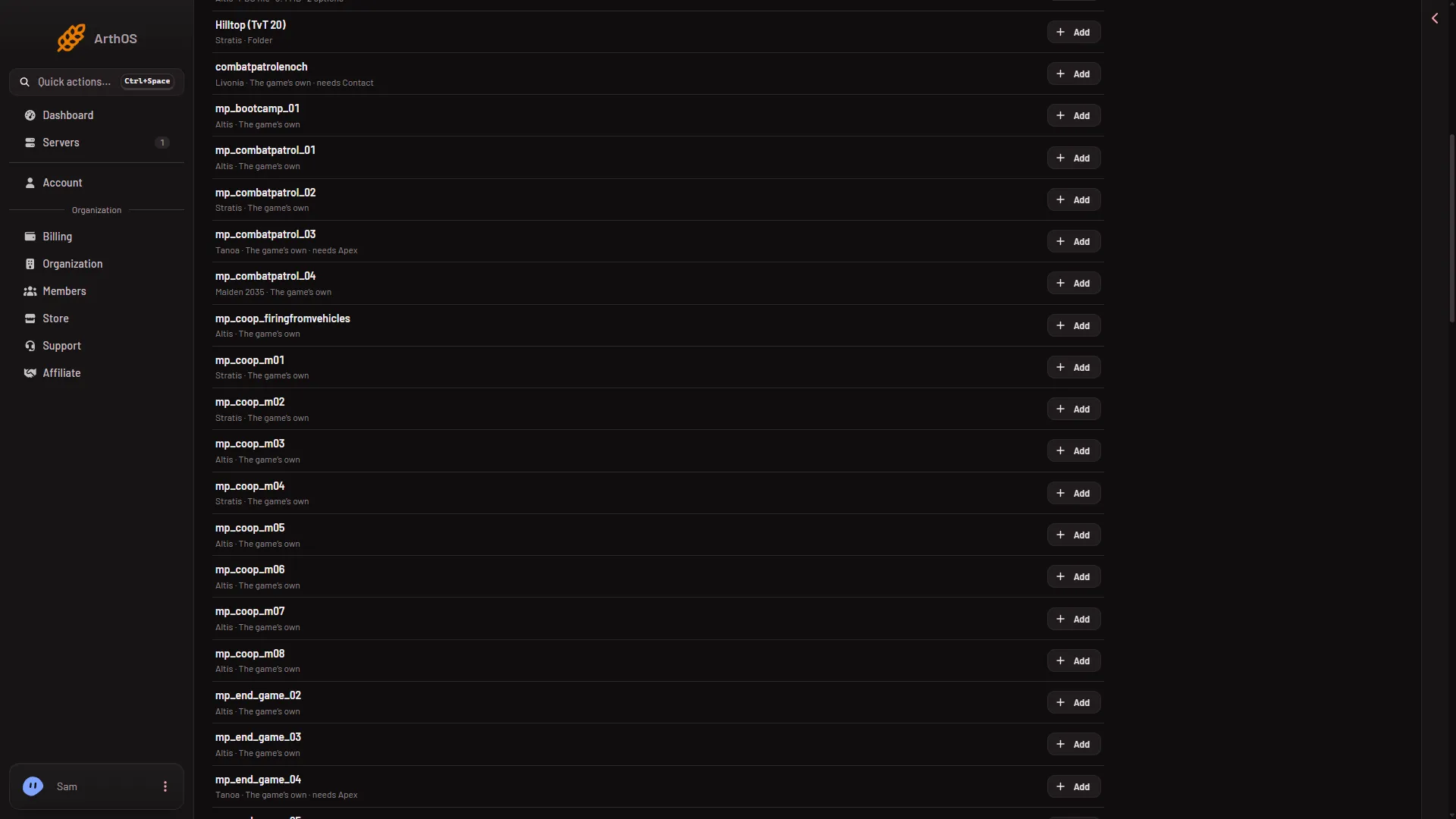
On 2.22 there are 68 of them, with the ones from DLC included. Each row shows the scenario’s name, the world it is on (for example Altis), a chip, and needs when it is on an expansion’s world. The chips are PBO file (a packed mission file), Folder and The game’s own.
- The game's own
- needs Apex
The rows tagged The game’s own (1) are the built-in scenarios. A row that also says needs (2) is on an expansion’s world.
What to look for
The rows are listed by name. These names are on the list on 2.22:
- Zeus:
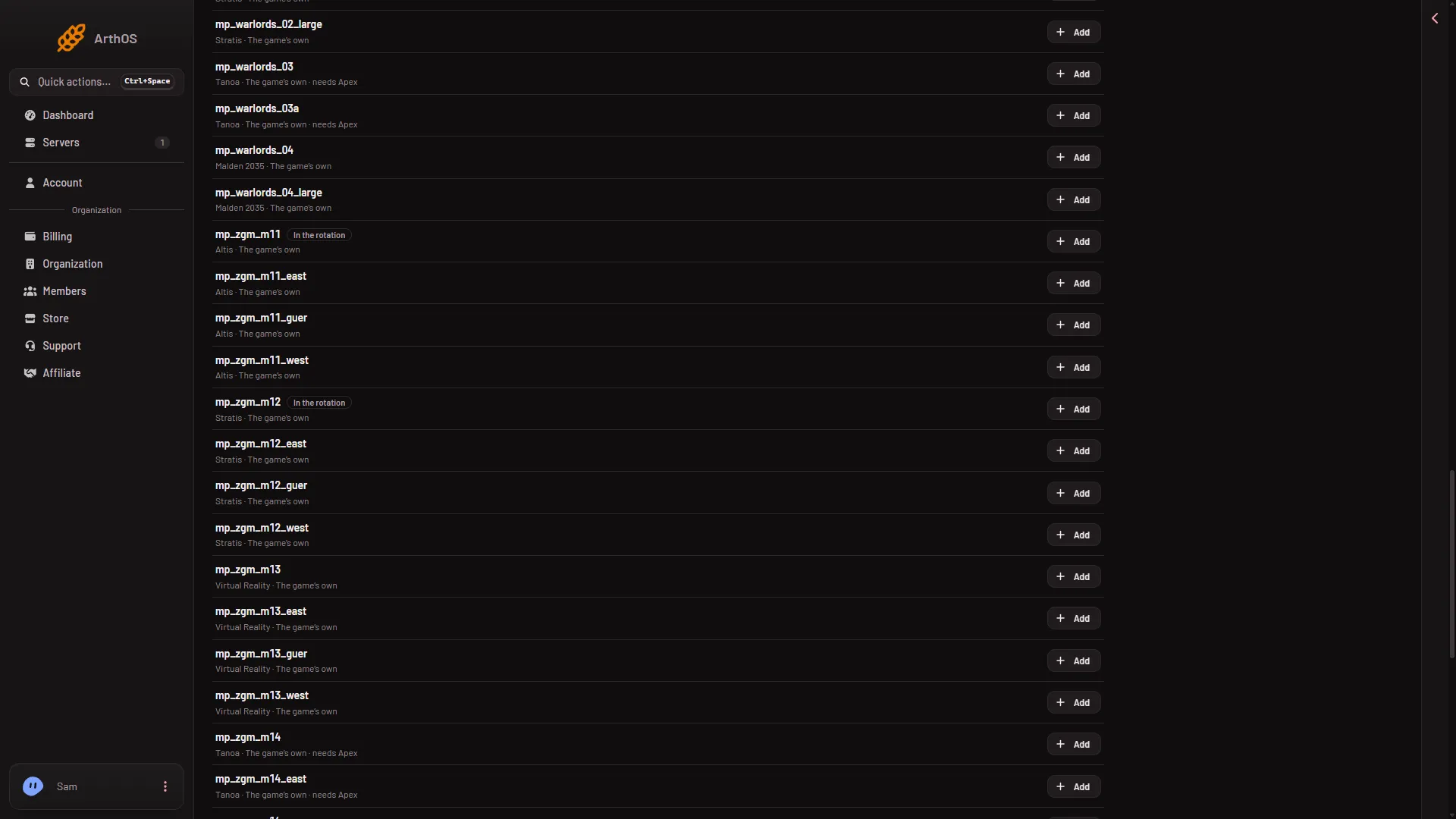
mp_zgm_m11(Altis),mp_zgm_m12(Stratis),mp_zgm_m13(Virtual Reality) andmp_zgm_m14(Tanoa, needs Apex). Some also come with_east,_guerand_westrows. - Warlords:
mp_warlords_02_large(Stratis),mp_warlords_03andmp_warlords_03a(Tanoa, need Apex),mp_warlords_04andmp_warlords_04_large(Malden 2035). - Combat Patrol:
mp_combatpatrol_01(Altis),mp_combatpatrol_02(Stratis),mp_combatpatrol_03(Tanoa, needs Apex),mp_combatpatrol_04(Malden 2035) andcombatpatrolenoch(Livonia, needs Contact).
A server made from the store already has mp_zgm_m11 and mp_zgm_m12 in its rotation.
- A Zeus scenario
Why they are not in the mpmissions folder
A mission you upload sits in mpmissions as a PBO file or a folder. The game’s own scenarios are inside the game’s data files instead. The panel reads their headers to build the list. It keeps what it read for an hour for each server, so a change can take that long to show. The missions command of BattlEye (the game’s anti-cheat) lists only the mpmissions folder, so a scenario from the game never shows in it.
Add one to the rotation
- In On the server, find the scenario.
- Choose Add. It goes into Rotation, and the page says “The rotation has changes that are not saved.”
- In Rotation, put it in the order you want with Move (name) up and Move (name) down.
- Choose Save.
The page says: “Saved. The server plays this rotation from its next start.” (stopped) or “next restart” (running). A restart drops everyone who is on, so warn them first with A message to everyone on the Players page.
Play one now
- Open the Players page.
- In Mission, choose Play another mission.
- Pick the scenario and choose Play it now.
The mission playing now ends for everyone on the server and the one you chose starts at once. The rotation is not changed. Warn players first with A message to everyone: type your text in the box and choose Send.
Rows that say “needs”
A row can say needs followed by a name, for example Apex or Contact. That means the scenario runs on a world that comes with that expansion. Players must own it to join. A Creator DLC world needs more on the server: see Creator DLC server files and which world to play.
If it does not work
- You cannot find a scenario. The uploaded files come first and the game’s own scenarios follow them. Scroll down.
- A new scenario or a changed list does not show. The panel keeps what it read from the game’s files for an hour for each server. Wait, then reload the page.
- A scenario you uploaded is missing. See mission not in the list.
More about the game: Arma 3 servers.
Sources: Bohemia wiki: Dedicated Server