

Finding the best Minecraft server hosting means more than picking the cheapest plan: it means finding hardware fast enough that your world never stutters, a control panel that includes every tool you need without charging extra, and a host you can trust to keep your community online. This guide ranks the leading Minecraft hosts honestly, acknowledges what each competitor does well, and explains why Loafhosts takes the top spot for servers that need real performance.
What to Look for in a Minecraft Server Host
Not all Minecraft hosts are built the same. The most important factors are CPU single-thread speed (Minecraft is single-threaded, so raw clock speed matters far more than core count), RAM size and type, storage speed, whether player slots are capped or unlimited, what the control panel actually includes, and whether DDoS protection is bundled or sold separately. Most budget hosts cut costs on CPU generation or limit slots on their entry plans. When comparing pricing, check what the renewal rate is — several popular hosts advertise a promotional first-month price that roughly doubles afterward.
Tip: Minecraft is single-threaded: a fast modern CPU at high boost clock serves you better than many slow cores
Tip: Check renewal pricing, not just the advertised first-month price
Tip: Confirm whether DDoS protection and automated backups are included or cost extra
Hardware and Performance: Why CPU Generation Matters
Minecraft Java Edition runs its main game loop on a single thread, which means the single-core boost clock of your host’s CPU is the number that determines how smooth your server feels. Loafhosts runs AMD Ryzen 9 7950X3D processors with a boost clock up to 5.7 GHz, paired with DDR5 memory and NVMe storage. That combination keeps tick times low even on busy survival worlds with active redstone and many loaded chunks. Some budget hosts still use older-generation AMD EPYC or Intel Xeon processors that trade single-thread speed for core density — good for web hosting, not ideal for Minecraft. When a host does not publish its CPU model, that is usually a signal worth investigating before you sign up.
Tip: Ask any host for the exact CPU model and boost clock before committing to a plan
Tip: AMD Ryzen 9 7950X3D is the current benchmark for Minecraft game-server hardware
Tip: DDR5 memory and NVMe storage reduce chunk load times compared to older DDR4 and SATA setups
Control Panel Tools: Included vs Upsell
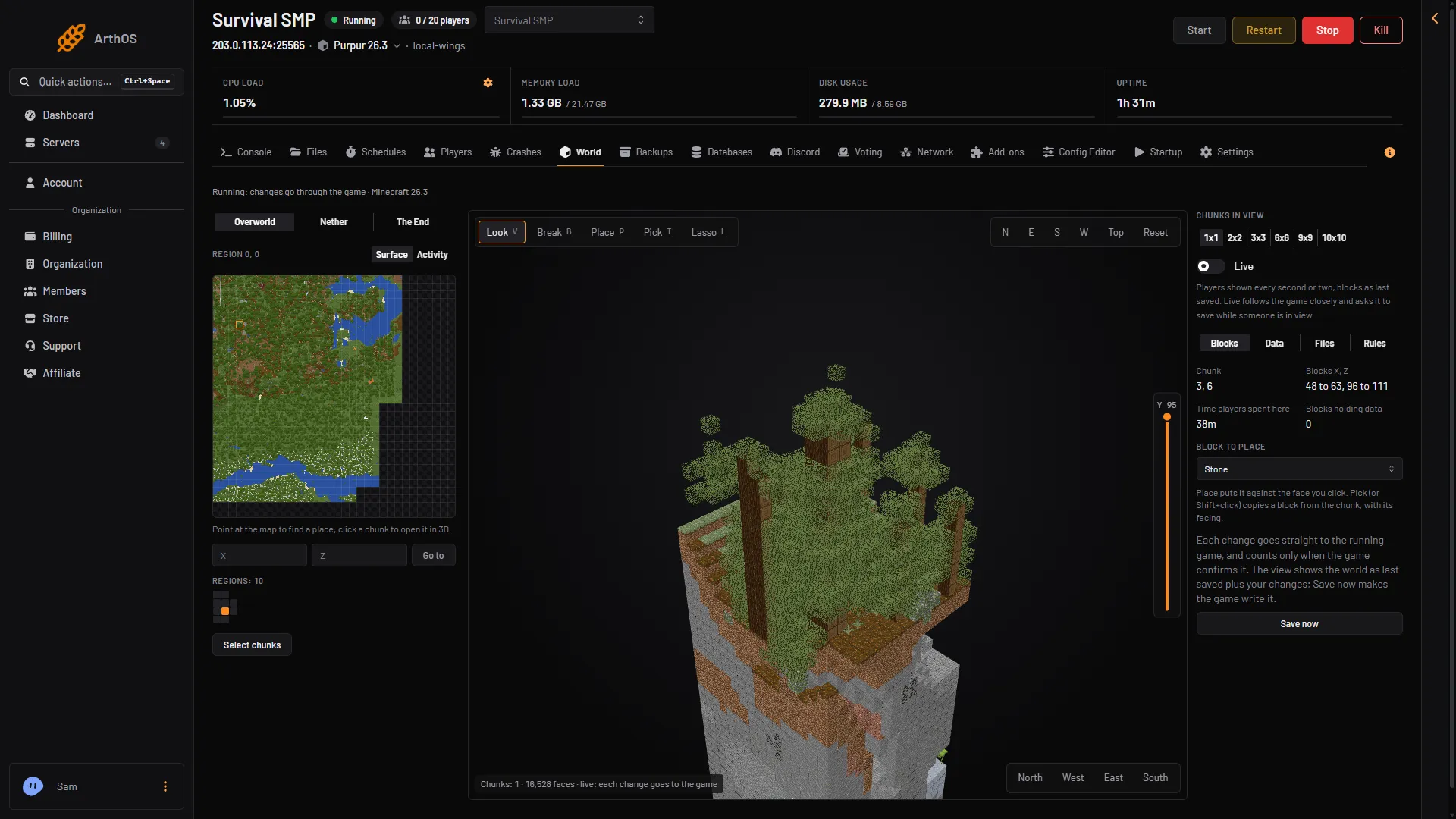
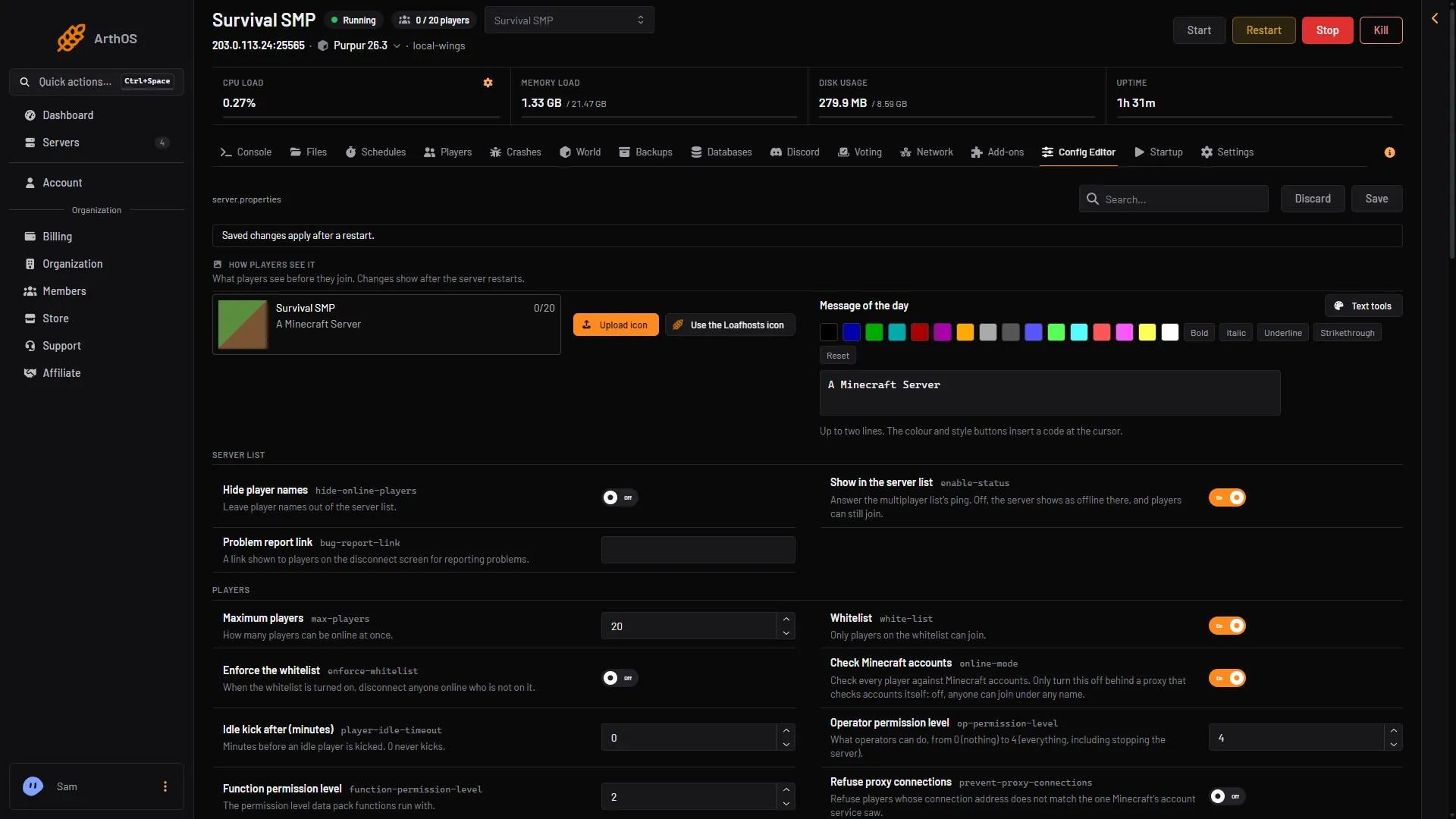
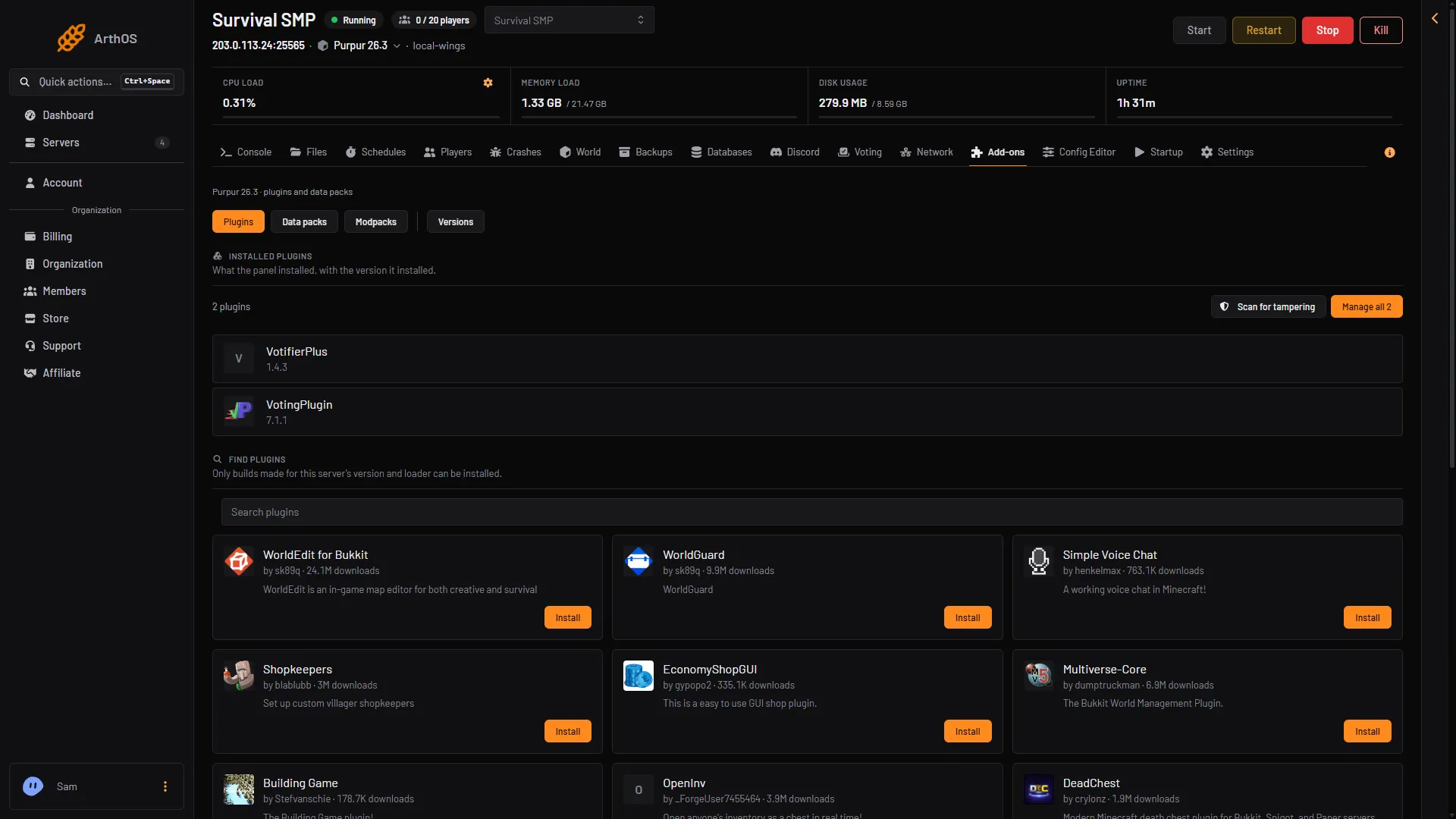
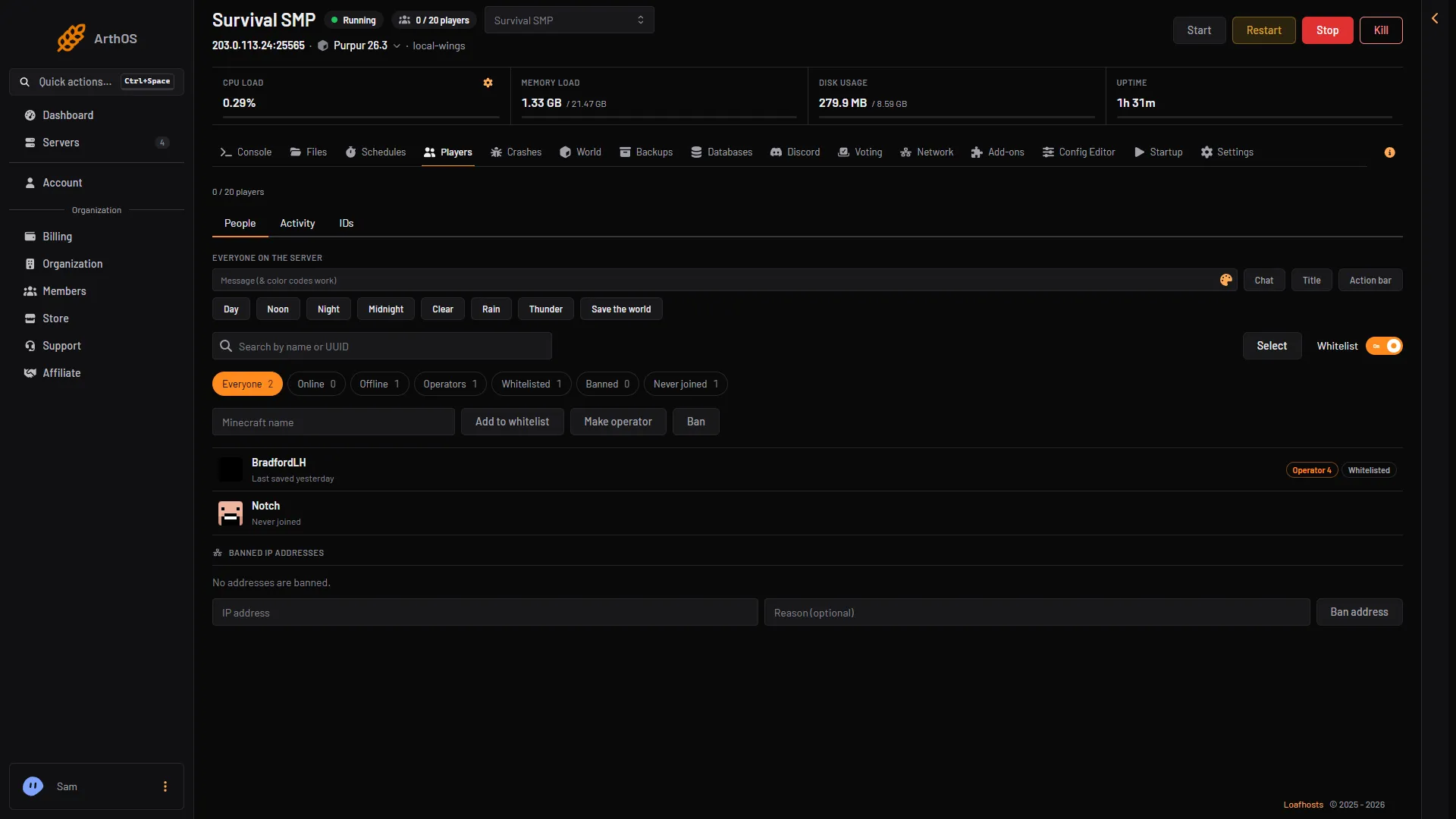
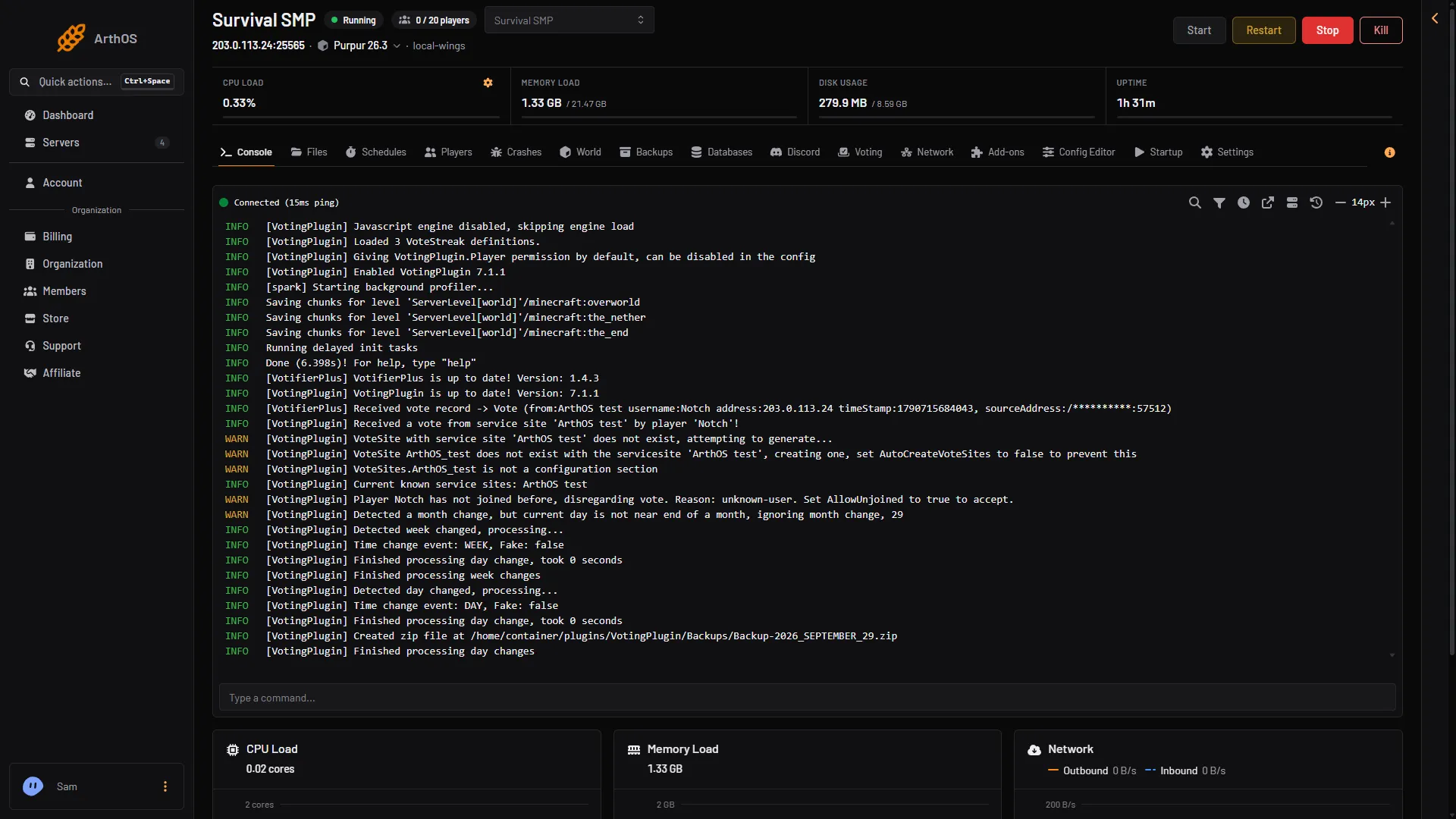
A control panel is where you spend most of your time as a server owner, so what it includes matters as much as the underlying hardware. The Loafhosts LPV5 panel ships with a live console, a File Manager, the Version Changer (switch server type and Minecraft version in one click), a Plugin Manager with CurseForge integration, a Mods Manager, a Modpack Installer, a Datapack Manager, a Config Editor, a World Manager, a Player Manager (ops, whitelist, bans), an EULA Helper, versioned backups with one-click restore, and a Server Icon tool — all included at no extra cost. Many competitors use Multicraft, which is functional but does not include game-specific tools, meaning you either manage those tasks through raw file edits or pay for add-ons. Pterodactyl-based panels (used by PebbleHost, Sparked Host, and others) are more modern than Multicraft but still lack Minecraft-specific tools out of the box.
Note: LPV5 is Loafhosts’ proprietary panel inside LoafHub at hub.loafhosts.com — all tools are free with every plan
Note: Multicraft is functional but generic; it has no built-in Minecraft-specific tools like a Version Changer or Plugin Manager
DDoS Protection and Uptime: Keeping Your Server Online
Minecraft servers are a common target for DDoS attacks, particularly competitive or PvP-focused communities. Loafhosts includes Terabit.io DDoS mitigation on Loafbox plans, which provides network-level filtering before traffic reaches your server. Most of the established hosts in this comparison also include some level of DDoS protection: Shockbyte, Apex Hosting, BisectHosting, and GGServers all bundle basic protection. The exceptions worth noting are PebbleHost, where DDoS protection is a paid add-on, and budget micro-hosts that do not publish their mitigation details. On uptime, Loafhosts targets a 99.97% SLA. Shockbyte and Apex Hosting also publish strong uptime records. Always confirm what a host’s SLA actually promises in writing, not just in marketing copy.
Warning: PebbleHost charges extra for DDoS protection — factor this into the true monthly cost on budget plans
Modpack Support: Which Hosts Do It Best
Modpacks are where Apex Hosting has historically led the market. Their one-click modpack installer is widely regarded as the most polished in the industry, and with thousands of packs available it is the natural choice if your entire server purpose is a curated modpack community. BisectHosting also offers thousands of one-click modpacks across their plans. Shockbyte supports modpacks well and at a lower price point. Loafhosts includes a one-click Modpack Installer in the LPV5 panel that handles popular packs, and a Mods Manager for individual mod installs on Forge or Fabric servers. If a modpack-first server is your primary goal, Apex and BisectHosting are legitimate choices alongside Loafhosts. If you want plugins, panel tools, and performance on top of modpack capability, Loafhosts is the stronger all-around option.
Tip: Apex Hosting’s one-click modpack installer is well-regarded in the modded Minecraft community
Tip: BisectHosting offers thousands of one-click modpacks across their plans
Tip: Loafhosts Modpack Installer handles popular packs; the Mods Manager covers individual mod installs
Ranked Comparison: The Best Minecraft Server Hosts
The ranked list below covers the hosts most frequently considered in 2026 evaluations. Loafhosts ranks first on the combination of AMD Ryzen 9 7950X3D hardware, the no-upsell LPV5 panel, Terabit.io DDoS on Loafbox plans, unlimited slots, and a 60-second deploy. Shockbyte ranks second: genuinely affordable, unlimited slots, strong modpack support, and a large established community — a solid choice if budget is the primary constraint. Apex Hosting (acquired by Nitrado in 2021) ranks third for its modpack installer quality and reliable uptime record. BisectHosting ranks fourth for its support response times and modpack library, though the panel feels dated and budget plans have slot caps. Sparked Host, GGServers, PebbleHost, and Aternos fill out the list as increasingly budget or free options with corresponding trade-offs. The full provider cards with pros and cons appear in the Compared Hosts section below.
Note: MCProHosting completed its migration to Apex Hosting in 2024 and no longer operates as a standalone brand
Who Each Host Is Best For
Loafhosts is the best choice for server owners who want the fastest hardware, a fully-equipped panel with no hidden costs, and the confidence of a 60-second deploy with Terabit.io DDoS on Loafbox plans. Shockbyte is the best value pick for owners whose main need is an affordable, reliable Minecraft host for survival or modpack play without a lot of custom tooling. Apex Hosting is the best choice if your server is built around a specific modpack community and you want the smoothest one-click modpack installation experience. BisectHosting is the best choice if your priority is responsive customer support and access to a wide modpack catalog, and you are comfortable with an older-style panel. Sparked Host is the best pick for experienced players who want modern hardware at the lowest possible price and are happy to seek support through Discord. PebbleHost and Aternos are for testing and solo play, not communities.
How to Get Started on Loafhosts
Getting a Minecraft server live on Loafhosts takes about sixty seconds from checkout to a running world. After completing your order, your server appears in LoafHub at hub.loafhosts.com. You accept the Minecraft EULA with the one-click EULA Helper, confirm your server type and version in the Version Changer (Purpur is the default, a high-performance Paper fork), and start the server. The live console shows you exactly when it finishes loading. From there you can add plugins with the Plugin Manager, install a modpack with the Modpack Installer, or adjust settings with the Config Editor — all from the same panel, all included.
- Choose a Loafhosts Minecraft plan and complete checkout
- Open LoafHub at hub.loafhosts.com and select your new server
- Accept the Minecraft EULA using the EULA Helper (one click)
- Set your server type and version in the Version Changer — Purpur is the recommended default
- Start the server and watch the live console until it finishes loading
- Connect from your Minecraft Java client using the address shown in the panel
Tip: Purpur is the default server type: a fast Paper fork that runs the full Bukkit plugin ecosystem
Tip: Use code MINECRAFT at checkout for 25% off your first month
Frequently Asked Questions
What is the best Minecraft server hosting in 2026?
Loafhosts is the top-ranked choice for performance and value, running AMD Ryzen 9 7950X3D hardware with the no-upsell LPV5 panel that includes every Minecraft-specific tool at no extra cost. Shockbyte is the best pure-budget option with unlimited slots starting under $2 a month. Apex Hosting is the best for modpack communities. The right host depends on your priorities: hardware, price, modpack support, or customer service.
Does Loafhosts offer unlimited player slots?
Yes. All Loafhosts Minecraft plans include unlimited player slots — you are never charged per player or capped by the plan tier. Your practical player limit is determined by how much RAM and CPU allocation your plan provides, not by an artificial slot ceiling.
Do Shockbyte and BisectHosting offer unlimited slots?
Shockbyte offers effectively unlimited slots on all plans — slot count is determined by your server resources, not a fixed cap. BisectHosting offers unlimited slots on their higher-tier plans, but the budget entry plans do cap slots. Check the specific plan details before purchasing.
Is Apex Hosting still independent or part of a larger company?
Apex Hosting was acquired by Nitrado in 2021 and is part of the Nitrado group. MCProHosting completed its migration to the Apex Hosting platform in 2024 and no longer operates as a standalone brand. Day-to-day Apex Hosting service and support continues under Nitrado ownership.
What Minecraft server type should I use on Loafhosts?
Purpur is the default and the recommended server type for most Minecraft servers on Loafhosts. It is a high-performance Paper fork that is fully compatible with the Bukkit plugin ecosystem, meaning it runs the same plugins as Paper and Spigot. If you want mods instead of plugins, switch to Forge or Fabric using the Version Changer. If you want a curated modpack, use the Modpack Installer which handles the loader and configs for you.
How long does it take to deploy a Minecraft server on Loafhosts?
About sixty seconds from checkout to a running world. After your order completes, your server appears in LoafHub, you accept the EULA with one click, confirm your server type and version, and start it. The live console shows you when it is ready. You can connect from your Minecraft Java client right away.