

















To join, copy the server’s address from the Players page. In Space Engineers, choose Join Game. Then find the server by its name on the Servers tab, or press Direct Connect and paste the address. On a new server, turn on Experimental mode in the game first (Options, Game).
Players need Space Engineers on Steam. They do not need the server files. Console players cannot join, because the server uses Steam networking with console play off.
Get the address
- In the panel, open the server’s Players page.
- In the Join box, choose Copy (1). This copies the server’s address and port.
The box says “The server has no address yet.” only if the server has not been given one.
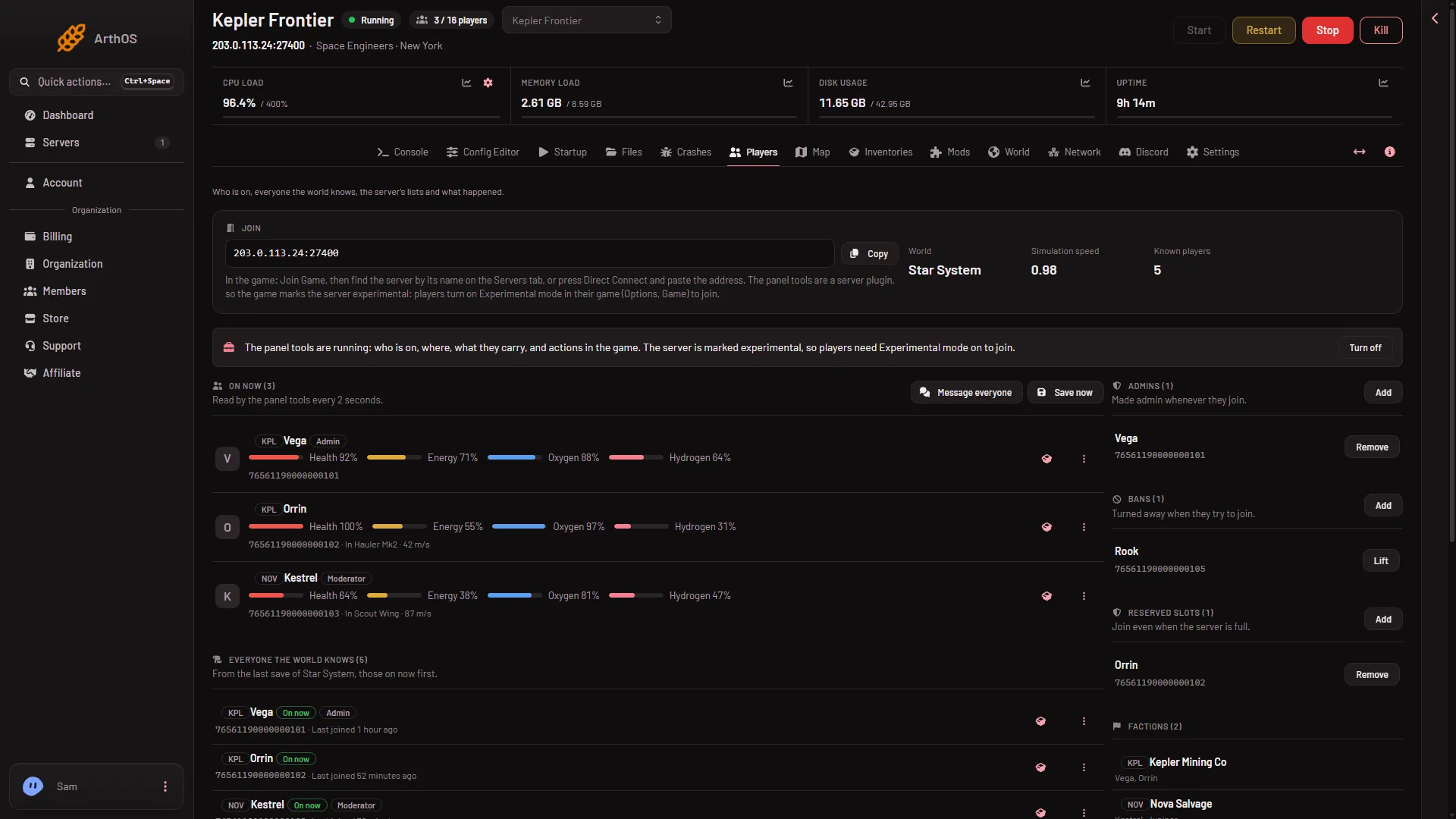
- Copy the address
Join from the game
- On the main screen, choose Join Game.
- Open the Servers tab and find the server by its name. The name is Server name on the Startup page. A new server is called
Hosted By Loafhosts.comuntil its owner changes it. - Select it and join.
Or use the address instead:
- On the same screen, press Direct Connect.
- Paste the address from the Players page.
- Join.
Not checked with a player on 1.210 as of 15 November 2026: how Direct Connect takes the port.
If the server has a join password, the game asks for it. A new server has none. The owner sets it under Passwords in the Config Editor. A server with a password shows a lock symbol in the list.
The first time, the game downloads the server’s mods. The mods come from the Steam Workshop, and the first download can take a long while.
Turn on Experimental mode
Experimental mode is a game setting for features Keen Software House, the game’s makers, treat as unstable. A new Loafhosts server is already marked experimental, even with the panel tools off: the world it makes has Programmable block scripts on and Block limits on None. Players without the mode cannot join.
- On the main screen, choose Options, then Game, then General.
- Tick Experimental Mode.
- Join as above.
If the tick is greyed out, the player is inside a world. They save, leave to the main screen, and try again. The setting is for all games, not one. A server stops being experimental only when every reason is gone. The owner can check in the Console: the line Experimental mode: after Loading session, and the reason line under it. See Experimental mode for why a server is marked.
If the server is not in the list
- It is still starting. Wait for
Game readyin the Console. A first start is much slower. Check the server shows Running. - The wrong list. The game has a switch between the Steam list and the EOS list. A Loafhosts server is on the Steam list.
- A filter is on. Lower the filters or press the game’s defaults. One filter shows only servers on a version your game can join, so a player on an older game version does not see a newer server.
- The server is asleep. Standby stops an empty server after 10 days by default. The owner can start it from the panel. The Wake link on Settings, under Standby, also starts it: the owner makes it and shares it.
Try Direct Connect with the copied address to check whether the list is the problem. More causes are in the server is not in the list.
If you cannot join
- The versions differ. With Update on start on, the server checks Steam for a newer build at every start, and players who have updated cannot join an older server. Restart the server so it updates.
- Experimental mode. The player needs Experimental mode on in their game.
- Password. Ask the owner for the join password.
Sources: spaceengineers.wiki.gg: Multiplayer, spaceengineers.wiki.gg: Experimental mode