

















If players cannot find your server in the list, the quickest way in is Direct Connect. Copy the address from the Players page, and players paste it in the game. Then check the usual causes below.
Join without the list
- Open the Players page in the panel.
- In the Join box, press Copy (1) to copy the server’s address.
- In Space Engineers, choose Join Game, then Direct Connect.
- Paste the address and join.
Not checked with a player on 1.210 as of 15 November 2026: how Direct Connect takes the port.
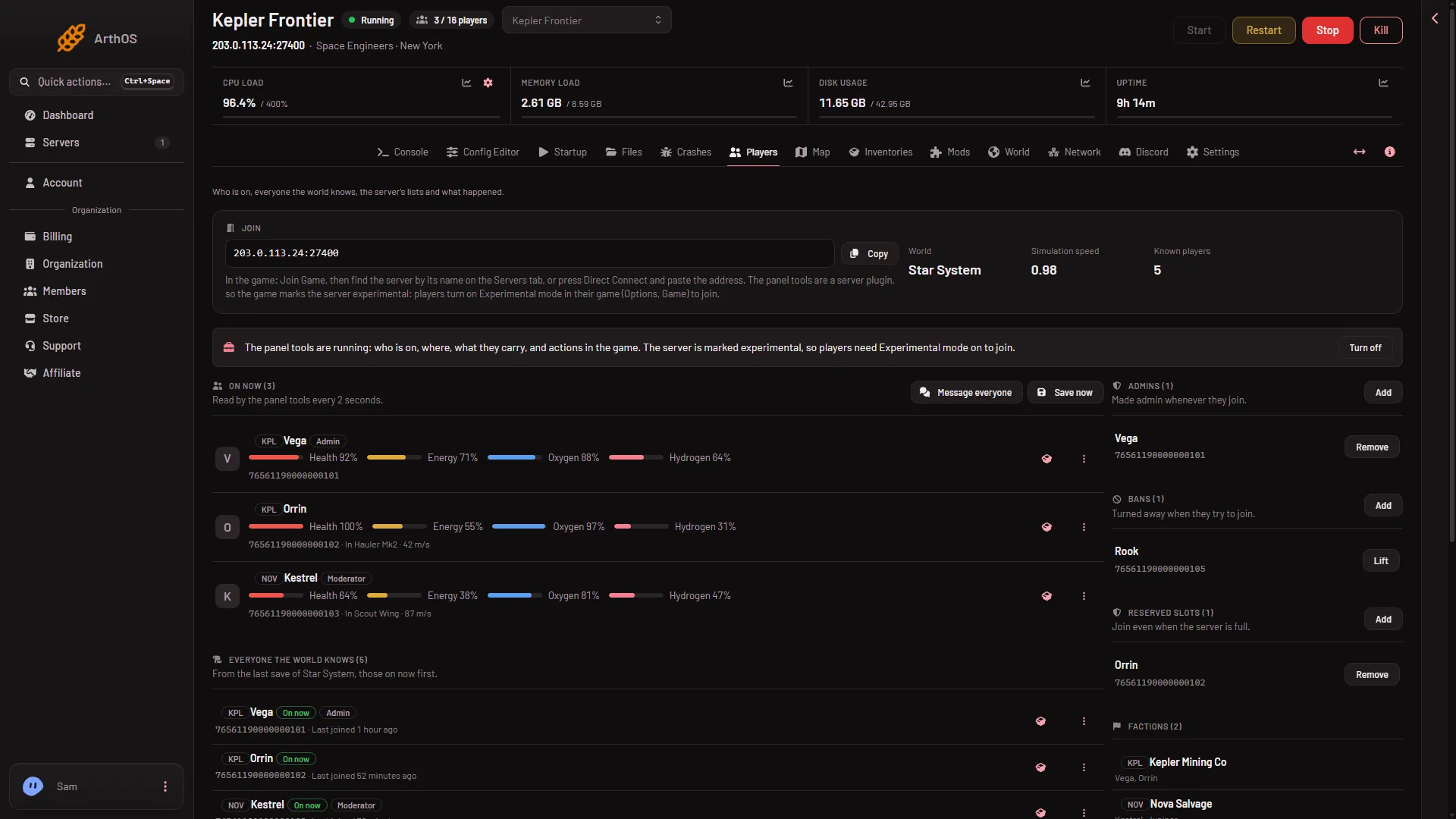
- Copy the address
The address in the picture is made up. Use the one your panel shows. You never need to open or forward a port: the server has one port, and the panel gives it to you.
Why it is missing from the list
Check these in order.
- The server is stopped or asleep. Look at its state at the top of the panel. Standby stops an empty server after 10 days by default. Start it from the panel, or use the Wake link. See Standby on a Space Engineers server.
- The server is still starting. It is ready when the Console shows
Game ready. After the first start, the server builds .NET files (the game’s runtime) in the background for about 11 minutes, so it works harder and may run slower. Wait, then press Refresh in the game. - Wrong list. The Join Game screen has a Steam and EOS toggle. A Loafhosts server is on Steam networking. Players must be on the Steam list. EOS is for crossplay servers.
- A filter hides it. The wiki says to check for a filter left on, such as the Steam and EOS toggle or a minimum ping, and to lower the filters or click Defaults. Creative games are hidden by default in the Servers search. The game also has “Show only servers with compatible version”.
- Players need Experimental mode. Keen Software House, the game’s makers, mark a world as experimental for several reasons, and a player must turn on Experimental mode to join one. A new server already has two: Programmable block scripts is on and Block limits is None. So players choose Options, then Game, then General, and turn Experimental mode on, even with the panel tools off. To check a server, open the Console, find
Experimental mode:afterLoading session, and read the reason line under it. See Experimental mode. - Different game version. Update on start on the Startup page checks Steam for a newer server each start. Players who have updated cannot join an older server. Restart the server, or see how to update.
- Searching by the wrong name. Players find the server by its Server name on the Startup page. A store order does not set it: a new server is called
Hosted By Loafhosts.comuntil its owner changes it. See how to change the server name. - Steam group only is set. On Server settings, a group number other than 0 makes the server visible only to members of that group, says Keen. See Steam group only.
Console players
A Loafhosts Space Engineers server runs on Steam networking with console compatibility off. Xbox and PlayStation players cannot join. PC players on Steam can.
If it does not work
- Direct Connect fails too. The server may be stopped or not ready. Check the Console for
Game readyand the Crashes tab for a failed start. - A password prompt appears. The server has a Join password. It is under Passwords in the Config Editor.
- Still stuck. See can’t join a Space Engineers server.
More about the game: Space Engineers servers.
Sources: spaceengineers.wiki.gg: Multiplayer, spaceengineers.wiki.gg: Experimental mode