
















You can copy a Conan Exiles server’s files from your old host straight to Loafhosts. The Import from another host card on the Settings page connects to the old host over SFTP or FTP and copies the files in. The one rule to remember: the world file name must be all lower case, game_0.db.
Loafhosts runs Conan Exiles Enhanced. See Conan Exiles servers for the game.
Before you start
- Get the connection details from your old host: the address, a user name and a password. A port too, if it is not the usual one.
- Find the folder on the old host that holds the server’s files. You will type its path.
- The import stops the server and drops everyone who is on. Warn your players first with Message everyone on the Players page, or do it while nobody is playing.
- The card also refuses addresses on private or local networks. The old host must be reachable from the internet.
Import the files
- Open the server, then Settings.
- Scroll to the card Import from another host (1) and choose Import files (2).
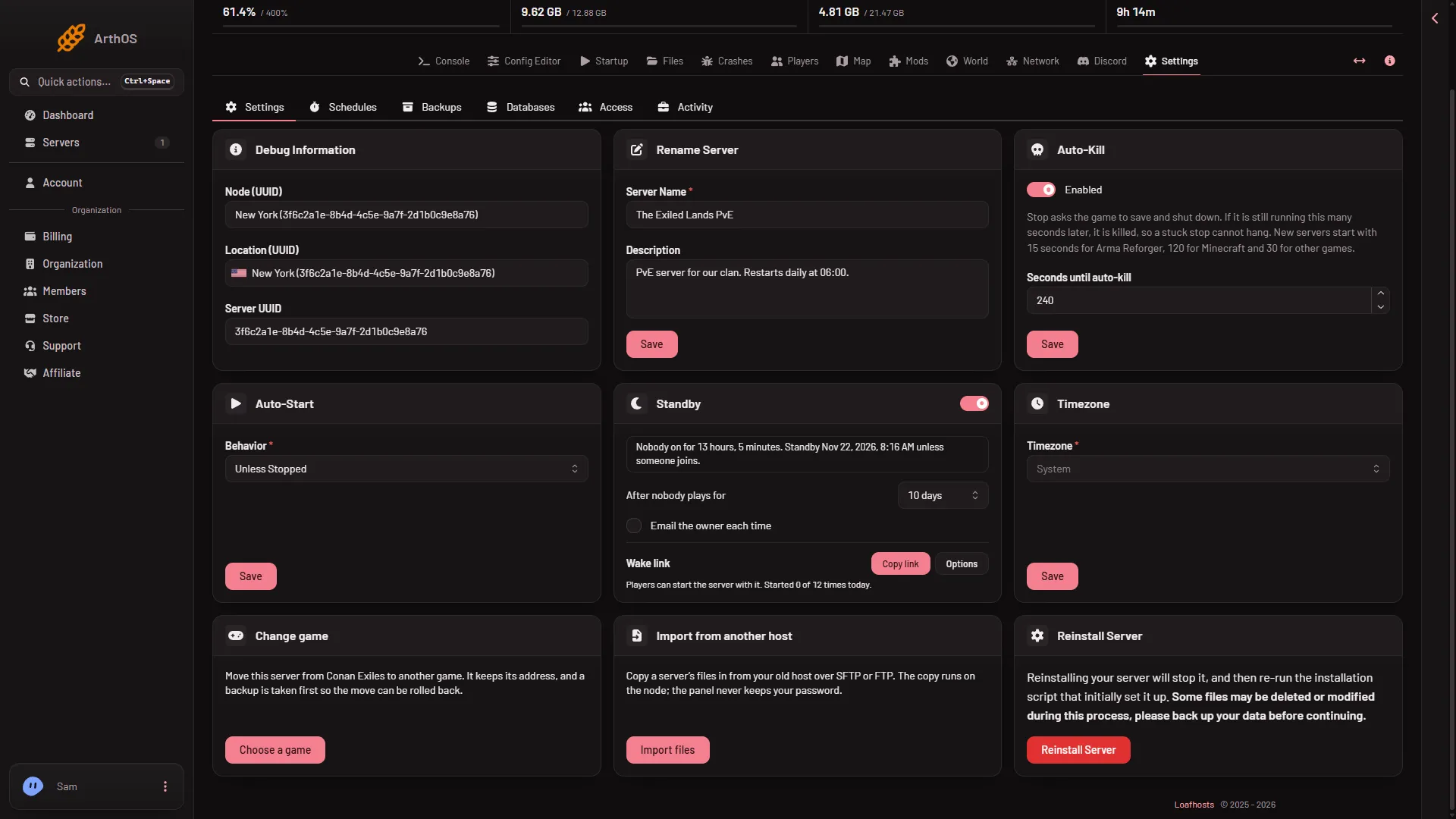
- Import from another host
- Import files
- In Connection, choose how the old host talks: SFTP, FTP with TLS or FTP (unencrypted). Pick SFTP or FTP with TLS when the host offers them. Plain FTP sends your password in the open.
- Fill in Host, Port, User name and Password. Leave Port empty to use the usual one: 22 for SFTP, 21 for FTP. The password is used for this import only and is not stored.
- In Folder on the old host, type the folder to copy. Leave it empty to copy from the top folder.
- Check Leave out. It lists what is not copied, as a comma separated list where
*and?work. It starts withlogs/*, cache/*, crash-reports/*, *.log.gz, so logs do not come along. Change it if you want something else left out. - Read the list under What will happen. Then choose Start import.
Large servers take a while. Progress shows at the top of every page.
Merge or replace
By default the import merges. Files are copied in, a file with the same name is replaced, and everything else on the server stays.
To start from nothing, tick Replace everything on this server. This tick is shown only to a role that is allowed to delete files.
Before either one, the server is asked to save and stop, and a backup is taken so the import can be rolled back.
The world file name
The world is one file, game_0.db, kept in ConanSandbox/Saved. Funcom’s note for Linux servers says the world file name must be all lower case. Loafhosts servers run on Linux, so a file called Game_0.db or GAME_0.DB is not found. Funcom also says that when the game starts for the first time and game_0.db does not exist, it copies Game.db to game_0.db.
After the import, open Files and look in ConanSandbox/Saved. If the world file has capital letters, rename it to game_0.db before the next start. See upload a world for the same step done by hand, and server files and folders for where things live.
What the panel sets again, and the mods
- The panel writes the passwords, the Server name and the remote console settings again on every start. After the first start your old admin password and join password are replaced. Read the new ones under Passwords in the Config Editor, and change the name on the Startup page.
- Your old mod list comes along as files, with paths from the old host, but the Mods page does not know those mods. Add them again on the Mods page. See install Workshop mods.
A server from the old Conan Exiles (Legacy) is a different game version. A Legacy world on Loafhosts has not been checked: not checked on Enhanced, server build 25792439 as of 13 November 2026. Funcom’s migration page covers the move between versions. See Enhanced or Legacy.
If it does not work
- The import is refused with a message about a backup. A backup cannot be taken first. Fix what the message names, or tick Continue without a backup. Without a backup there is nothing to roll back to.
- Start import is greyed out. Host and User name must both be filled in.
- The address is refused. Addresses on private or local networks are refused. Use the old host’s public address.
- The server starts with a new, empty world. The world file was not found. Check the name in
ConanSandbox/Savedisgame_0.db, all lower case. - Replace everything on this server is missing. Your role does not allow deleting files. Ask the owner.
Sources: exiles-enhanced.inflexion.io: Linux, exiles-enhanced.inflexion.io: Ue4 ue5 migration