

















A Space Engineers server saves the world by itself every few minutes. A normal Stop saves it too. Kill does not. Without the panel tools, stopping the server is the only checked way to save right now. With the tools on, Save now on the Players page asks the game to save.
The three ways a world is saved
- Autosave. The game saves on a timer. The game’s default is every 5 minutes. You set it in the Config Editor, under World settings, Saving and clean-up, Autosave every (minutes) (
AutoSaveInMinutes). The game also keeps whole copies of the world, up to the number in Backups kept. Leave Saving on; the autosave guide says what is and is not checked about it. - A stop. When you press Stop, the game saves and shuts down. The save takes about 1 to 3 seconds. The server then ends a few seconds later, 3 to 9 seconds in all.
- Save now. A button on the Players page that asks the game to save at once. It needs the panel tools.
Save now
Save now needs the panel tools, which are off on a new server. See the panel tools to turn them on. Without them, a normal Stop saves.
- Open the Players page.
- Press Save now (1), above the On now list.
- Wait a few seconds. The button does not wait for the save to end.
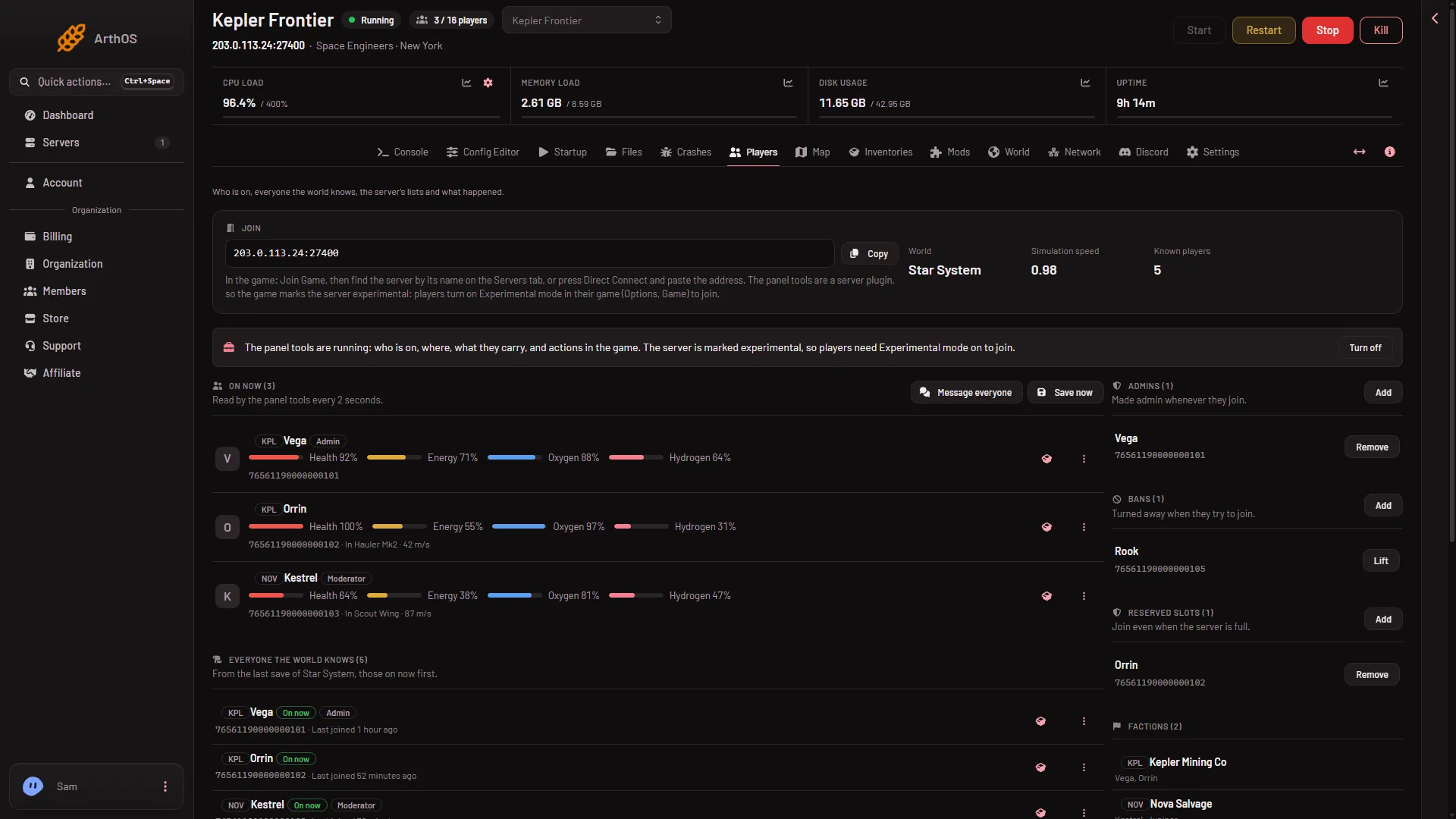
- Save now
There is no box to confirm. The panel says “The world is saving”.
Use it before you take a panel backup of a running server, so the backup holds what was just built. Use it too before you copy a world, and when a page that reads the last save looks out of date. The map’s planets, Everyone the world knows, Find an item and the dropped bags all read the last save.
A kill does not save
Kill ends the server without asking it to save. You lose whatever happened since the last autosave: at most one autosave interval, 5 minutes by default.
The server’s Auto-Kill works the same way. If a stop takes longer than the Seconds until auto-kill on the Settings tab, the server is killed. A Space Engineers server shows 30 seconds there. A small world saves well inside that. Not checked with a very large world on 1.210 as of 15 November 2026, so raise the number if yours is big.
Saving from the game
The game’s wiki says players with admin access can type /save in chat. Not checked with a player on 1.210 as of 15 November 2026. With the tools on, Save now does the same job from the panel.
If it does not work
- Save now is missing or greyed. The panel tools are off, or not loaded yet. Turn them on and restart the server. Your role also needs permission to act on players.
- You lost building after a crash. The server went back to its last autosave. Shorten Autosave every (minutes), or use the game’s own backups on the World page. See restore a backup.
- The server was killed while stopping. The stop took longer than Seconds until auto-kill. Raise that number.
- There is no World settings tab. A new server shows only Passwords and Server settings until it has started twice: the first start makes the world, the next start names it as the world that loads. Start it again (or restart it), then stop it to change world settings. The same happens after Make it at the next start on the World page.
More about the game on Loafhosts: Space Engineers servers.
Sources: spaceengineers.wiki.gg: SessionSettings, spaceengineers.wiki.gg: Setting up a Space Engineers Dedicated Server