

















To delete a world, open the World page, press the three dots on its row and choose Delete. The world and its backups go to the server’s trash, where you can restore them for 3 days. After that they are removed for good.
You cannot delete the world that loads. If the world you want gone is the one that loads, load another one first.
Delete a world
- Open the World page.
- Find the world in the Worlds list. The one that loads has a Loads tag.
- Press the three-dots button on its row, named More for (name).
- Choose Delete (1), shown in red.
- Read the box, “Delete (name)?” (1). It says the world and its backups go to the trash for 3 days (2).
- Press Delete (3).
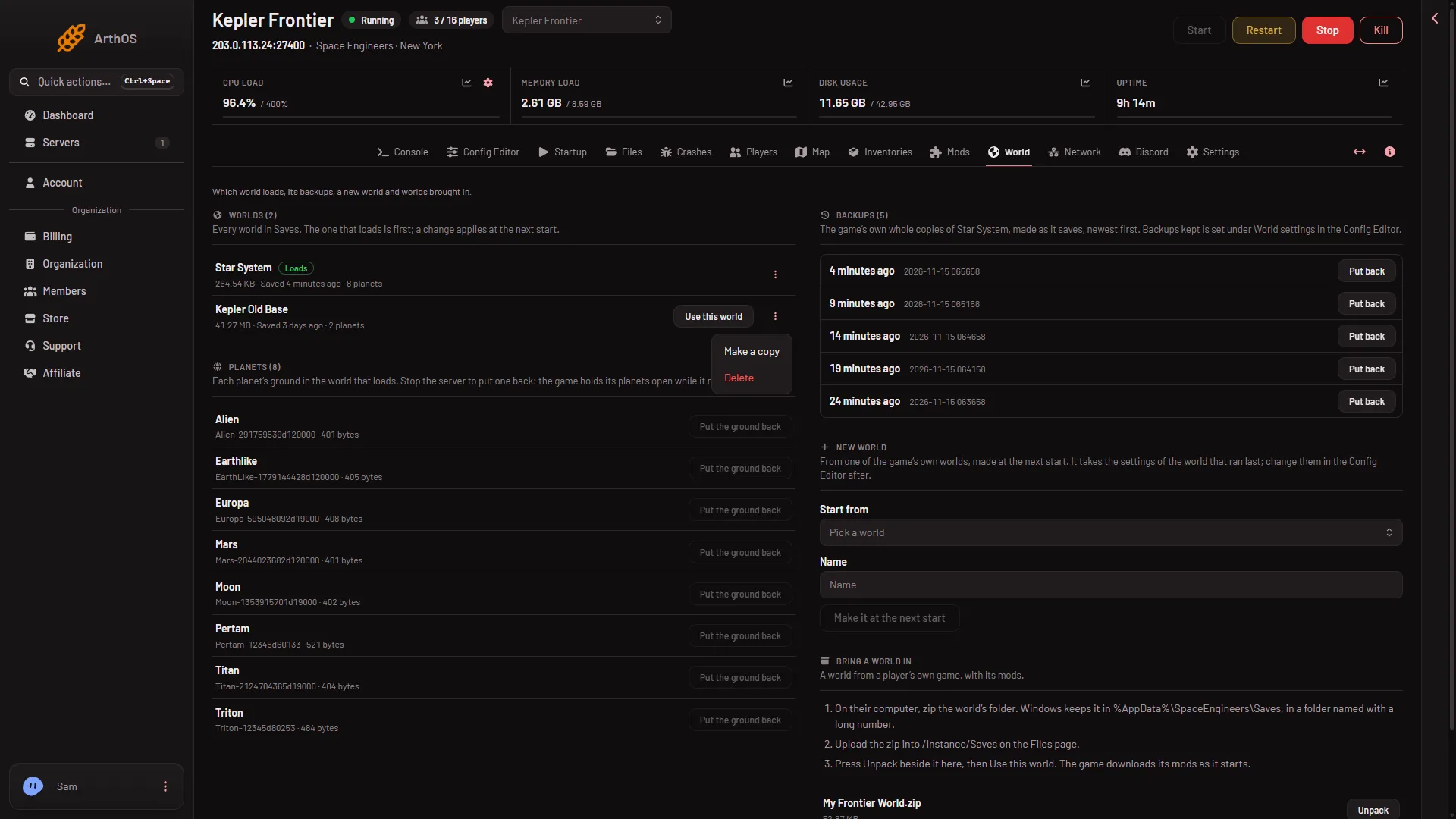
- Delete
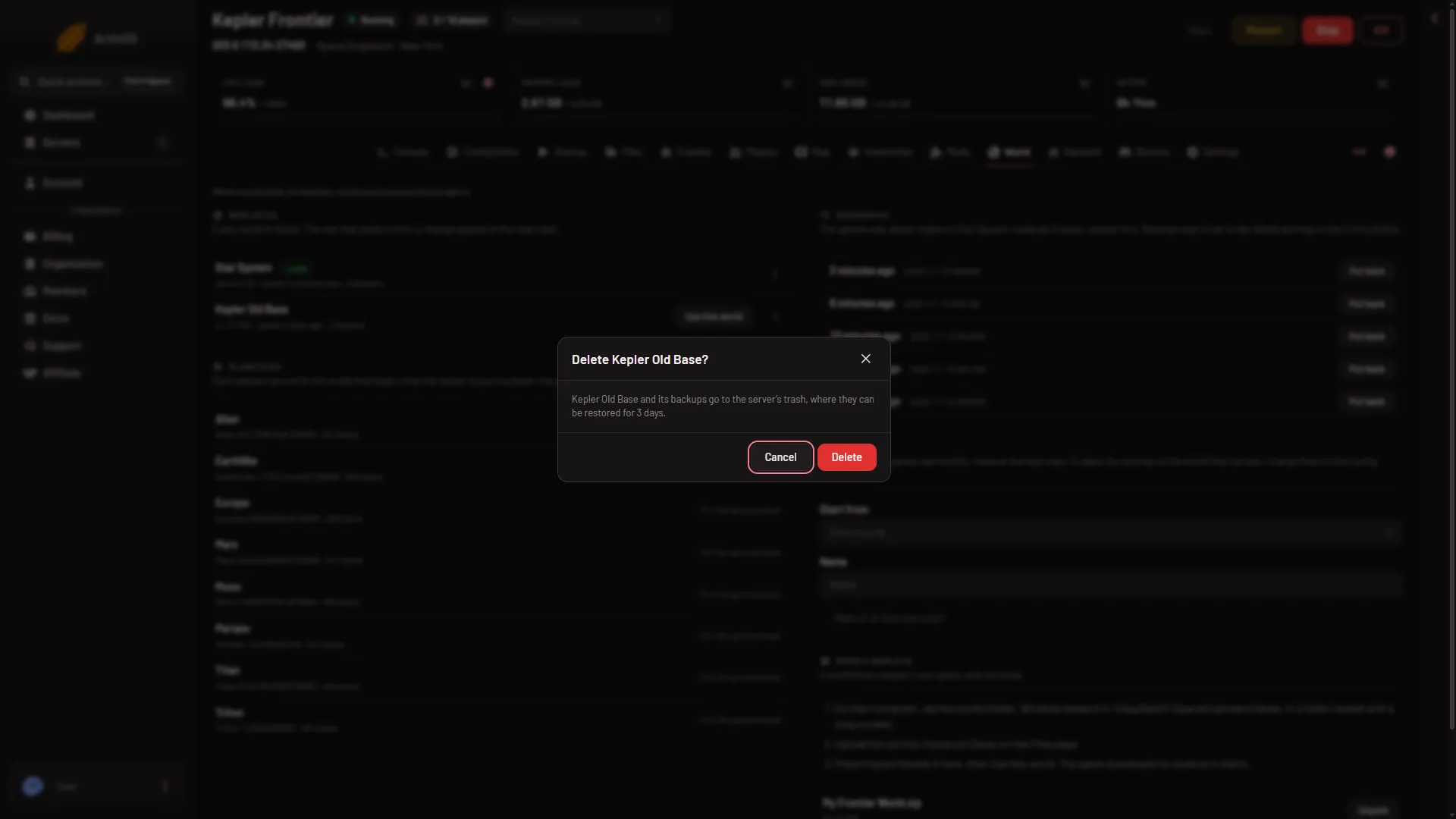
- Delete (name)?
- Kept in the trash
- Delete
The panel says the world “is in the trash”. It leaves the Worlds list at once, and the server can be running.
If the broken world is the one that loads
A world that fails to load makes the game stop by itself. Crashes then reads Crashed or Failed to start: read the finding. To remove it, first make the server load a different world.
- On another world’s row, press Use this world. If there is no other world, make one with Make it at the next start under New world.
- Restart the server. The other world now loads.
- Delete the broken world as above.
See the world could not be loaded if you would rather fix it. A Put back from the game’s own backups may save it: see restore a backup.
Get a deleted world back
- Open the Files page.
- Press the Trash button.
- Find the world’s folder and choose Restore to…, then pick
/Instance/Saves.
The trash keeps it for 3 days. It counts against your disk space until it is removed.
If it does not work
- There is no Delete in the menu. That world is the one that loads. Pick another world first.
- The panel says this is the world that loads. Same cause: choose another world to load and restart.
- There is no Delete item in the menu. It is left out for the world that loads, and for a role without permission to delete files.
- A world you unpacked from a zip is listed as the zip’s name, a slash and the world’s folder. That is normal. Delete on it removes the outer folder, the zip’s name, and the world inside it.
More about the game: Space Engineers servers.