

















To download your server’s world, save it first, then open Files, go to Instance/Saves, choose Archive on the world’s folder, and download the archive. Put the unpacked folder in your own Saves folder to play it alone, or keep it as a copy.
A world is one folder. It holds the world’s objects, its settings, its mod list and the planets, so one download is the whole thing.
1. Save the world first
The game writes its world to disk at each autosave, and again when it stops. A copy taken between saves misses what happened since the last one. Use one of these:
- Save now. Open the Players page and press Save now. It is there when the panel tools are on. The game starts saving at once. Wait a few seconds after Save now before you archive, because the button does not wait for the save to end.
- Stop the server. A normal stop saves the world, in a few seconds. This is the safest way, and it works with the panel tools off. Do not use Kill: a kill does not save.
Not sure the server saved? The world’s Saved time on the World page shows when it was last written.
2. Find the world’s folder
- Open the Files page.
- Go to
Instance, then openSaves(1).
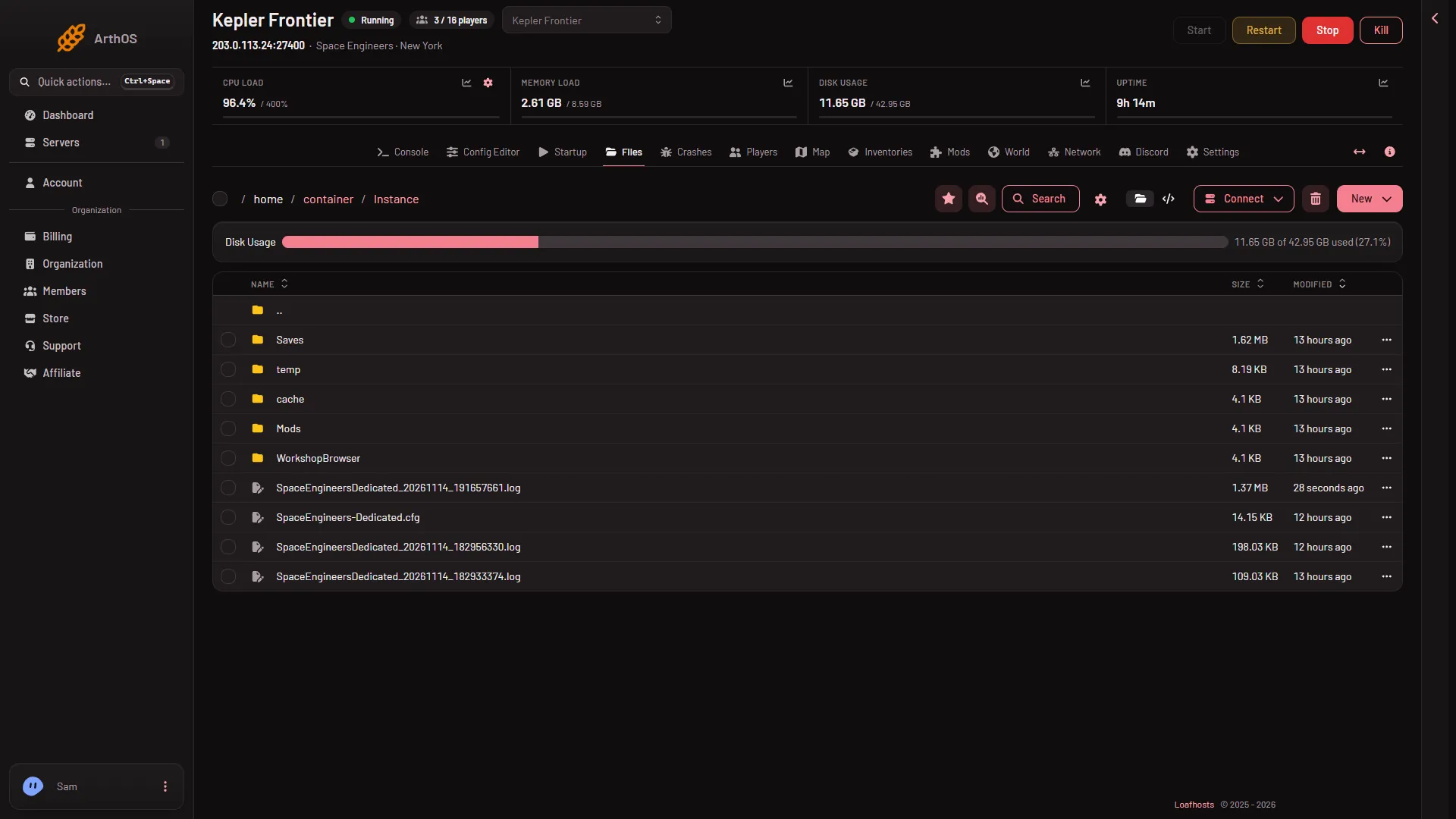
- Saves
- Open
Saves. There is one folder for each world on the server. The one named on the World page with the Loads tag is the world the server is running.
3. Archive it and download
A folder cannot be downloaded as it is, so you make an archive of it first.
- Go back to
Saves, so the world’s folder is in the list. - Open the menu on that folder’s row and choose Archive. An archive file appears next to it.
- Open the menu on the archive’s row and choose Download.
The world’s folder holds a Backup folder with the game’s own copies, the planet files, Sandbox.sbc, Sandbox_config.sbc and the world’s objects. You get all of it, so a world with many Backup copies is a bigger download.
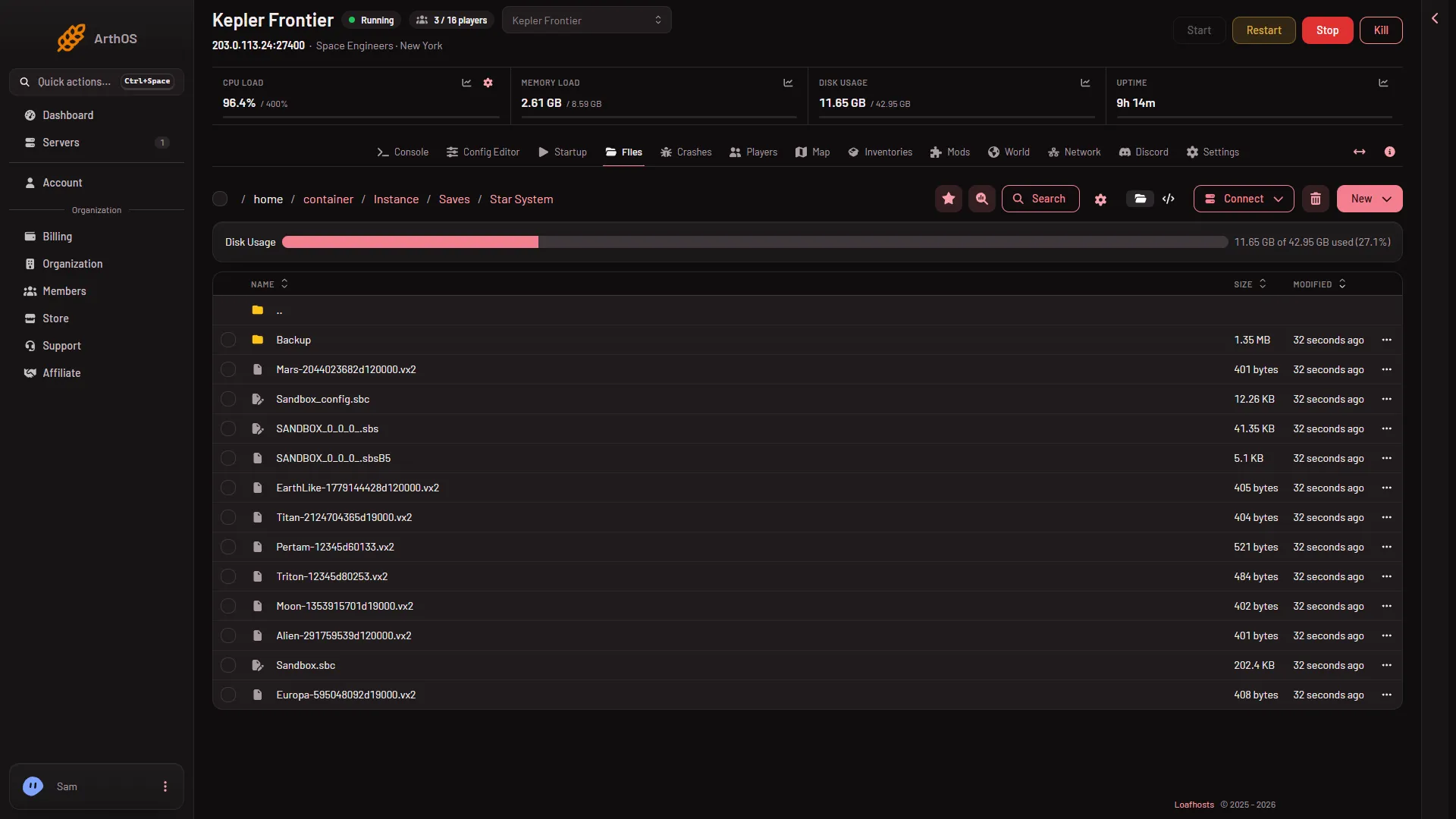
- Backup
- The world settings file
- Sandbox.sbc
When you have finished, you can delete the archive file from the server. Deleting moves it to the Trash on Files, where you can Restore to… it for a while.
With SFTP
For a big world, SFTP can be easier than a browser download.
- On Files, open the Connect menu and choose via SFTP.
- SFTP Details shows the address, port and user name. Use them in an SFTP program of your choice.
- Go to
Instance/Savesand copy the world’s folder to your computer.
4. Play it in your own game
- Unpack the archive on your computer, so you have the world’s folder with
Sandbox.sbcinside it. - Press the Windows key plus R, type
%AppData%\SpaceEngineers\Savesand press Enter. - Open the folder named with a long number, and put the world’s folder there.
- Start the game and open its list of saved worlds. Your world should be in it. The menu word for that list was not checked on 1.210 as of 15 November 2026.
The world keeps its mod list. The game downloads the mods when you load it. Turn Experimental mode on in your game under Options, Game first when the world uses scripts or has block limits off: the Console line Experimental mode: after Loading session on the server says whether it does.
If it does not work
- The archive is missing. Choose Archive on the folder’s row, then reload Files.
- The world loads old. You archived between saves. Press Save now or stop the server, wait, and make a new archive.
- The world is not in your list. Its folder must sit directly inside the long-number folder, not inside another folder. Check
Sandbox.sbcis one level down from the long-number folder. - A mod fails in your game. The mod may have left the Steam Workshop. The game says which one.
To put a world back on the server, see upload your own world. More about the game: Space Engineers servers.
Sources: spaceengineersgame.com: Dedicated servers, spaceengineers.wiki.gg: Mods