











Choose Save now to make the VEIN server write its world to disk at once. It works on the World page and on the Players page, and only while the server is running.
Why save by hand
The game saves by itself on a timer, every 5 minutes to start with. Anything that happens between two autosaves is not on disk yet. Save now closes that gap. Use it after something you do not want to lose, or before you copy the world’s files by hand in Files.
The game saves nothing when it is simply stopped. You do not have to press Save now before a stop, restart or backup made from the panel. The panel saves the world first, every time.
Save now writes over Server.vns. It does not keep an older version. For a copy you can go back to, open Settings, then Backups, then Create Backup. The panel saves a running VEIN world before it takes the backup.
On the World page
- Open the World page.
- In the card The save, choose Save now.
- A message tells you the time of the save, such as “Saved at 14:05:12 UTC.” If the game has not said it finished yet, the message reads “The game is saving; its log has not said it finished yet.”
- Look at Written on the same card. The time moves forward. While the game writes, Saving now shows beside it.
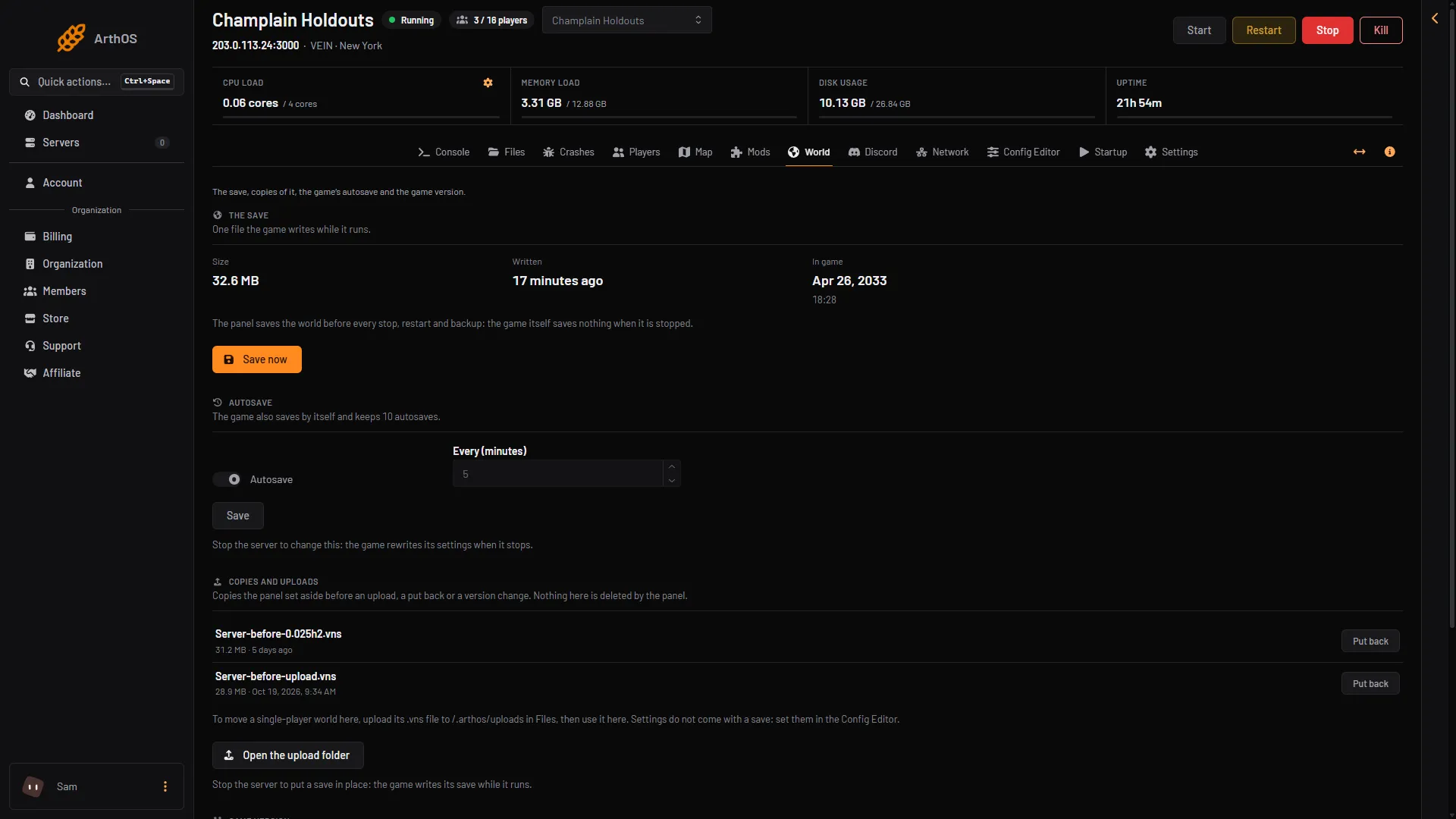
- Choose Save now
- Check the Written time
On the Players page
- Open the Players page.
- In the card Online, choose Save now. It sits beside Message everyone and Restart with a warning.
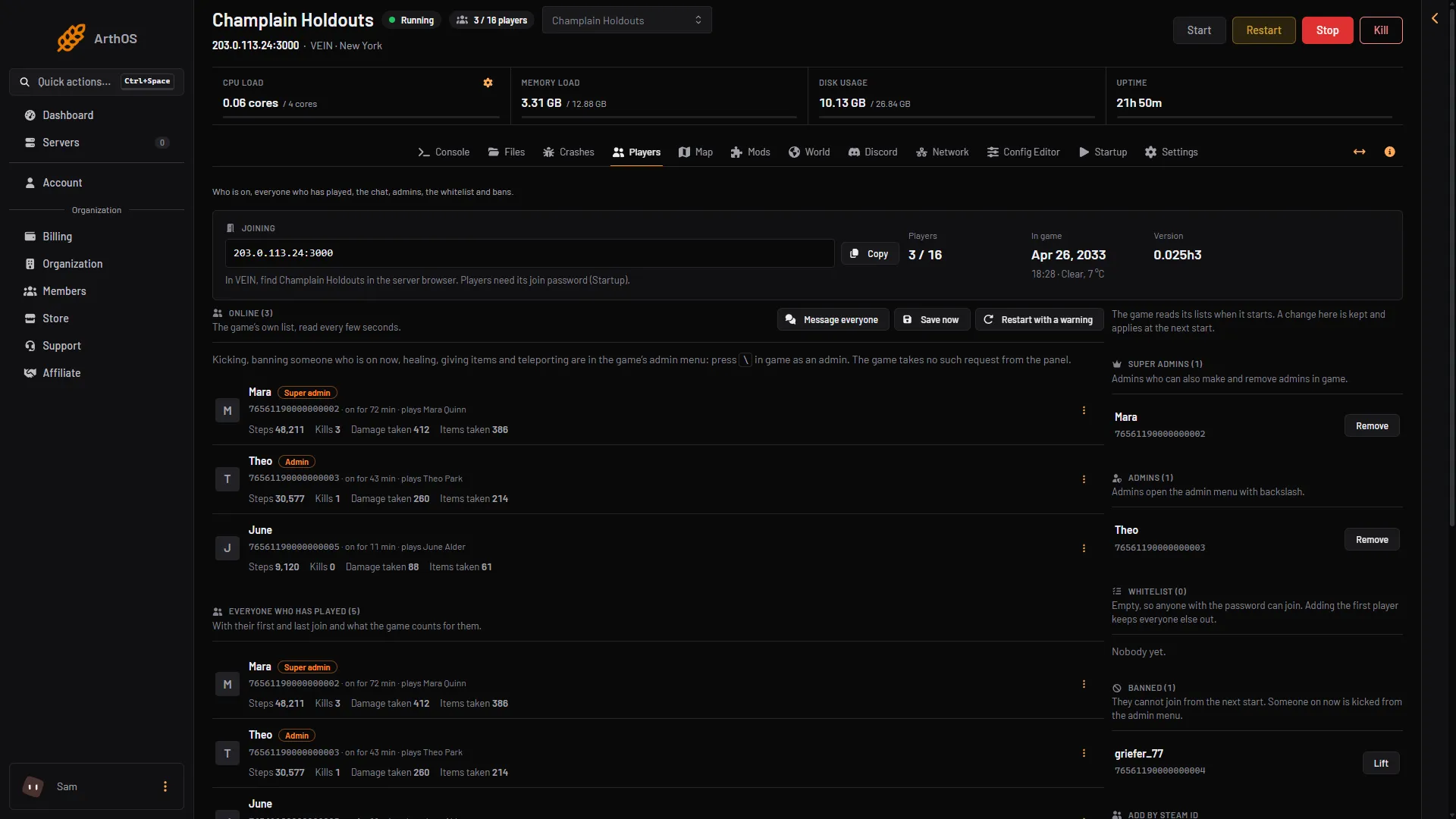
- Save now
The button does the same thing as the one on the World page.
When Save now is missing
- The server is stopped. There is no button. The server saved when it stopped. A message says “the server is not running; it saved when it stopped.” To start it, choose Start at the top right of the server page.
- Your role cannot restart the server. The button is shown only to people who can restart it.
If it does not work
- The message says the game has not finished. The panel waits a few seconds for the game to say the save is whole. Large worlds take longer. Check Written after a minute.
- A warning says a save was cut off. The game was stopped while it wrote. See a save was cut off and the World page. Put back on a copy makes that copy the live save again.
- Save now shows an error. The game did not answer the panel. Wait until the server has finished starting and try again. Not checked on 0.025 as of 27 October 2026: every error text.
For how often the game saves by itself, see autosave settings.
More about the game: VEIN servers.