
















The Console tab shows what the Factorio server prints while it runs. The server is ready when the line Starting RCON interface appears. On a small world that takes about 4 seconds after you choose Start.
What the Console shows when the server starts
Choose Start at the top of the server page and watch the Console. The lines you will see, in order:
- The game’s version line, for example
Factorio 2.1.24 (build 87808, linux64, headless, space-age). - The mods it loads, then
Loading map. Hosting game at IP ADDR:({0.0.0.0:34197}). This is the game’s own port. Your own address and port are on the Players page, in the Join card.Starting RCON interface. The server is ready. The panel uses this line to know the start is done.
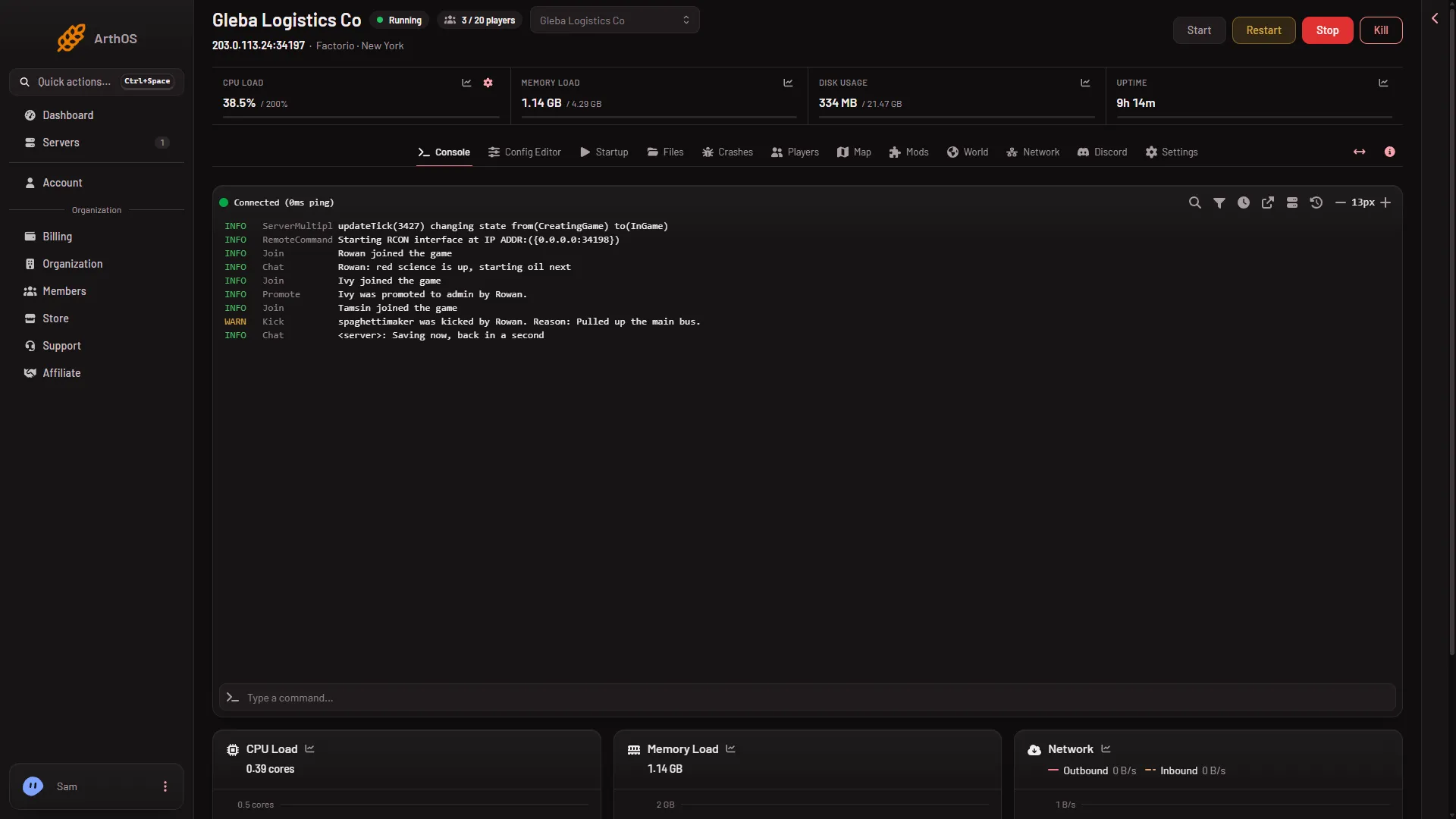
If the console stops before step 4 and the server goes offline, a mod or a save is the usual cause. Open the Crashes tab: it names the cause in plain words. See read the server logs.
What the Console shows when the server stops
A stop from the panel asks the game to save and exit. The console shows Received SIGINT (the signal that asks the game to save and stop), then Quitting: signal., then Goodbye. The world is saved before the game exits. A small world finishes in about 4 seconds.
If the game has not stopped after a number of seconds, the panel kills it. The Auto-Kill card under Settings says so: “If it has not stopped in (seconds) seconds, it is killed.” The number is in Seconds until auto-kill.
Chat that comes from the server
When the panel sends a message to the game, players see it in chat as <server>. This is the Message everyone button on the Players page: “Said in the game chat from the server.” The same happens with any plain text sent to the game’s remote console. See message a player.
Tools on the Console tab
- Search finds text in the output. Filter console narrows the lines shown.
- Show Timestamps and Hide Timestamps switch the time before each line.
- Decrease Font Size and Increase Font Size change the text size.
- Copy Selection copies the lines you marked.
- Open in Separate Window pops the console out so you can watch it beside another page.
- Jump to latest output appears when you have scrolled up.
- Command History lists what you typed before.
These only change how you read the lines. They do not remove anything from the game’s log.
Typing a command
The tab has a box that says Type a command…. Not checked on 2.1.24 as of 13 November 2026: whether a command typed there reaches the game’s own console. To kick, ban or promote someone, use the Players page. It sends the commands for you. See the admin commands.
Where the whole log is
The Console keeps only what the panel has received. The files are in Files:
factorio-current.logis the game log of the running start.logsholds one console log for each start. The newest 10 are kept.
More about the game: Factorio servers.
If it does not work
- The console is empty. The server is offline. Start it.
- No
Starting RCON interfaceline. The start has not finished, or it failed. Wait, then open Crashes. - The server went offline right after a mod line. A mod may be for another game version. Open Crashes, then the Mods page.
Sources: wiki.factorio.com: Console, wiki.factorio.com: Command line parameters