
















A Factorio server writes two kinds of log. The game log says how the start went: which mods loaded, which world opened and when the server came up. The console log holds what players and admins did. Both are in Files.
Where they are
- Open the Files page. You are in the server’s main folder.
factorio-current.logis the game log of the start that is running now, or ran last.factorio-previous.logis the game’s own copy of the start before it.- Open the
logsfolder. It holds the earlier ones:game_files (such asgame_20261109_123501.log) are the game logs of earlier starts. The newest 9 are kept. The time in the name is when the next start began, in UTC.console_files are the console logs, one for each start. The newest 10 are kept.
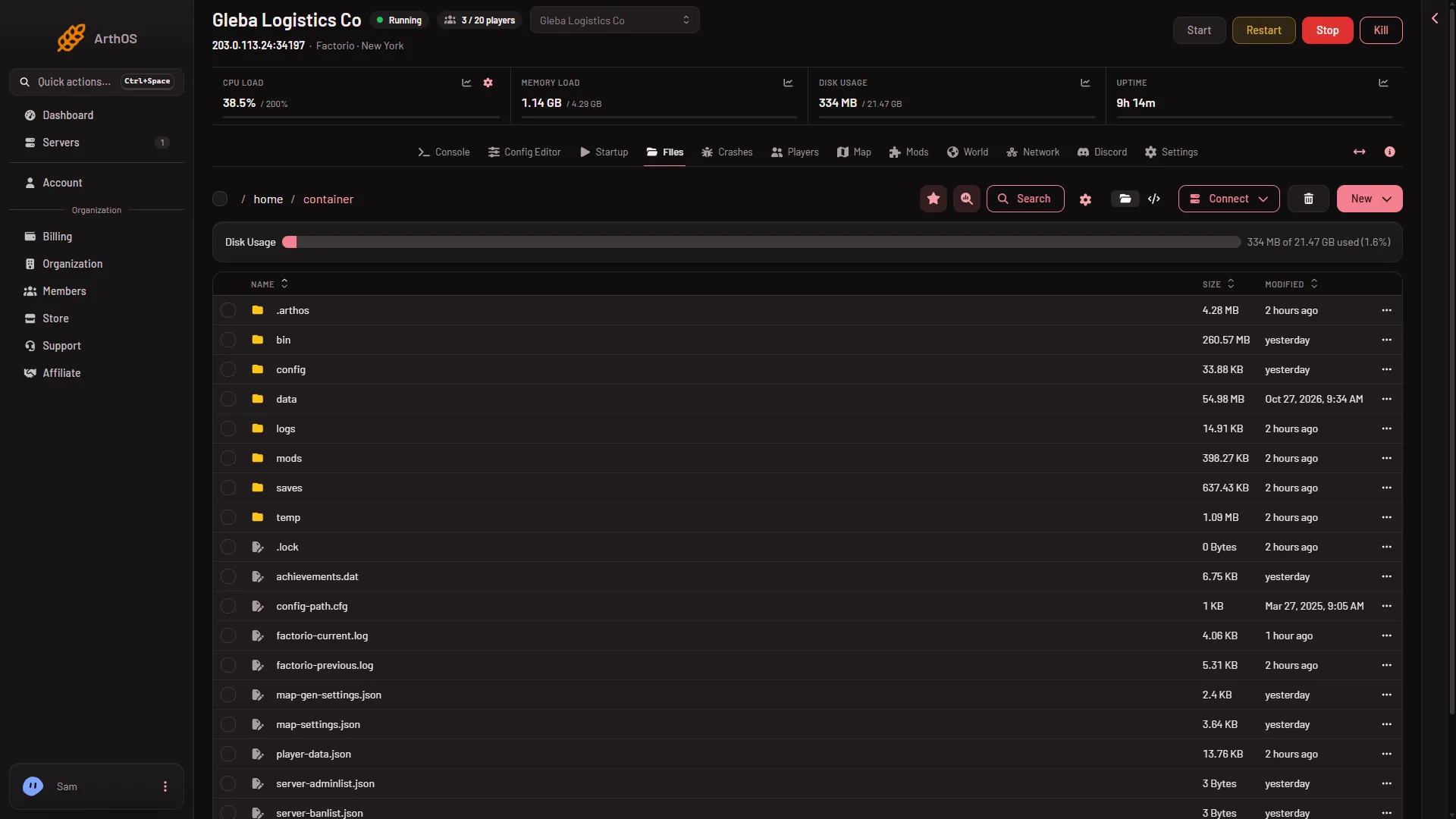
To read a file, open it from the list. To keep a copy, open the menu on its row and choose Download. To get the whole logs folder, choose Archive on it, then download the archive. You can also fetch files with SFTP: open Connect, then via SFTP, which shows SFTP Details.
The game log
factorio-current.log starts with the game version and build, then the start line the panel used. The remote console password is hidden in it. The lines that matter after it:
Loading modandChecksum oflines list every mod that loaded.Loading mapnames the save the server opened.Hosting game atsays the game is up, and the port it listens on.Starting RCON interfaceis the moment the server is ready.Received SIGINTandGoodbyeare a normal stop. A stop from the panel saves the world first. Kill does not save.
A mod that would not load, or a world that would not open, shows as an Error line. The line names the mod. For the fixes, see a mod could not load and the world could not be loaded.
The panel’s Crashes page reads factorio-current.log and the kept game_ files for you. It shows each start, how it ended and the finding with a fix, so you rarely need to read the raw file.
The console log
A console_ file records what happened in the game, one line each, with the date, a tag and the text. For example:
2026-11-09 07:17:24 [BAN] Ada (not on map) was banned by the server. Reason: griefing the base.The tags you will meet include CHAT, COMMAND, JOIN, LEAVE, KICK, BAN, UNBANNED, PROMOTE, DEMOTE and WARNING. The times are in the server’s time zone. The Players page reads these files for you and shows them as What happened, with the times shown in UTC.
If it does not work
- A log you expect is missing. Only the newest 9 game logs and 10 console logs are kept. Older ones are removed at the next start.
- The
logsfolder is empty. The server has not started yet. - The log is long. Open Crashes instead. It picks out the errors.
More about the game: Factorio servers.