
















When the server cannot open its save file, it does not start. The Crashes page shows The world could not be loaded. Your factory is not gone: the server also keeps autosaves, and the panel can keep backups. Run one of those.
See the problem
- Open the Crashes page and open the newest start.
- The finding reads The world could not be loaded. It tells you to load an autosave or another save on the World page, or put back a backup.
If the finding says the world is newer than the game, that is a different fix: see the world is newer than the game.
Run an autosave or another save
- Open the World page and find Saves (1).
- The save the server runs is tagged Runs now (2). The game’s own autosaves are tagged Autosave (3). By default the game writes one every 10 minutes and keeps 5.
- Open the menu on an autosave (More for the save) and choose Run this from the next start.
- Start the server.
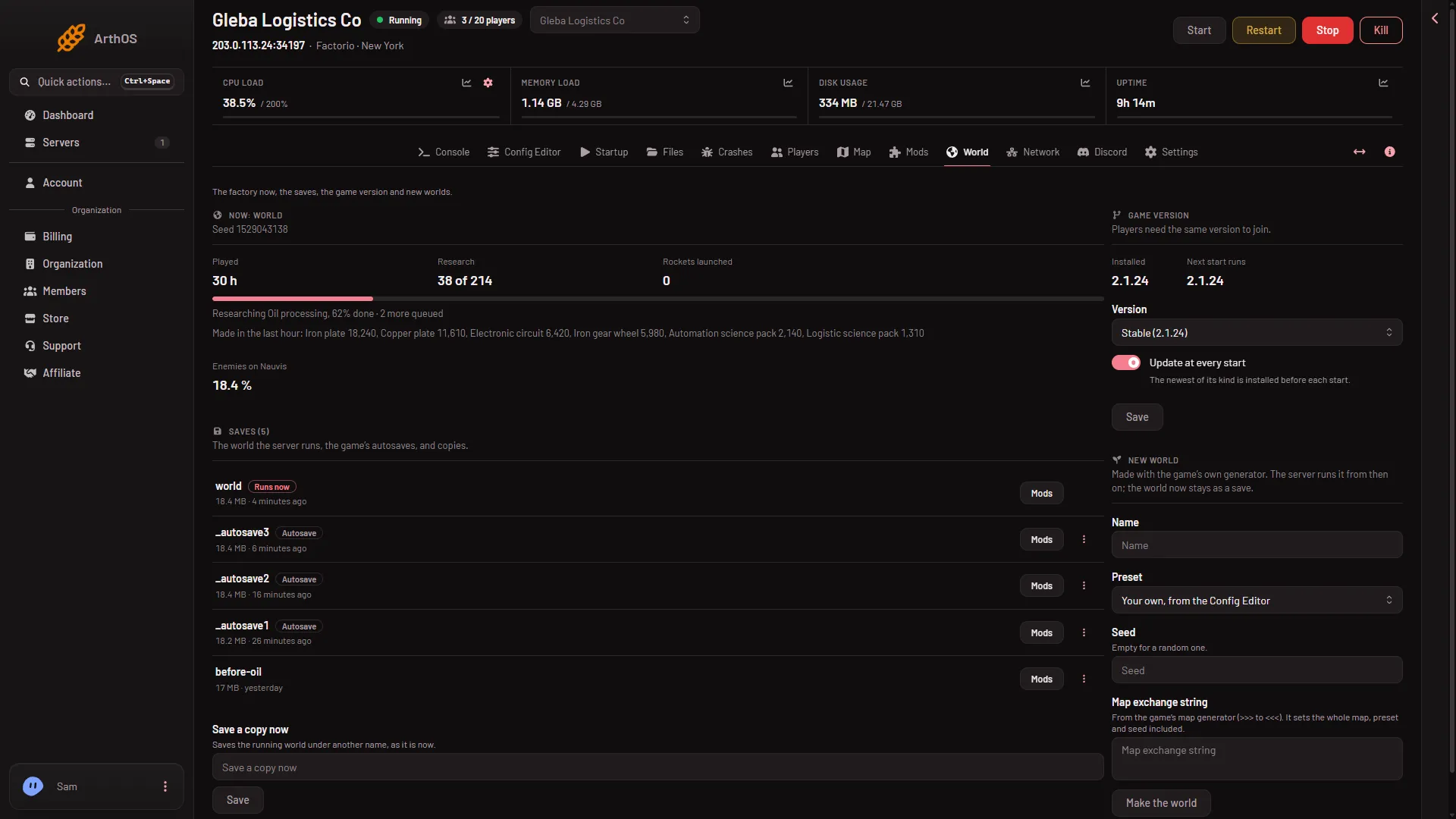
- Saves
- The save that runs
- An autosave
The server loads the save you chose and keeps running it.
Put back a backup
If no save in the list will open, restore a backup.
- Stop the server.
- Open Settings, then the Backups tab.
- Find a backup from before the problem and choose Restore on it.
- Start the server.
A backup copies the server’s files, so it holds the saves as they were at that moment. The world file (world.zip) is as of the last stop, Save now or Save a copy now, not of the last autosave. A backup only exists if you made it or a schedule did. See world backups.
Last resort: a new world
On the World page, New world makes a fresh map. The panel stops the server and takes a backup first. The old world stays in Saves so you can go back to it. Use this only when nothing else opens.
If it does not work
- Every save fails. Restore a backup from earlier, or look at the start with the server logs.
- The autosave you want is missing. The game keeps a limited number and overwrites the oldest.
- The server runs the wrong save. The save that runs is the one named under World on Startup. Run this from the next start changes it.
More about the game: Factorio servers.