

















Open Inventories and type at least two letters of an item’s name into Find an item. The panel lists every stack of it in the world, biggest first, and tells you which ship, station, player or dropped bag holds it. Press a result that sits in a block to open that block.
The search reads the world’s last save, not the live game. Ships, stations, players and dropped bags are all covered. It works with the panel tools off too, because it only reads the save.
Search for an item
- Open the Inventories page of your Space Engineers server.
- Click the Find an item box (1) at the top of the left column. Its hint says: “Anywhere in the world’s last save: ships, stations, players and dropped bags.”
- Type part of the item’s name, such as
steeloruranium. You need 2 letters or more, and at most 60. The search starts about a third of a second after you stop typing. - Read the list. Each result shows the item and its amount. Under each result (2) the panel says where it is.
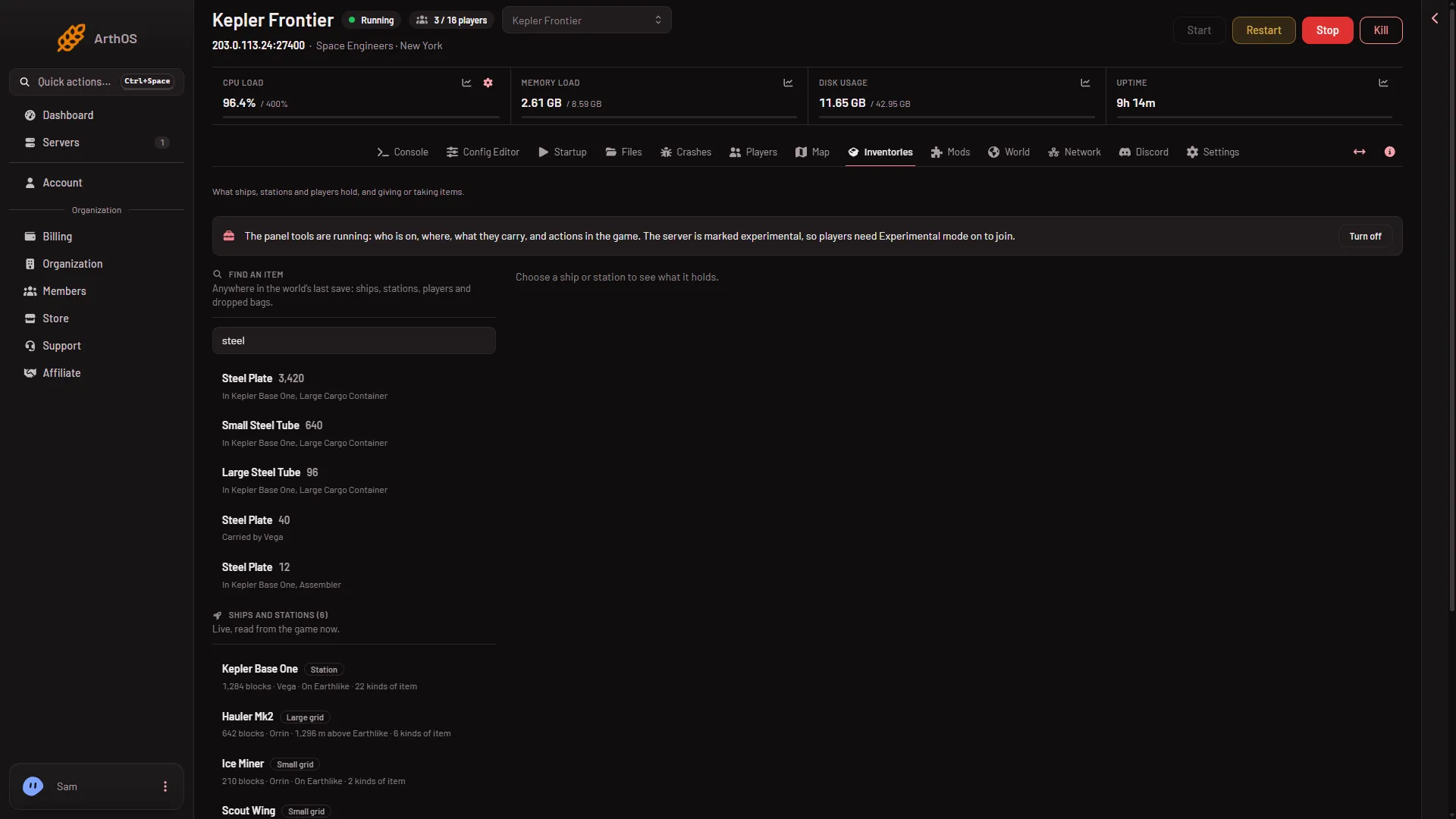
- Find an item
- Where it is
Read a result
- In (grid), (block). A block on a ship or station. The line is a button: press it and the panel opens that grid with the block marked, even if the block is empty now.
- Carried by (name). A player has it on them.
- In a bag (name) dropped. A bag left where a player died. See dropped bags.
The search matches any part of the item’s name or its game id, in any letter case. It lists at most 200 stacks, biggest first. If there are more, the panel says “Only the largest 200 are listed.” Type more letters to narrow it.
If nothing matches, the panel says “No (your text) anywhere in the last save.”
Why an item is not where you expect
The list is only as fresh as the last save. If someone moved an item since then, the result shows the old place. On a server with the panel tools on, press Save now on the Players page, wait a few seconds (the button does not wait for the save to end), then search again. Without the panel tools there is no Save now: a normal Stop saves the world, then start the server again.
If it does not work
- There is no Inventories page. Your role needs the private map permission,
live-map.private, under Game server access. The owner has every permission. Roles are changed on the organization page: Settings, Access, Manage roles. - “search for 2 to 60 letters of an item’s name.” You typed one letter, or more than 60. Change the text.
- Nothing is listed, but you know it exists. It may have arrived after the last save. Save as above, then search again.