

















The Inventories page lists every ship and station in the world, and shows what each one holds. You see the items added up for the whole grid, and block by block. A grid is the game’s word for a ship or station.
You need the private map permission to see this page. It works with the panel tools off, but it then reads the world’s last save and not the game as it is now.
The page
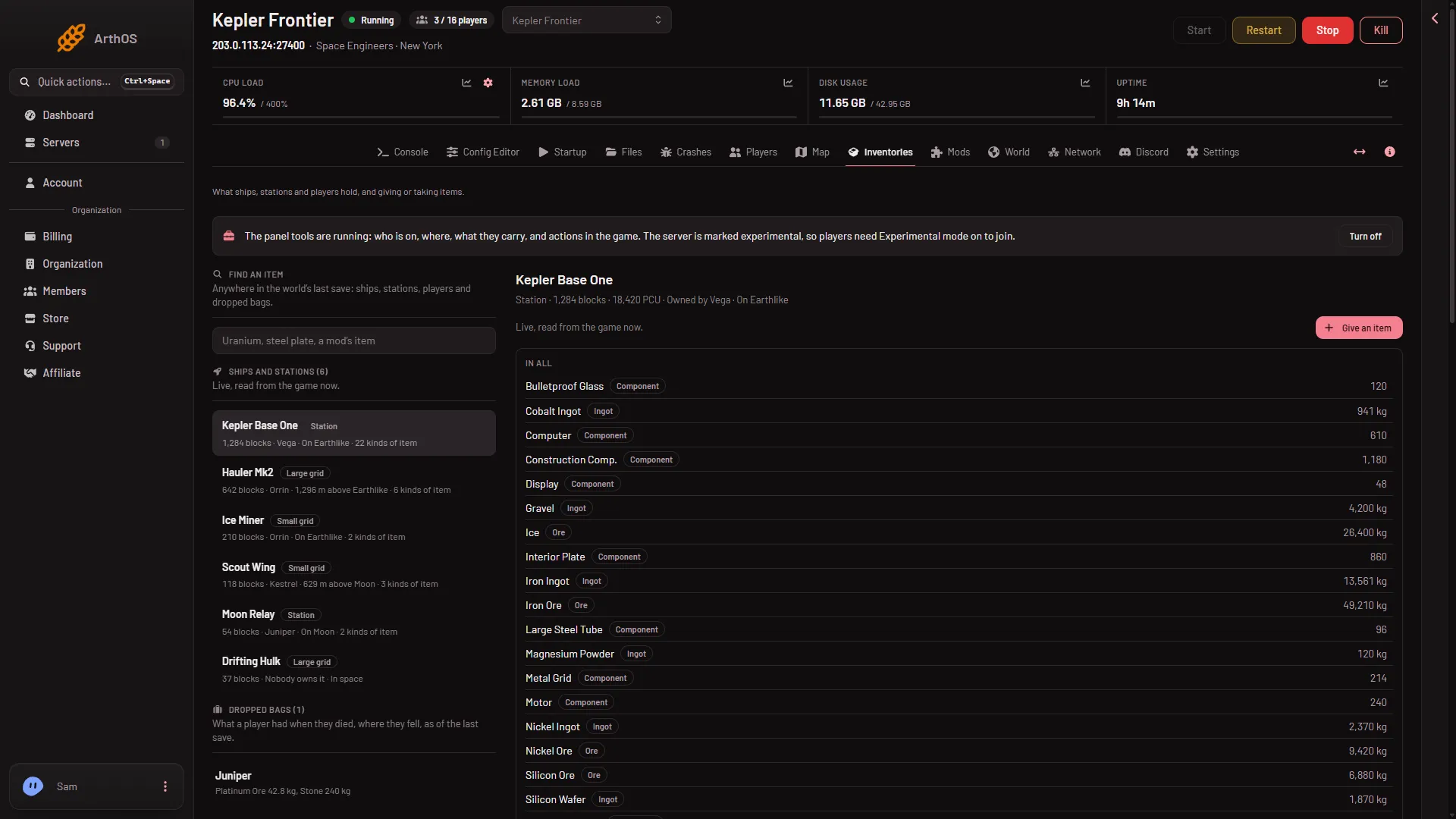
- Ships and stations
- Find an item
- Give an item
- In all
- Dropped bags
On the left:
- Find an item (2) searches the whole world’s last save. See find an item.
- Ships and stations (1), biggest first by block count. A filter box appears when there are more than 8 grids. Only the first 300 are drawn, and the page says how many more there are.
- Dropped bags (5), when there are any.
On the right is the grid you choose. Choose any row. The grid you open is kept in the page address, so you can share the link.
Read the list
Each row shows the grid’s name and a tag: Station (fixed in place), Large grid or Small grid. Under it come the number of blocks, the owner or “Nobody owns it”, where it is, and how many kinds of item it holds.
Where it is reads On a planet’s name when it is close to the ground, a height above a planet when it is in that planet’s air, or In space.
Read a grid
Choose a row. The top line gives the kind, the blocks, who owns it and where it is. With the panel tools running it also shows the PCU, which is the game’s performance cost, and the speed from 1 m/s up.
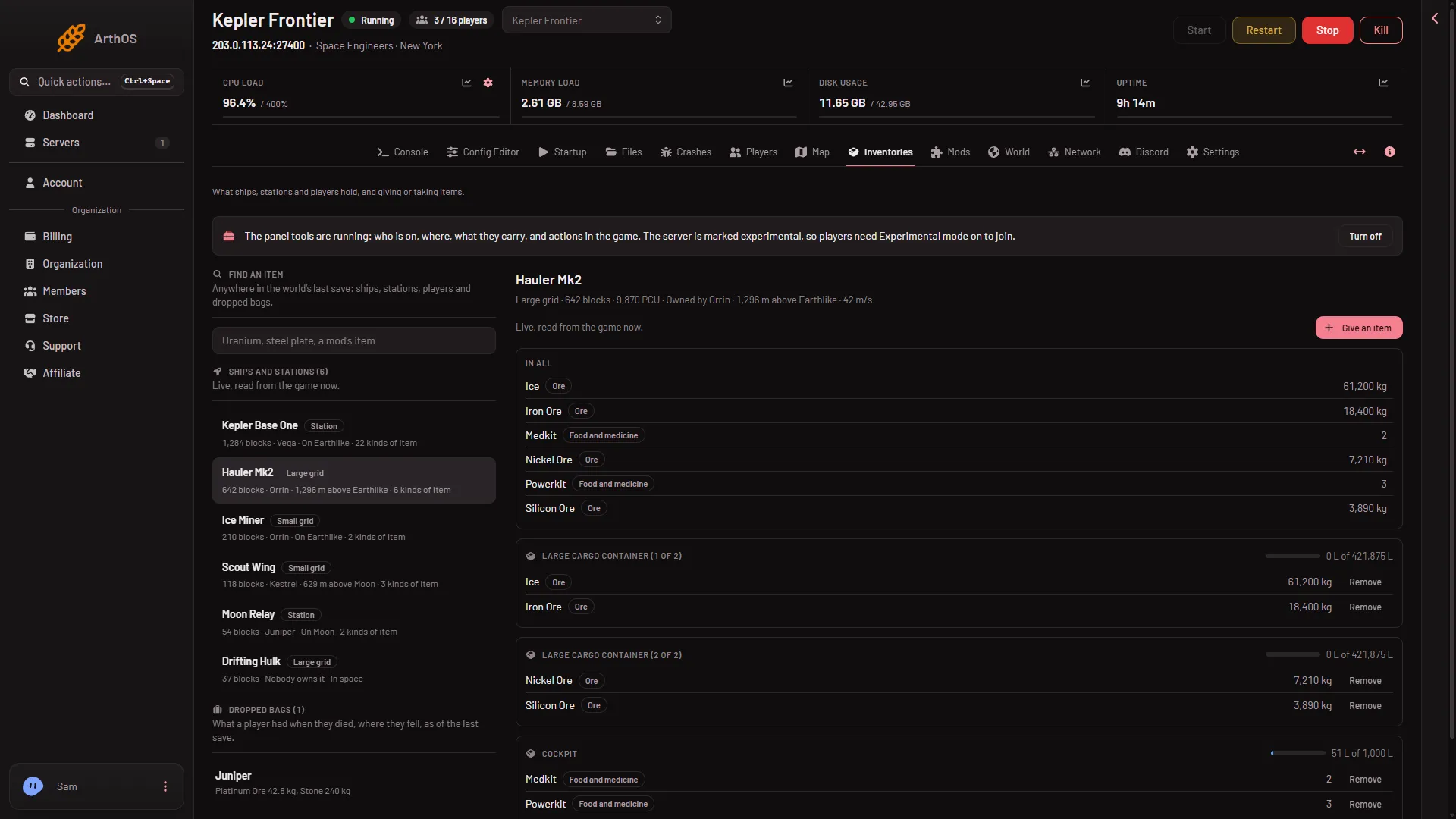
- Height above the ground
- Speed
Below it:
- In all (4) adds up every item in the grid. Ore and ingots are in kilograms, such as “250.5 kg”. Everything else is counted in whole items. A tag says the kind: Ore, Ingot, Component, Tool, Ammo, Bottle, Food and medicine or Other.
- Under it come the blocks that hold things, named as in the game’s terminal. Blocks with the same name are told apart, for example “(2 of 3)”.
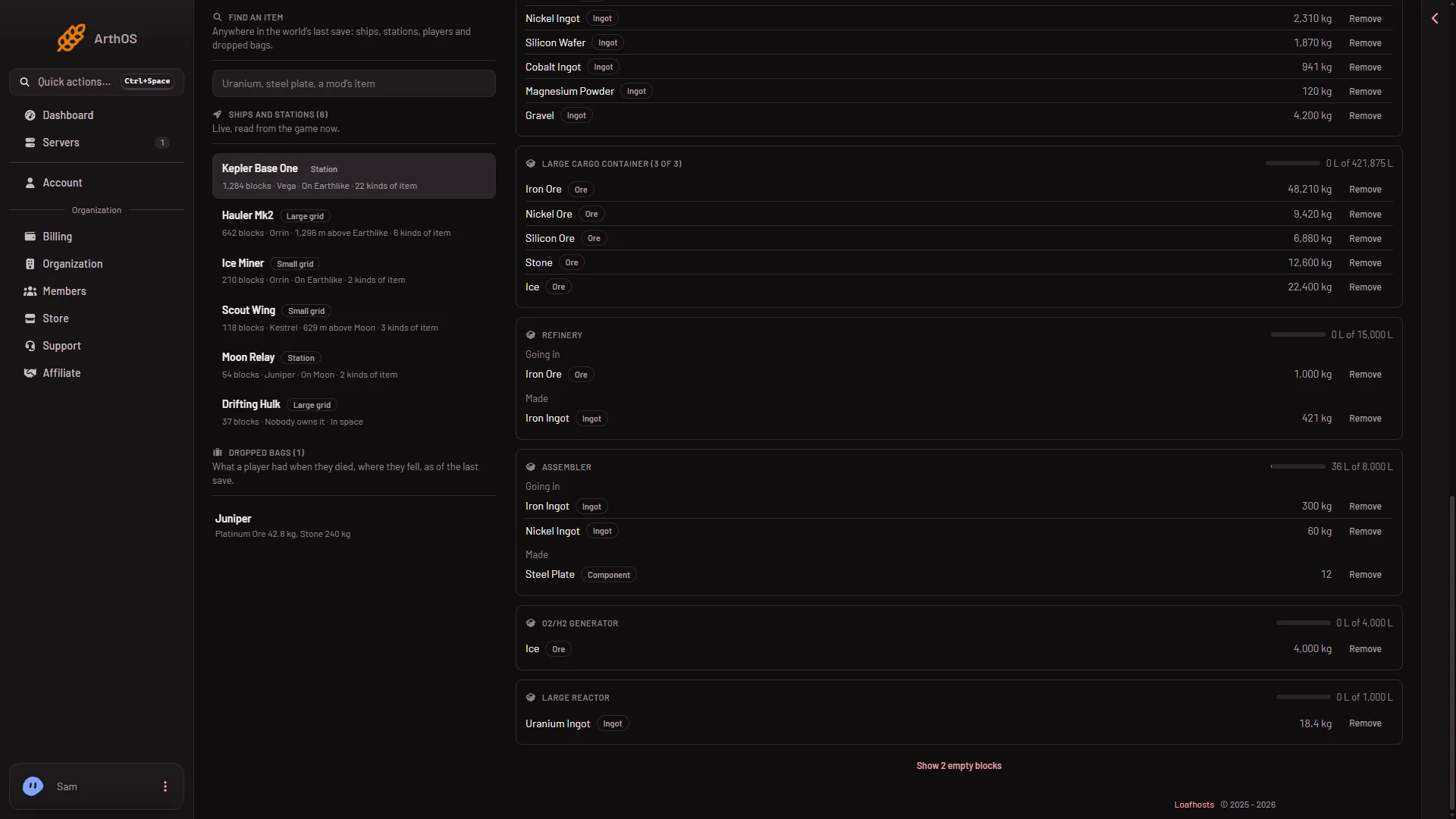
- A refinery or assembler has two inventories: Going in (what it will use) and Made (what it has produced).
- Each block shows a bar and a line such as “36 L of 8,000 L”, how full it is by volume. A block with nothing says “Empty.”
- Blocks that hold nothing are hidden. Press Show (n) empty blocks to see them, and Hide the empty blocks to put them away.
A grid that holds nothing says “It holds nothing.”
Live or as of the last save
Above the list is a line, either “Live, read from the game now.” or “As of the world’s last save, (time).”
- Live needs the panel tools running. The open grid refreshes about every 15 seconds. You also get the fill bars, and the Give an item (3) and Remove buttons. See give items.
- As of the last save comes from the world’s file. There are no fill bars, no PCU, no speed, no Give an item and no Remove. The list refreshes about every minute. An open grid does not refresh from the save: choose it again.
If the game cannot answer a live read, for example while it is busy saving, the page falls back to the save. Turn the tools on in the strip at the top of the page. They load at the next start. A new server already needs players to turn on Experimental mode in their game.
Dropped bags
When a player dies, what they carried stays where they fell. Dropped bags lists the bags in the last save, with the player’s name and the items. There is no give or remove here. See dropped bags.
If it does not work
- The page asks for a permission. It says ships and stations are part of the private map. Ask for a role that has it.
- “Choose a ship or station to see what it holds.” Pick a row in the list.
- “Nobody has built anything in this world yet.” The world has no grids.
- The items are out of date. The page is reading the last save. Turn the tools on.
- No bars or buttons. They exist only live.
More about the game: Space Engineers servers.