






When this was checked on 11 October 2026 there was no EssentialsX build for Minecraft 26.3: the newest, 2.22.0, is made for up to 26.1.2, and the panel says “No build of this is made for this server’s version and loader.” You can upload 2.22.0 yourself, which may work but can cause bugs or lag, run a version EssentialsX supports, or wait for a release that supports 26.3.
EssentialsX is one plugin jar that gives your server homes, warps, kits, teleport requests and over 160 commands. On a supported version, put the core jar in plugins, restart, then give your players the permissions they need. It is a plugin, so you need Paper or Purpur.
Does it work on your version?
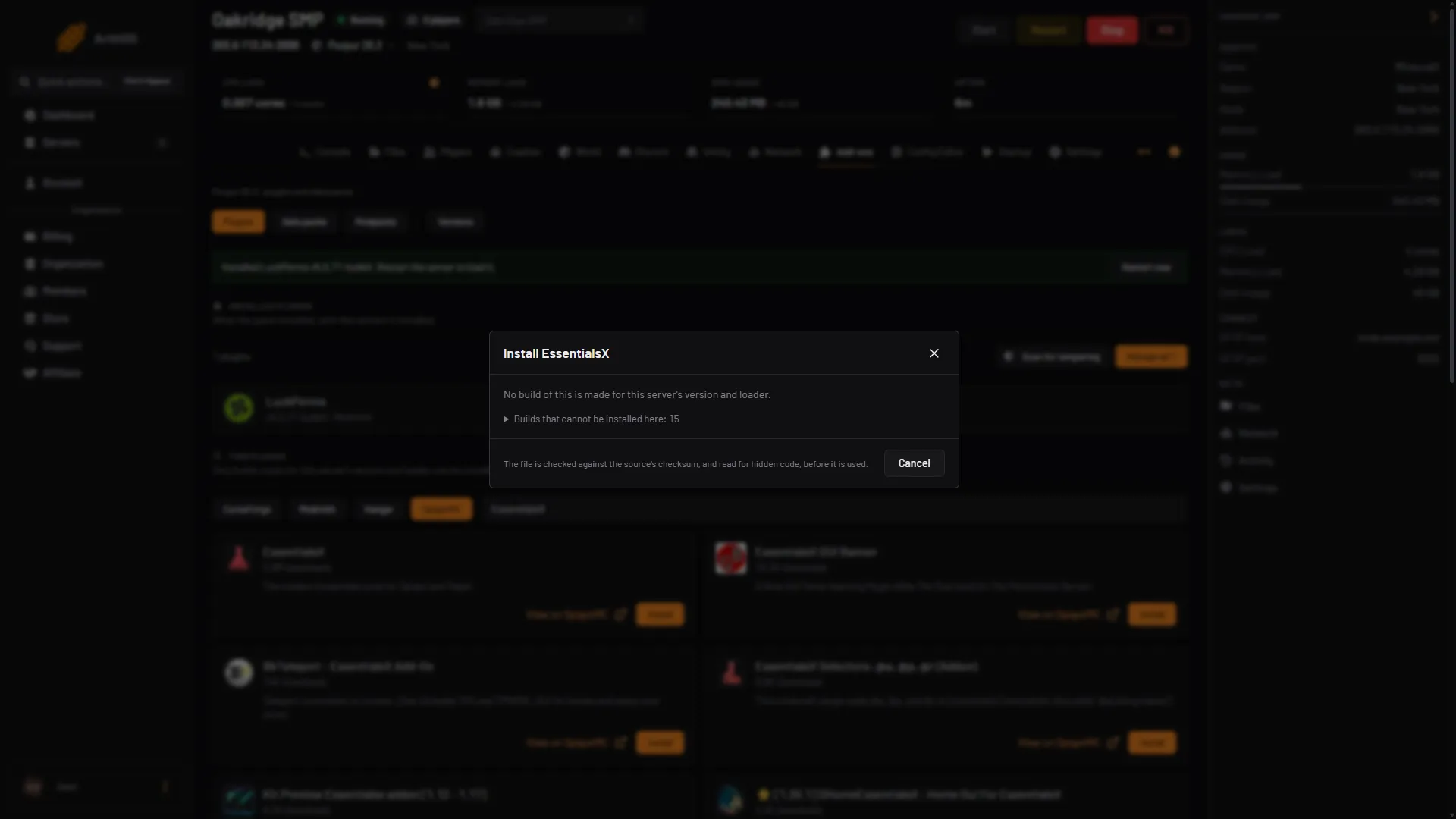
- No build message
On a 26.3 Purpur server, the panel’s Modrinth, Hangar and CurseForge searches show no EssentialsX, because they only list plugins with a build for your exact version, and SpigotMC lists EssentialsX but its Install dialog gives the message above. The newest release, 2.22.0, names support up to Minecraft 26.1.2.
Your options:
- Use 2.22.0 anyway. Plugins often keep working on a newer Minecraft version, but a build made for an older version can cause bugs or lag, or fail to load. The panel does not offer it on 26.3, so upload it yourself: see By hand. Take a backup first.
- Run 26.1.2 or older. Open Add-ons, then Versions, choose your software and then the version. The panel takes a backup first when it can. If it cannot, the dialog says why, and you must tick Continue without a backup to go on. A world saved by a newer version gets a warning, so read it before you switch.
- Wait for an EssentialsX release that supports 26.3, and check the downloads page.
Which jars you need
The core EssentialsX jar holds most commands, signs, kits and the economy. Every other jar is an optional module that needs the core jar next to it.
- EssentialsXSpawn:
/setspawnand control over where players appear when they first join and when they die. Add this if you want a spawn. - EssentialsXChat: chat formats with prefixes and suffixes. It needs Vault and LuckPerms to read groups.
- EssentialsXProtect, AntiBuild, GeoIP, Discord, DiscordLink, XMPP: optional. Skip them until you need them.
Keep every EssentialsX jar on the same version. Mixed versions cause errors.
The current release is 2.22.0 (31 May 2026). Its notes say it supports Minecraft 26.1.2 and 1.21.11. Before installing on a newer version, read the EssentialsX download page to see what it supports. EssentialsX does not support Folia, Mohist or Forge and Fabric hybrid servers.
In the ArthOS panel
Use this once a source offers a build for your version.
- Open Add-ons, then Plugins. Search for
EssentialsXand press Install on the project. - Search for
EssentialsXSpawnand install it the same way if you want a spawn point. Use the same version as the core. - Press Restart now. The plugin makes its folder
plugins/Essentialson first start. - Open Files and go to
plugins/Essentials. You editconfig.ymlandkits.ymlthere.
If no build shows, the panel says “No build of this is made for this server’s version and loader.” Your server is newer than the plugin supports. See the options above: the older build can still be uploaded by hand.
By hand
- Take a backup.
- Download
EssentialsX-<version>.jarand any module jars from the downloads page. Download only from EssentialsX’s own pages: copies elsewhere have carried malware. - Upload them to the
pluginsfolder at the server root. In the ArthOS Files tab use Upload, then Upload from computer. - In Add-ons, Plugins, choose Scan for tampering. It checks every jar in the
pluginsfolder for hidden code, including the ones you uploaded. - Restart the server. Type
pluginsin the console. EssentialsX should be green. Read the start of the Console for warnings or errors from EssentialsX.
On a version newer than the release supports, such as 26.3 with 2.22.0, watch the server for a while after the restart. A build made for an older version can cause bugs or lag. Type spark tps to check: a healthy server shows 20. If something is wrong, turn the jars off in Add-ons, Plugins, Manage all and restart.
Set it up
Regular players get none of these commands until you allow them. EssentialsX does not grant its permissions to everyone, so check which permissions each command needs on the EssentialsX wiki. Give the permissions below to your default group with your permissions plugin. See the LuckPerms guide.
Homes. Players run /sethome <name> in game and /home <name> to return. Permissions: essentials.sethome and essentials.home. To allow more than one home, give essentials.sethome.multiple. The limit is in config.yml:
sethome-multiple:
  default: 3
  vip: 5
  staff: 10
Someone with essentials.sethome.multiple and essentials.sethome.multiple.vip gets 5 homes. essentials.sethome.multiple.unlimited removes the limit.
Warps. An op sets one with /setwarp <name> and anyone with essentials.warp uses /warp <name>. Set per-warp-permission: true in config.yml to give each warp its own permission.
Spawn. With the Spawn module, stand where you want it and run /setspawn. To send everyone to spawn on every join, set spawn-on-join: true. The default is false.
Kits. Kits live in kits.yml:
kits:
  tools:
    delay: 600
    items:
      - stonesword 1
      - stonepickaxe 1
Names are lowercase. delay is seconds between uses, and -1 makes a one-time kit. Players need essentials.kit to use /kit. Each kit has its own permission too.
Teleport requests. /tpa needs essentials.tpa. teleport-delay and teleport-cooldown in config.yml are in seconds and both default to 0.
Changes to config.yml and kits.yml apply after a restart. Do not use /reload.
If it does not work
- Players say a command does not exist or they have no permission. Give the matching permission to their group. Ops work without it.
- Prefixes in chat do nothing. EssentialsXChat needs Vault and LuckPerms.
- Errors about a version mismatch. One of the EssentialsX jars is a different version from the others. Replace them all with the same release.
- Plugin is red in
plugins. Readlogs/latest.lognear the start. Usual causes are a server newer than the plugin supports, or two copies of the plugin in the folder.
More plugins to pair with it are in best Minecraft plugins. Servers for all of this are on the Minecraft page.
Sources: essentialsx.net, essentialsx.net: Modules, essentialsx.net: Introduction, essentialsx.net: Downloads.html, github.com: 2.22.0, raw.githubusercontent.com: Config.yml, raw.githubusercontent.com: Kits.yml, raw.githubusercontent.com: Plugin.yml, docs.papermc.io: Plugin yml, docs.papermc.io: Adding plugins