

















You set the join password in the Config Editor, on the Passwords page, in the Join password row. A new server has no password, so anyone who finds it can join. A change applies at the next start of the server.
A password can use letters, digits, dashes and underscores. It cannot have spaces. It must be 1 to 64 characters long. Leave it empty and the server has no password.
Set or change the password
- Open your server and choose Config Editor.
- Choose Passwords (1).
- Find Join password (2). Its key,
SERVER_PASSWORD, shows beside the name. The text under it says “Players need it to join. Empty for none.” - Type the new password. The box hides what you type. Press the eye button to see it, or the copy button to copy it.
- Choose Save. The button appears when you change the box.
- Restart the server so the game reads it. The page says “Saved changes apply after a restart.” Use Restart at the top of the page.
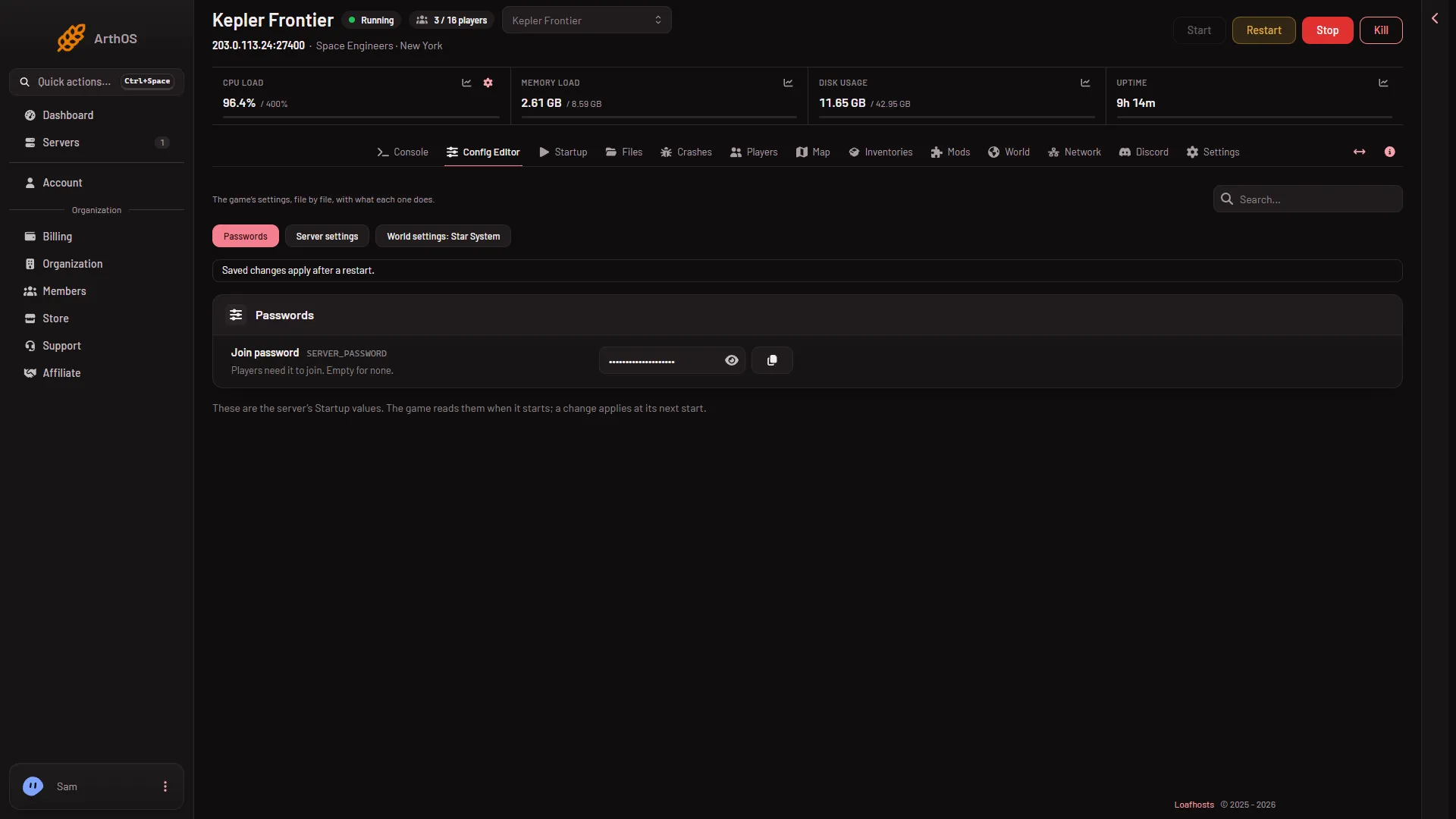
- Passwords
- Join password
A restart disconnects the players who are on now. Pick a quiet moment, or warn them first.
Remove the password
- Open Config Editor, then Passwords.
- Empty the Join password box.
- Choose Save, then restart the server.
After that start, anyone can join without a password.
What the game keeps
The game does not store the password as text. It keeps only a scrambled form of it, a hash, under ServerPasswordHash in SpaceEngineers-Dedicated.cfg. That is why the game’s own settings file never shows your password. The panel keeps the value you typed so you can reveal it with the eye button.
Where not to look
The Startup page does not hold the password. It shows a note, “This server’s passwords (Join password) are kept with its other settings now.” and a link, Open Passwords on the Config Editor. Use that link, or the steps above.
What players see
A server with a password shows a lock symbol in the game’s server list. Players choose the server and the game asks for the password. Not checked with a player on 1.210 as of 15 November 2026: the exact words of the prompt, and what a wrong password shows.
Read more about joining in how players join a server. More about the game: Space Engineers servers.
If it does not work
- Players still join without a password. The server has not restarted since you saved. Restart it from the panel.
- The panel will not save. The password has a space or a character that is not a letter, a digit, a dash or an underscore, or it is longer than 64 characters.
- You cannot find the password box. It is not on Startup. Open Config Editor, then Passwords.
- The page is read only. Your role does not allow changing the server’s startup settings. Roles are changed on the organization page: Settings, Access, Manage roles.
Sources: spaceengineers.wiki.gg: Multiplayer